Toy Car to Real Car
AI Video Maker Generators & Tools
Turn one car photo into a toy-to-real AI video that reveals the same vehicle from a train-window miniature to a night road drive.
Promoted
 AI Checker PlusAI detector that highlights which passages AI wrote. Free check, no sign-up. Plagiarism too.
 RewindType any X/Twitter handle. Get their year back as a narrated video story. Then ask it anything.
 KurodyneSell the tools from your AI side projects. Listing is free.
 Pixmax.aiPixmax.ai is an all-in-one AI workspace for videos, visual stories, and marketing content.
 SEOify - Improve your SEO & rankingsBuild links to rank in Google. Improve your DR with links you can start building now.Advertise here330,000+ people visit Dang.ai every month.
What does Toy Car to Real Car do?
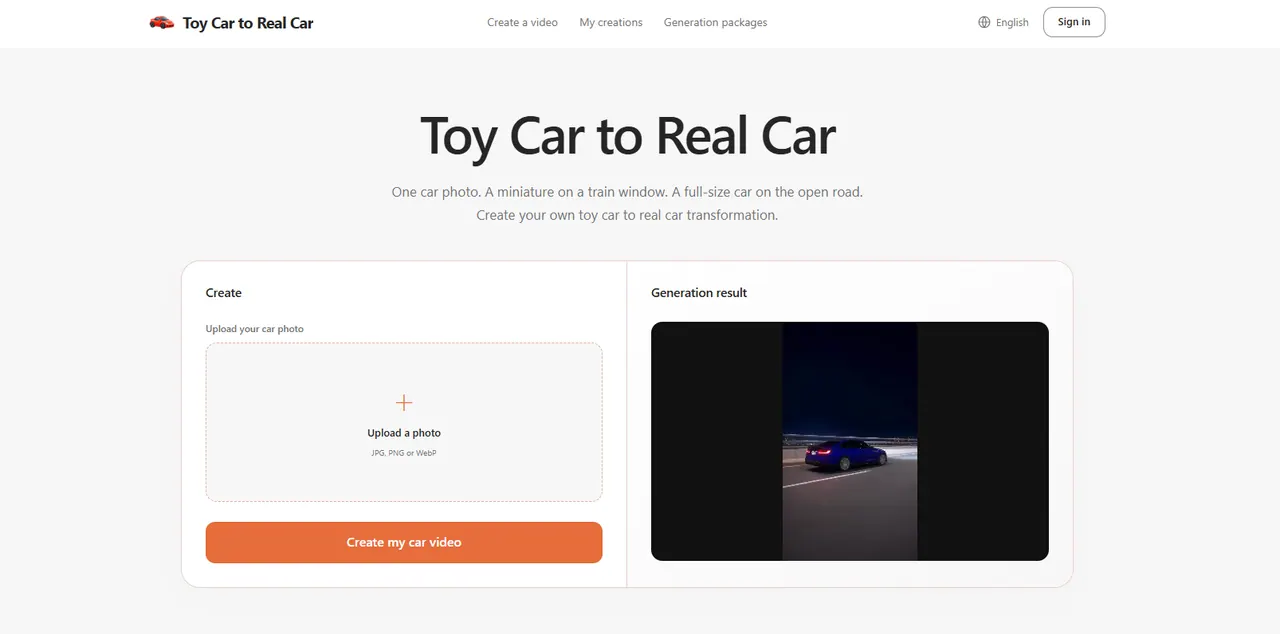
Toy Car to Real Car transforms a single car photo into a cinematic reveal: a miniature vehicle sitting beside a train window shifts into a full-size car driving on a night road. The scale change is the hook of the effect—your uploaded image provides the car’s look, while a prepared scene and camera sequence handles the transformation.
To get started, upload one clear car photo (JPG, PNG, or WebP). Choose an image where the entire vehicle is visible—often a rear or rear three-quarter angle works well for showing the body shape, wheels, and color. Once you’re signed in, you can create your video without writing a prompt or editing a timeline.
After generation, check your results in My creations. Preview the completed clip, review the miniature-to-road transition, and download the version you want to share.
Toy Car to Real Car is a good fit for car enthusiasts, model collectors, and social creators who want an easy way to turn a still photo into a vertical, trend-style car video for TikTok, Instagram Reels, or Shorts. Generation is purchased as packs (pay once), with options for 1, 3 (popular), or 5 generations.
What does the toy car to real car effect do?
It creates a single visual story where your car appears as a small miniature beside a train window, then reveals as the same vehicle at full size on a night road. The reveal is driven by the scale change from toy to real.
What photo should I upload for the best results?
Upload one clear photo with one car fully visible, ideally from a rear three-quarter angle so the body, wheels, and color are easy to identify. Avoid cropped wheels, heavy blur, deep shadows, and images with multiple overlapping cars.
Do I need to write a prompt or edit a timeline?
No. The effect is already configured, so you just upload your car photo and start generation. You can follow progress in My creations and then preview and download the result.
Can I use a photo of a real car or a toy/model car?
You can upload one car photo to create your transformation. Use the clearest photo you have of the vehicle you want to reveal, whether it’s a real car or a toy/model.
How much does a generation cost?
You can buy packs with one-time payments: 1 generation for $9.90, 3 generations for $27.90 (about $9.30 per generation), or 5 generations for $44.90 (about $8.98 per generation).
Where can I find and download my video?
After generation, open My creations to preview your finished clip. From there, you can download the version you want to share.
This listing is claimed
Own Toy Car to Real Car? Sign in with the email used to claim it to manage this listing, or upgrade to Pro for featured-first placement and a newsletter feature.