
MLA citation generator
Verified
Tool for creates academic citations automatically
EssayPro’s MLA Citation Generator creates clean MLA citations fast from your source details, helping you save time and reduce formatting mistakes.
Promoted
 Pixmax.aiPixmax.ai is an all-in-one AI workspace for videos, visual stories, and marketing content.
 RewindType any X/Twitter handle. Get their year back as a narrated video story. Then ask it anything.
 KurodyneSell the tools from your AI side projects. Listing is free.
 Sidrune AI85% off. Stable Claude API for agent developers. Pay as you go. Invoices & refunds available.
 SEOify - Improve your SEO & rankingsBuild links to rank in Google. Improve your DR with links you can start building now.Advertise here270,000+ people visit Dang.ai every month.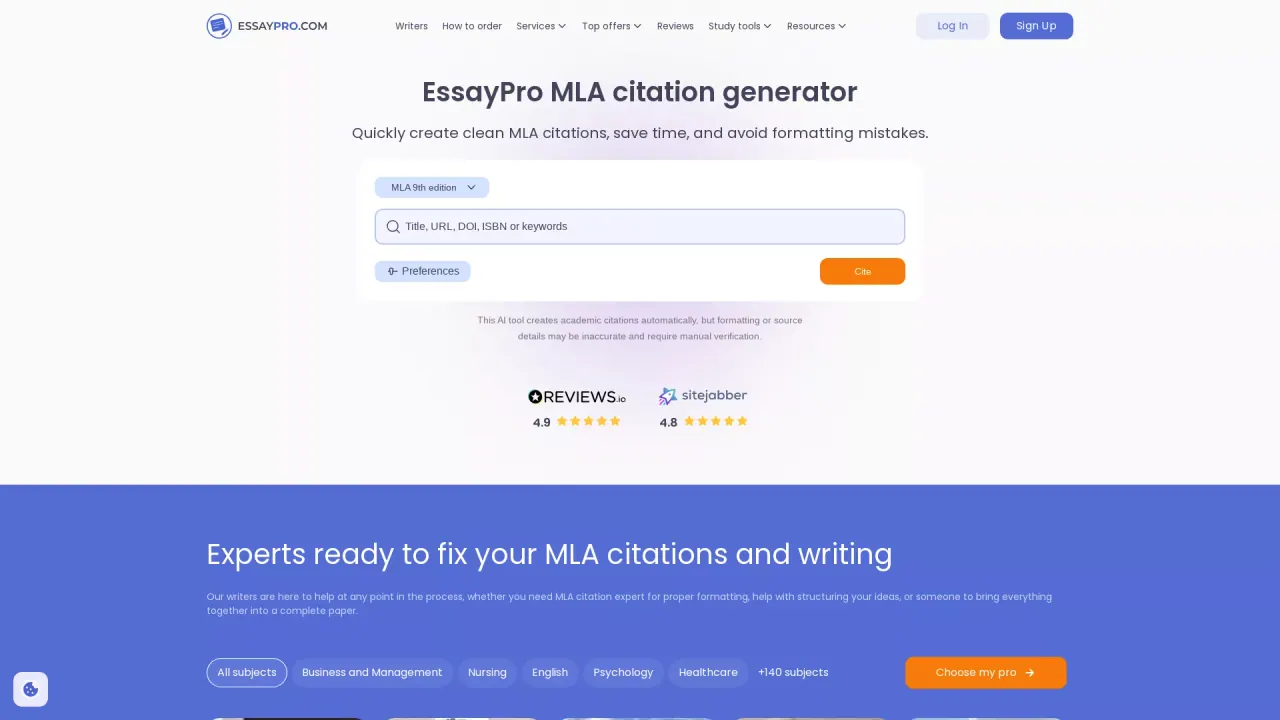
What does MLA citation generator do?
EssayPro’s MLA Citation Generator helps you create clean MLA citations quickly. It’s designed to take the hassle out of formatting references by generating citation entries from the information you provide—like author, title, and publication details—so you can spend more time on your writing.
The tool supports MLA and other major citation styles, including APA and Chicago, so you can switch formatting when your assignment requires a different standard. It also aims to follow current MLA handbook guidelines, while still encouraging manual review to ensure your final citations are accurate.
You can generate citations by entering a title, URL, ISBN, or keywords. The generator can pull relevant information and fill in citation fields automatically, which reduces common errors and speeds up source lookup. To support longer research sessions, anything you enter is saved automatically for seven days, so you can return later without losing your work.
After generating a citation, you can adjust formatting options like font size and style to better match your paper. The citation tool is free to use with no sign-up needed and no limited features—use it anytime to produce reference entries for your Works Cited list.
How do I generate an MLA citation with this tool?
Enter the source details you have (such as author, title, and publication information), then generate the citation. The tool fills in the citation fields and formats the result for you.
Can I switch between MLA and other citation styles?
Yes. It supports MLA and also other major styles like APA and Chicago, so you can format references according to your assignment requirements.
Does it support both MLA 8 and MLA 9?
Yes. You can select between MLA 8 and MLA 9 in the generator’s style options.
What if my source information is incomplete?
If key details are missing (like author, title, or publication date), MLA guidelines can help you format the citation with what you do have—for example, using the title when no author is listed. For the final draft, review the citation manually for completeness and accuracy.
How can I find the source details faster?
Use the quick source lookup by entering a title, URL, ISBN, or keywords. The tool can pull relevant information and help populate the citation fields.
Is the MLA citation generator free and does it require an account?
It’s free to use and doesn’t require sign-up. You can generate citations anytime without creating an account or paying a fee.
This listing is claimed
Own MLA citation generator? Sign in with the email used to claim it to manage this listing, or upgrade to Pro for featured-first placement and a newsletter feature.