
VO3 AI
Verified
Text to VO3 AI Videos Tool
Turn text or images into AI videos with motion and voice using VO3 AI.
Promoted
 Sidrune AI85% off. Stable Claude API for agent developers. Pay as you go. Invoices & refunds available.
 Pixmax.aiPixmax.ai is an all-in-one AI workspace for videos, visual stories, and marketing content.
 SEOify - Improve your SEO & rankingsBuild links to rank in Google. Improve your DR with links you can start building now.Advertise here270,000+ people visit Dang.ai every month.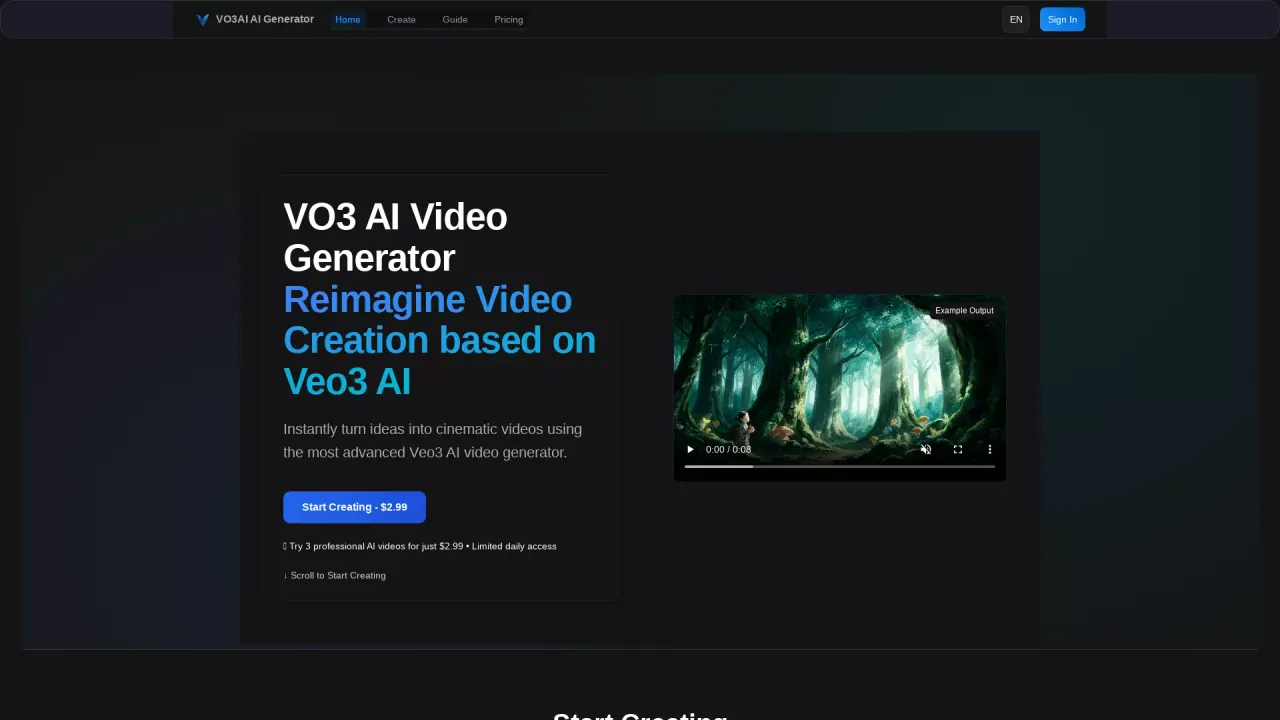
What does VO3 AI do?
How does VO3 AI's pricing work?
VO3 AI offers a trial pack and multiple subscription plans, plus one-time credit packs. The trial pack is available for $2.99 and includes 200 credits. Ongoing options include monthly plans (Lite, Basic, Max, Studio) with varying monthly prices and credit allowances, plus one-time credit packs such as Flex Pack ($59.9 for 50 credits) and Flex Ultra ($239 for 200 credits). Plans also specify monthly video output limits, total credits, and whether videos are public or private.
What can VO3 AI generate and what are the core features?
VO3 AI can transform text descriptions and images into dynamic videos with synchronized audio. It supports text-to-video and image-to-video workflows, multiple styles (from hyper-realistic to fantasy, sci-fi, and anime), and fast generation with high-quality motion. It also includes batch generation, scene splitting, and continuation, plus a smart prompt optimization system and an AI assistant for model recommendations.
How does VO3 AI differ from other video generators?
VO3 AI uses Google's Veo3/Multi-Model engine to deliver advanced human motion generation, fast rendering, and precise prompt following. It combines text-to-video and image-to-video in one platform, offers a wide range of styles, supports high-quality motion, and includes commercial usage rights and a dedicated prompt optimization assistant.
What video models are available and what are their typical use cases?
VO3 AI supports a multi-model engine including Veo3 Fast, Veo3, Kling 3.0, Wan models, Sora 2, and more. Model capabilities cover fast generation with good quality, high-detail cinematic results, built-in audio options, and multi-shot or long-form capabilities. Specifics from the model comparison include:
- VO3 Basic: 720p/1080p output, focus on ultra-realistic quality and cost efficiency.
- VEO3 Fast: fast generation with audio; good value.
- VO3 Advance: smooth motion, multi-shot capability.
- VEO3 Premium (T2V/I2V): professional quality with advanced audio and narration.
- WAN 2.5 / WAN 2.7: built-in audio options, durations, and higher output controls.
- Sora 2 (Basic/Pro): creative, longer generation times with varying credits.
- Kling 2.6 Pro / Kling 3.0: built-in audio, varied durations, high detail.
- VO3 AI Basic / Pro / Studio variants: tiered access to models, speeds, and features.
- VO3 AI 3.1 Lite / 3.1 Multi-Image: newer capabilities and flexibility.
- Seedance 2 and related models: additional creative options.
Note: Use the model comparison to pick the model that best fits your needs, considering credits, speed, and quality.
How do I start creating my first VO3 AI video?
- Start Your VO3 Creation by entering a text prompt or uploading an image.
- VO3 Optimize & Customize by letting VO3 Bot optimize your prompt, select the best model, and adjust style settings.
- Get Your VO3 AI Video by downloading it or sharing it with your audience.
What happens when I upload an image into VO3 AI?
When you upload an image, VO3 AI analyzes content, style, and composition, then transforms it into a dynamic video while preserving the original aesthetic. You can control motion intensity, duration, and add creative elements.
Are VO3 AI videos allowed for commercial use?
Yes. Commercial usage rights are included with VO3 AI plans, enabling you to use generated videos for commercial purposes.
Can I control privacy and sharing of my VO3 AI videos?
Yes. VO3 AI provides public and private video settings, with privacy controls and, on Professional Sharing, SEO-optimized video pages. You can manage who sees your videos and how they’re discovered.
Is VO3 AI available in languages other than English?
Yes. VO3 AI is available in multiple languages, including English, 中文, 日本語, 한국어, Español, Français, Deutsch, Italiano, Русский.
What support options does VO3 AI offer?
VO3 AI provides a 24/7 VO3 Bot for support, including prompt optimization and model recommendations. The platform emphasizes ongoing assistance through this intelligent assistant.
How can I compare VO3 AI models to choose the right one?
VO3 AI provides a model comparison with details on credits, generation time, speed, quality, and use cases. Models include VO3 Basic, VEO3 Fast, VO3 Advance, VEO3 Premium (T2V/I2V), VEO3.1, WAN models, Sora 2, Kling models, and more. Use the comparison to match your desired balance of speed, quality, and cost.
Are batch generation and scene splitting available?
Yes. VO3 AI supports batch generation and scene splitting to create multiple videos simultaneously with intelligent division of scenes.
Are there resources to learn how to use VO3 AI?
Yes. The VO3 AI site includes resources such as Pricing Details, Free Guide, Veo3 Download, and a blog with guides and comparisons.
This listing is claimed
Own VO3 AI? Sign in with the email used to claim it to manage this listing, or upgrade to Pro for featured-first placement and a newsletter feature.