
TatTryOn
AI Art Generator & Creator Tools
Generate or upload a tattoo design, then preview its placement on your photo with an easy drag-and-adjust simulator.
- Pricing
- Free
- Category
- Art
- Listed
- Sep 29, 2026
- Updated
- Sep 30, 2026
Promoted
 Sidrune AI85% off. Stable Claude API for agent developers. Pay as you go. Invoices & refunds available.
 Pixmax.aiPixmax.ai is an all-in-one AI workspace for videos, visual stories, and marketing content.
 SEOify - Improve your SEO & rankingsBuild links to rank in Google. Improve your DR with links you can start building now.Advertise here270,000+ people visit Dang.ai every month.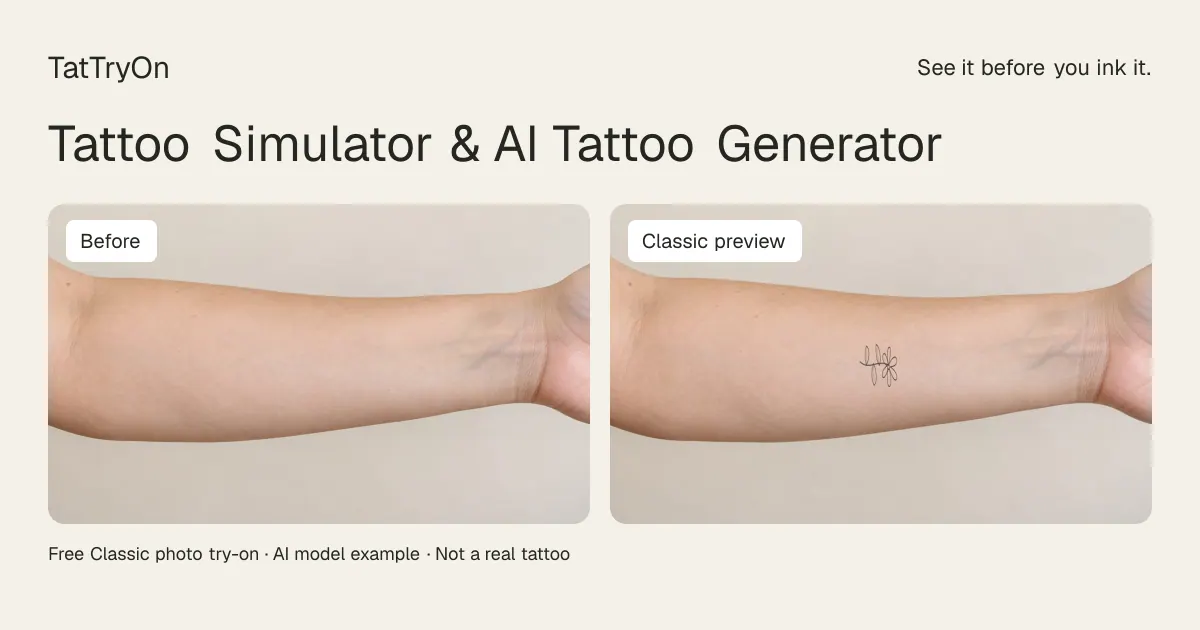
What does TatTryOn do?
TatTryOn helps you explore tattoo ideas before committing. Pick a design and use the free Classic tattoo simulator to place it on your photo, then adjust size, angle, rotation, and opacity. You can compare the preview with your original image and download a placement reference to discuss with your tattoo artist.
You can also create tattoo artwork with AI design generation. Sign in to use the shared daily free allowance or your available credits, then preview the generated artwork in the Classic simulator. Uploaded images can be processed in your browser for the current workflow.
A preview is a visual reference, not a guaranteed look, physical measurement, or tattoo stencil. It’s designed to support conversations about placement and composition—your artist should confirm final alignment directly on your body.
How do I try a tattoo design on my photo?
Open the tattoo simulator, choose Body, and upload a clear photo of the area you want to try. Select a design, drag it into position, and adjust size and rotation. Use Preview Result to compare, then download the preview reference.
Can I use my own photo and tattoo artwork?
Yes. Upload an adult body photo in PNG, JPEG, or WebP (up to 15 MB). You can also upload your own tattoo design for placement and preview in the simulator.
Do I need an account to use the free try-on?
No—Classic try-on is available without sign-up. Your local draft is saved only on the device/browser used for that session.
Is the tattoo try-on accurate?
It’s accurate for comparing how a design may look in scale, angle, and placement within a single photograph. It can’t predict healed ink, skin texture, movement, or how a tattoo wraps on a curved body surface.
Can I create an AI tattoo design and preview it?
Yes. Use AI Tattoo Generator to create the artwork, then preview placement with the Classic tattoo simulator. Sign in is required for AI design generation, using the daily free allowance or available credits.
Do my photos stay private?
In the Classic workflow, uploaded images stay in your browser for the current try-on experience. You can remove the local draft from the Adjust panel and delete your draft whenever you want.
This listing is claimed
Own TatTryOn? Sign in with the email used to claim it to manage this listing, or upgrade to Pro for featured-first placement and a newsletter feature.