
StickerFaster
AI Art Generator & Creator Tools
StickerFaster turns one character image into a consistent 4×3 sheet of 12 AI stickers with editable captions and export-ready files.
- Pricing
- Free
- Category
- Art
- Listed
- Sep 20, 2026
- Updated
- Sep 21, 2026
Promoted
 Sidrune AI85% off. Stable Claude API for agent developers. Pay as you go. Invoices & refunds available.
 Pixmax.aiPixmax.ai is an all-in-one AI workspace for videos, visual stories, and marketing content.
 AI Checker PlusAI detector that highlights which passages AI wrote. Free check, no sign-up. Plagiarism too.
 RewindType any X/Twitter handle. Get their year back as a narrated video story. Then ask it anything.
 KurodyneSell the tools from your AI side projects. Listing is free.
 SEOify - Improve your SEO & rankingsBuild links to rank in Google. Improve your DR with links you can start building now.Advertise here270,000+ people visit Dang.ai every month.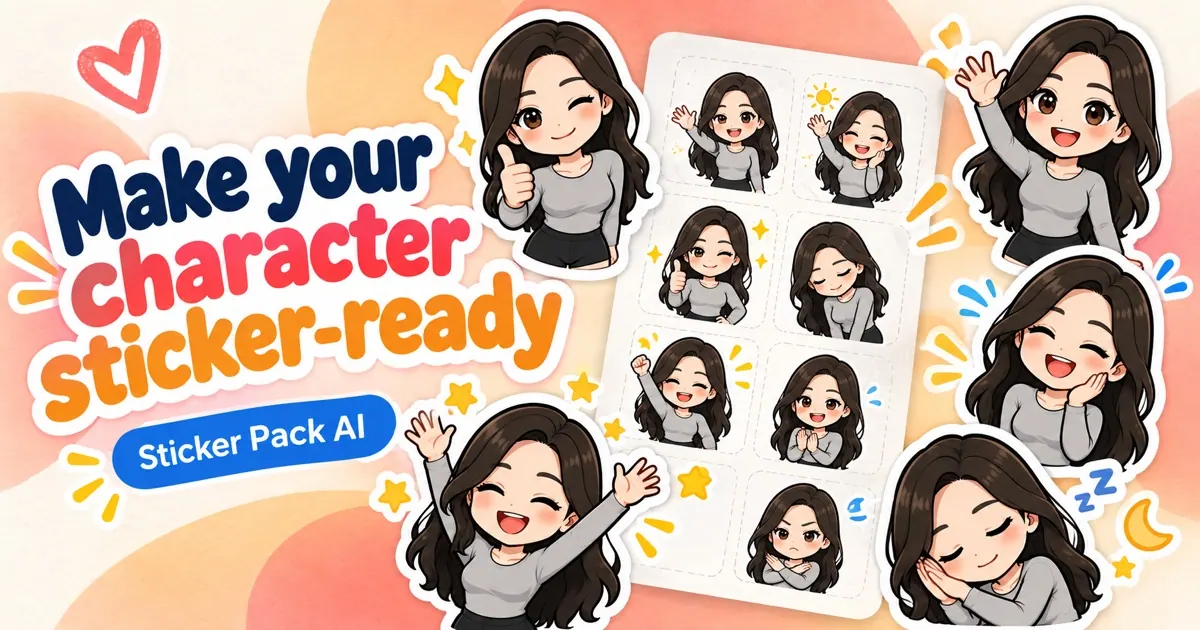
What does StickerFaster do?
Create a complete reaction pack from a single upload with StickerFaster. Choose a style (Kawaii Chibi, Soft Cartoon, Flat Illustration, or Anime Sticker), write twelve captions for the grid, and generate a 4×3 sheet where the subject, look, and caption style stay consistent across all panels.
After generation, you review the untouched sheet first, then proceed to processing for background removal, crop adjustments, and splitting the sheet into individual sticker files. You can also edit captions and use the crop editor to correct layout or panel boundaries without needing to recreate the entire pack.
StickerFaster works best with clear, recognizable reference images (front-facing portraits, well-lit pets, or clean character illustrations). The connected-white background remover is designed for white or near-white sticker-sheet backgrounds, so source choice and visible spacing between panels can affect the final cutout quality.
What does StickerFaster create in one run?
StickerFaster generates a complete 4×3 sheet containing 12 stickers with captions placed into the grid cells.
Can I edit the sticker captions before generation?
Yes. You can replace the default twelve captions; the caption text becomes part of the generated artwork.
Do I have to pay again if I download or move crops?
Processing covers background removal, splitting, crop correction, individual downloads, and ZIP export. Moving a crop box or downloading again does not create a new fee.
How are credits handled for creating versus processing?
Creating a new 12-sticker sheet uses 16 Credits, and processing that sheet uses 2 Credits. Credits reserved during generation return automatically if the provider fails technically.
What happens if the background removal doesn’t work well?
If the source blends into the background or isn’t suitable for connected-white removal, you may need to use a different reference with more separation or adjust via the crop editor rather than regenerating immediately.
How long does StickerFaster keep generated sheets?
Generated sheets are kept privately for up to 30 days.
This listing is claimed
Own StickerFaster? Sign in with the email used to claim it to manage this listing, or upgrade to Pro for featured-first placement and a newsletter feature.