
Seedance 2.5 by SeeVideo
AI Art Generator & Creator Tools
Seedance 2.5 by SeeVideo generates and edits short AI videos from text, images, and supported video/audio references.
- Pricing
- Free
- Category
- Art
- Listed
- Aug 26, 2026
- Updated
- Aug 26, 2026
Promoted
 Sidrune AI85% off. Stable Claude API for agent developers. Pay as you go. Invoices & refunds available.
 Pixmax.aiPixmax.ai is an all-in-one AI workspace for videos, visual stories, and marketing content.
 RewindType any X/Twitter handle. Get their year back as a narrated video story. Then ask it anything.
 KurodyneSell the tools from your AI side projects. Listing is free.
 SEOify - Improve your SEO & rankingsBuild links to rank in Google. Improve your DR with links you can start building now.Advertise here270,000+ people visit Dang.ai every month.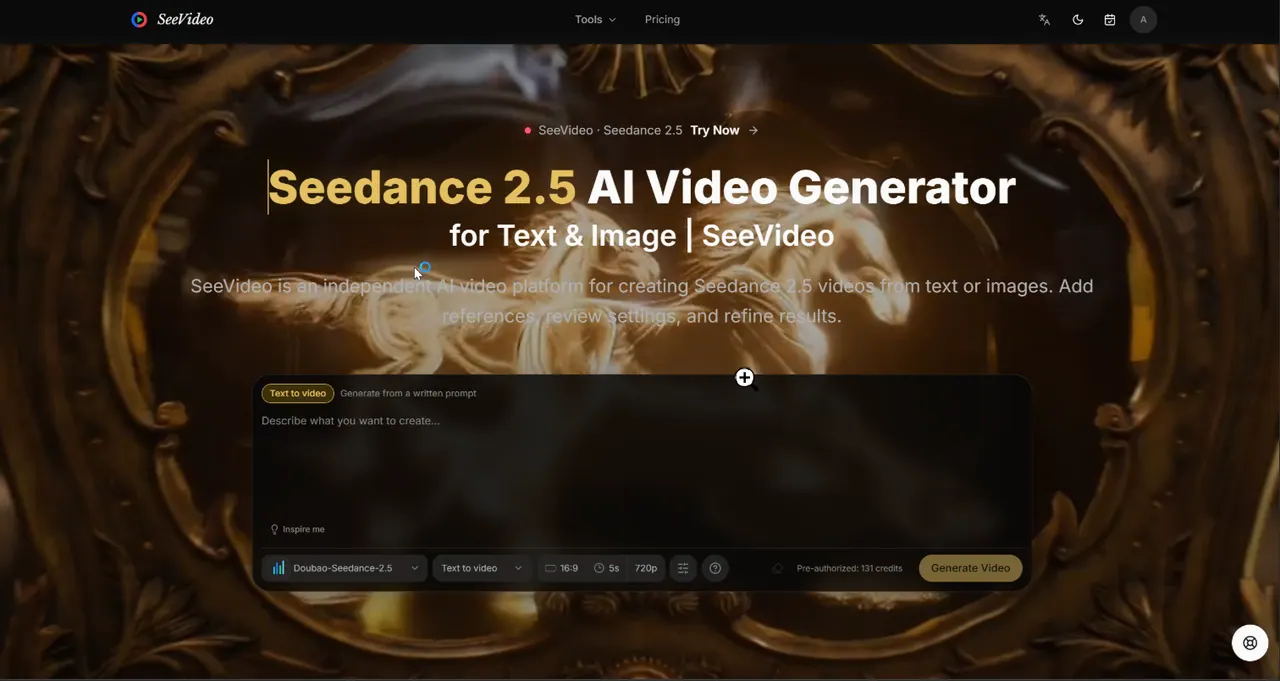
What does Seedance 2.5 by SeeVideo do?
Seedance 2.5 by SeeVideo is an AI video generator for creating short video scenes from a written prompt or an image, with support for multimodal references. You can plan a scene, choose generation settings, and refine results with workflows like text-to-video, image-to-video, frame-based generation, editing, and extending.
Use it to turn a scene brief into up to 30-second sequences, or to iterate on existing footage when only part of the clip needs adjustment. The generator provides controls for aspect ratio, duration, resolution, output format, audio, watermarking, and other advanced settings, so you can match the output to your use case.
Seedance 2.5 templates help you start from a working direction by loading a prompt and references into the workspace. Model choices within the SeeVideo platform (Seedance 2.5 vs. Seedance 2.0 variants) let you pick a faster iteration path for short tasks and resolutions, then move to Seedance 2.5 for longer narrative and editing workflows.
What can Seedance 2.5 generate in SeeVideo?
It can generate videos from text prompts or from images, and it supports workflows that use references where they matter. You can also edit or extend clips when you need to change part of a sequence or add beats at the end.
How do multimodal references work for Seedance 2.5?
Add image, video, and audio references only when each has a clear job—appearance, pacing/composition, and sound direction. Keeping the reference set focused helps the output follow the intended look and timing.
What’s the maximum length I can generate with Seedance 2.5?
Seedance 2.5 supports up to 30 seconds in one generation request, which fits small narrative arcs. If you need more time, you can use extension workflows after reviewing the first output.
Can I edit or extend an existing clip with Seedance 2.5?
Yes. Use editing when most of the clip works and only one part needs a change. Use extension when the ending needs another beat, and review settings before submitting because some operations may use adaptive aspect ratio rules.
What output settings can I choose?
You can set aspect ratio, duration, resolution (480p or 720p in this workspace), and output format (MP4; MOV). The workspace also includes audio and watermarking controls along with other advanced options.
How do I choose between Seedance 2.5 and Seedance 2.0 models?
Choose Seedance 2.5 for longer narratives and editing/extension workflows. Use Seedance 2.0 variants (Standard, Fast, Mini) for short tasks or when you want a different resolution/iteration path for 480p/720p work.
This listing is claimed
Own Seedance 2.5 by SeeVideo? Sign in with the email used to claim it to manage this listing, or upgrade to Pro for featured-first placement and a newsletter feature.