
Seedance 2.5
Verified
AI Video Maker Generators & Tools
Seedance 2.5 turns text or photos into cinematic 4K videos with native, synced audio—no editing skills required.
Promoted
 Pixmax.aiPixmax.ai is an all-in-one AI workspace for videos, visual stories, and marketing content.
 Sidrune AI85% off. Stable Claude API for agent developers. Pay as you go. Invoices & refunds available.
 SEOify - Improve your SEO & rankingsBuild links to rank in Google. Improve your DR with links you can start building now.Advertise here270,000+ people visit Dang.ai every month.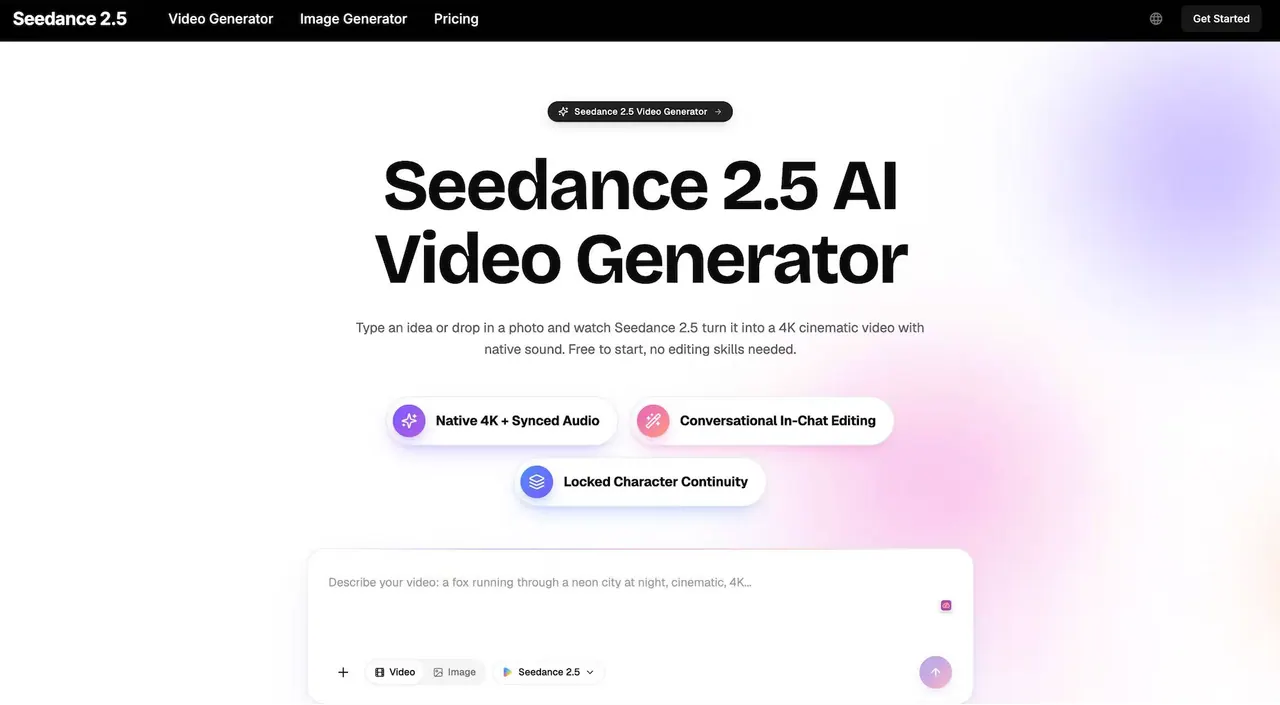
What does Seedance 2.5 do?
Seedance 2.5 is an all-in-one AI video generator that transforms your idea into a finished cinematic video using text, images, clips, and audio cues in a single generation. It’s designed to keep the result production-ready, with crisp 4K output and smooth motion up to 30fps.
Create from a prompt or animate a single reference photo. Guide the look and action with conversational directions, and shape your scene by chatting—such as changing lighting, color, pacing, or what the camera emphasizes. Seedance 2.5 also supports multi-shot stories so characters, lighting, and style stay consistent across cuts.
Sound is generated natively and synced with the picture, including dialogue, sound effects, and ambience. Start free to make your first clips, then upgrade when you want more generation capacity and higher output options.
What can I input to Seedance 2.5?
You can use text, images, clips, and audio cues together in one generation. It accepts multiple inputs (up to 12) so you can combine references like a photo, a style note, and dialogue into one creative brief.
Does Seedance 2.5 generate native audio or do I have to add sound later?
Seedance 2.5 generates audio and video together, with native audio synced to the motion. Lip movement and ambience are created automatically as part of the same generation.
Is Seedance 2.5 good for turning a photo into a video?
Yes. Upload a still image and Seedance 2.5 adds movement, depth, and native sound to turn it into a living video clip. You can also steer the motion with a short text note.
What resolution and motion quality should I expect?
Seedance 2.5 renders up to true 4K and supports smooth 30fps motion. The output is built to avoid flicker, warping, and odd jumps between frames.
Can I edit a generated video by describing changes?
Yes. If you don’t like a shot, describe what to change in plain words (for example, “make the lighting warmer” or “hold the close-up longer”) and regenerate the clip.
Do I need video editing software or experience to use it?
No. Seedance 2.5 runs in your browser and is designed so you can create a finished clip by writing a sentence, then downloading and sharing the result.
This listing is claimed
Own Seedance 2.5? Sign in with the email used to claim it to manage this listing, or upgrade to Pro for featured-first placement and a newsletter feature.