
ScreenWeaver
AI Video Maker Generators & Tools
ScreenWeaver helps you write, storyboard, and prepare your film in one connected workspace from script to visual pipeline.
- Pricing
- Free
- Category
- Video
- Listed
- Sep 1, 2026
- Updated
- Sep 2, 2026
Promoted
 Sidrune AI85% off. Stable Claude API for agent developers. Pay as you go. Invoices & refunds available.
 Pixmax.aiPixmax.ai is an all-in-one AI workspace for videos, visual stories, and marketing content.
 AI Checker PlusAI detector that highlights which passages AI wrote. Free check, no sign-up. Plagiarism too.
 RewindType any X/Twitter handle. Get their year back as a narrated video story. Then ask it anything.
 KurodyneSell the tools from your AI side projects. Listing is free.
 SEOify - Improve your SEO & rankingsBuild links to rank in Google. Improve your DR with links you can start building now.Advertise here270,000+ people visit Dang.ai every month.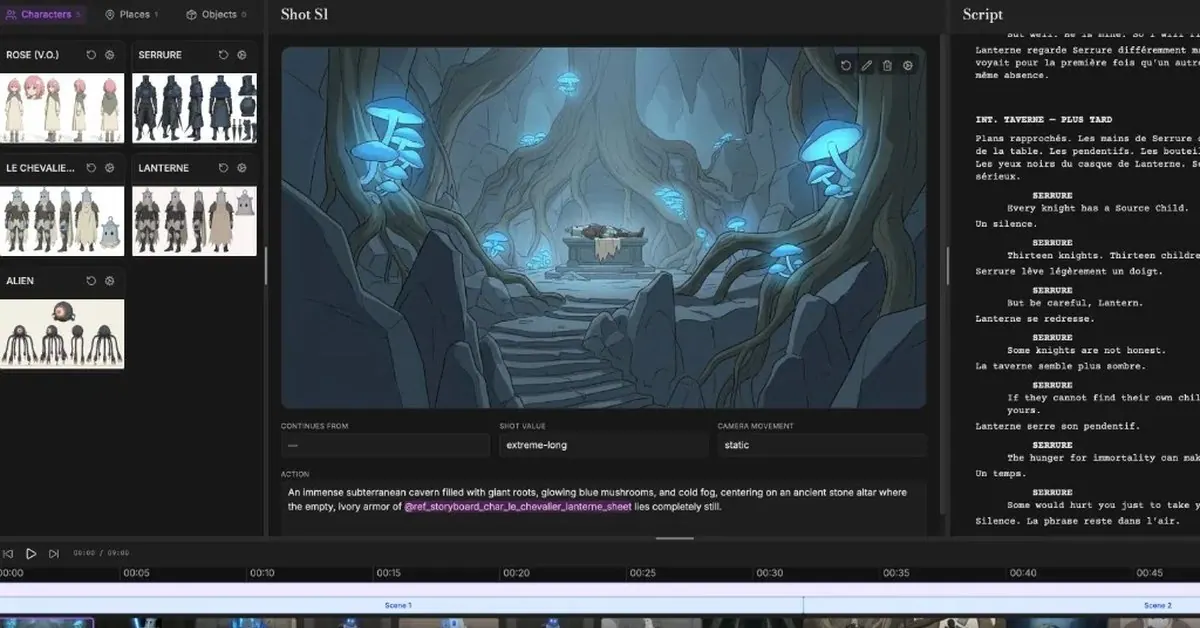
What does ScreenWeaver do?
ScreenWeaver is an AI production interface built to keep your story connected end-to-end. You write in a real screenplay editor with industry-standard formatting, outline and beats, and export to PDF and Final Draft—then use the same project to generate storyboards and planning that stay mapped to your scenes.
The workflow is designed to reduce fragmentation: your storyboard frames link to sluglines, scenes, and beats rather than drifting into a separate folder. You can approve, revise, replace, or import your own frames at any time, keeping visual intent consistent from panel to shot planning.
When you’re ready, ScreenWeaver helps you generate editable image and video workflows from your screenplay, storyboard, characters, locations, and project context. It’s supported by a writing core that includes free tools such as script timing, beat sheet calculators, scene extraction, format checking, and title page generation—so you can start free as a screenwriter and grow into a filmmaker.
What can I do with ScreenWeaver?
Write a screenplay, keep outline and beats in sync, generate a storyboard linked to your scenes, and build editable image/video workflows from your story context.
Is the writing portion actually free?
Yes. The Screenwriter writing core is free with unlimited projects and pages, a screenplay editor, outline and beats, and export to PDF and Final Draft.
How is storyboard connected to the screenplay?
Storyboard frames and panels are linked to sluglines, scenes, and beats, so the visual layer stays mapped to the structure you wrote rather than floating independently.
Can I use my own images or references?
Yes. You can import references, sketches, or renders at any time, and generated frames are a starting point you can control.
Are the production workflows editable or fixed automation?
Workflows are pre-wired to your script context, but every step is editable—models/prompts can be changed, branches can be created, and review/iteration stays in the same flow.
Do I keep ownership of my scripts and story materials?
Yes. Scripts, story materials, and outputs you create belong to you.
This listing is claimed
Own ScreenWeaver? Sign in with the email used to claim it to manage this listing, or upgrade to Pro for featured-first placement and a newsletter feature.