
ResLeap
AI Image Generators from Text Tools
ResLeap is an online AI image upscaler that enhances photos and AI art up to 8K with detail-preserving 8x upscaling.
Promoted
 AI Checker PlusAI detector that highlights which passages AI wrote. Free check, no sign-up. Plagiarism too.
 RewindType any X/Twitter handle. Get their year back as a narrated video story. Then ask it anything.
 KurodyneSell the tools from your AI side projects. Listing is free.
 Sidrune AI85% off. Stable Claude API for agent developers. Pay as you go. Invoices & refunds available.
 Pixmax.aiPixmax.ai is an all-in-one AI workspace for videos, visual stories, and marketing content.
 SEOify - Improve your SEO & rankingsBuild links to rank in Google. Improve your DR with links you can start building now.Advertise here330,000+ people visit Dang.ai every month.
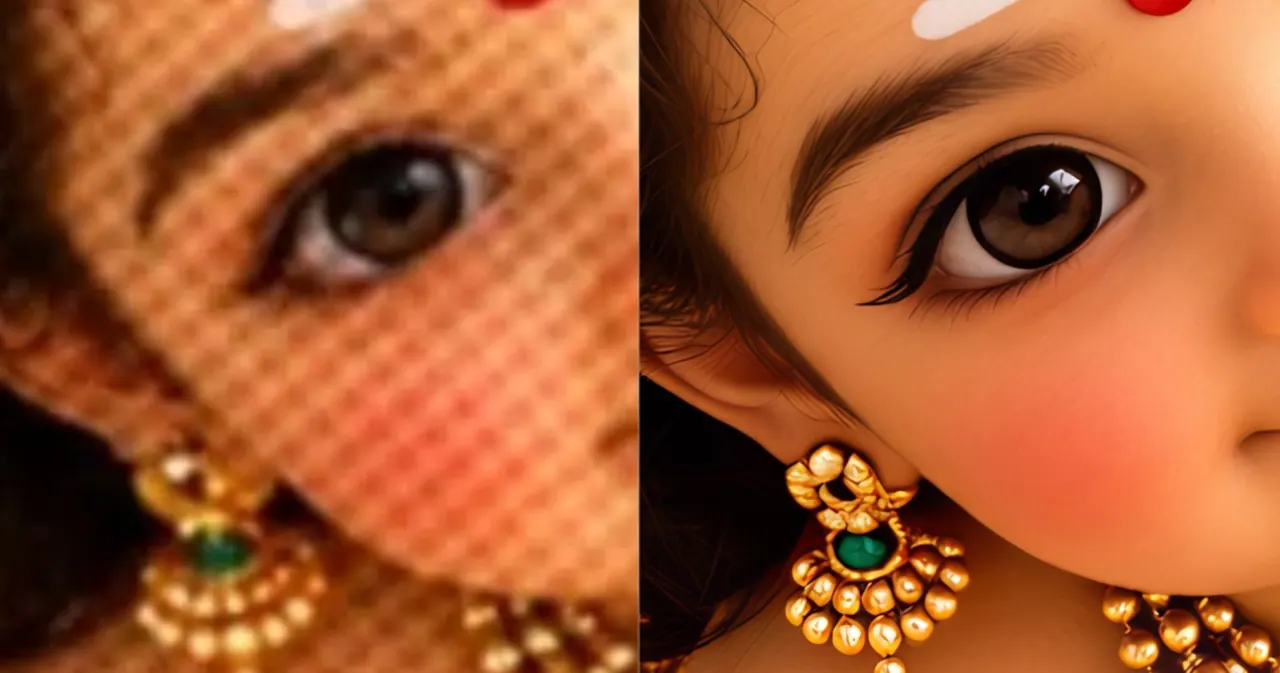
What does ResLeap do?
ResLeap is an online AI image upscaler and enhancer designed to improve image quality with precision and clarity. It enlarges images up to 8x, producing an 8K Ultra output intended to keep textures, edges, and fine details looking natural.
Key capabilities include 8x Image Upscale and 8K Ultra Resolution for sharper, more detailed results. The Detail Revealer feature aims to bring out hidden details, while Portrait Perfection focuses on enhancing facial features for vibrant, lifelike portraits. ResLeap also supports use cases like Photo Restoration to revive faded memories and improve older images, plus Anime Upscale for crisp lines and vivid colors in anime artwork.
ResLeap is a good fit if you want clearer portraits, restored photos, or higher-resolution versions of AI art and anime—without needing complex setup. It’s also built for convenience, supporting fast enhancement and batch processing, so you can improve multiple images at once.
Pricing is credit-based: you can start with free credits, then choose a Pro or Business plan based on your usage needs. No watermark is added, making it easier to use your enhanced images directly.
What does ResLeap do?
ResLeap enhances and upscales images using AI, enlarging them up to 8x and outputting up to 8K Ultra resolution for sharper, more detailed results.
Can ResLeap improve blurry portraits?
Yes. ResLeap includes a Portrait Perfection workflow designed to unblur faces, recover facial texture, and sharpen low-resolution portrait details.
Does ResLeap work for anime and AI art?
Yes. ResLeap offers Anime Upscale to help produce crisp lines and vivid colors for anime images, and it can also enhance AI art.
Is there a free option?
Yes. You can start with free credits to try the upscaling and enhancement before choosing a plan.
How does batch processing work in ResLeap?
You can enhance multiple images in one go using batch processing, which helps when you have several files to improve.
Are there watermarks on the enhanced images?
No. ResLeap does not add watermarks to outputs.
This listing is claimed
Own ResLeap? Sign in with the email used to claim it to manage this listing, or upgrade to Pro for featured-first placement and a newsletter feature.