
RemoveVideoBG
AI Video Maker Generators & Tools
Remove video backgrounds online with AI and export clean transparent results—no green screen, no manual masking, no watermark.
- Pricing
- Free
- Category
- Video
- Listed
- Aug 16, 2026
- Updated
- Aug 16, 2026
Promoted
 Pixmax.aiPixmax.ai is an all-in-one AI workspace for videos, visual stories, and marketing content.
 AI Checker PlusAI detector that highlights which passages AI wrote. Free check, no sign-up. Plagiarism too.
 RewindType any X/Twitter handle. Get their year back as a narrated video story. Then ask it anything.
 KurodyneSell the tools from your AI side projects. Listing is free.
 Sidrune AI85% off. Stable Claude API for agent developers. Pay as you go. Invoices & refunds available.
 SEOify - Improve your SEO & rankingsBuild links to rank in Google. Improve your DR with links you can start building now.Advertise here270,000+ people visit Dang.ai every month.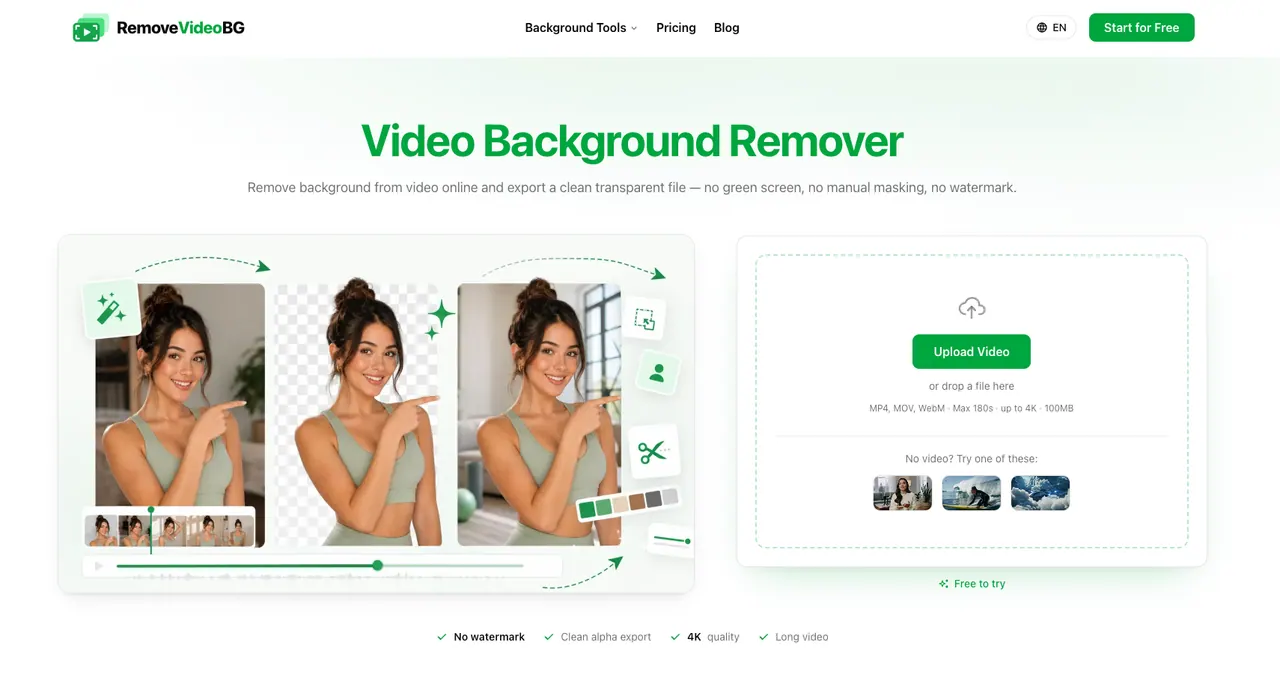
What does RemoveVideoBG do?
Dang.ai’s RemoveVideoBG helps you remove the background from video and export a truly transparent result for easy compositing. Upload an MP4, MOV, or WebM clip, and the AI isolates your subject frame by frame, keeping fine hair detail, soft edges, and motion intact.
Exports are designed to drop straight into your workflow. Get a real alpha channel in formats like WebM (VP9) or a PNG sequence, rather than a flattened video with a black box. You can leave the background transparent, replace it with a new image/scene, use a solid color, or blur the backdrop for a cleaner look.
There’s also support for long recordings and batch processing. Clip length is capped for uploads, but longer videos are handled by segmentation so you don’t need to manually chunk footage. Everything runs in the browser—no installation—and exports are available without watermark.
Do I need a green screen to remove the video background?
No—RemoveVideoBG removes the background without chroma key setup or green screen. You upload your clip and the AI handles the cutout.
What does “transparent” export mean here?
You get a real alpha channel, available as a transparent WebM (VP9) and/or a PNG sequence, so you can composite the subject over any background without re-keying.
Will it keep hair and soft edges clean during fast motion?
Yes—the AI isolates the subject frame by frame to preserve fine hair detail, soft edges, and fast movement so the cutout stays clean on action-heavy footage.
Can I replace the background instead of exporting transparency?
Yes. You can leave it transparent, fill with a solid color, or replace the background with your own image/scene. You can also use a blurred backdrop for depth-of-field style results.
Does it work with long videos or do I need to split them manually?
Long videos are segmented automatically so you can process full-length footage without manual chunking.
Is there a watermark on the exports?
No watermark is added to exports.
This listing is claimed
Own RemoveVideoBG? Sign in with the email used to claim it to manage this listing, or upgrade to Pro for featured-first placement and a newsletter feature.