
removetext.video
AI Video Maker Generators & Tools
Remove hardcoded text, captions, logos, and authorized watermarks from videos using AI—without cropping the full frame.
- Pricing
- Free
- Category
- Video
- Listed
- Aug 15, 2026
- Updated
- Aug 15, 2026
Promoted
 AI Checker PlusAI detector that highlights which passages AI wrote. Free check, no sign-up. Plagiarism too.
 RewindType any X/Twitter handle. Get their year back as a narrated video story. Then ask it anything.
 KurodyneSell the tools from your AI side projects. Listing is free.
 Sidrune AI85% off. Stable Claude API for agent developers. Pay as you go. Invoices & refunds available.
 Pixmax.aiPixmax.ai is an all-in-one AI workspace for videos, visual stories, and marketing content.
 SEOify - Improve your SEO & rankingsBuild links to rank in Google. Improve your DR with links you can start building now.Advertise here270,000+ people visit Dang.ai every month.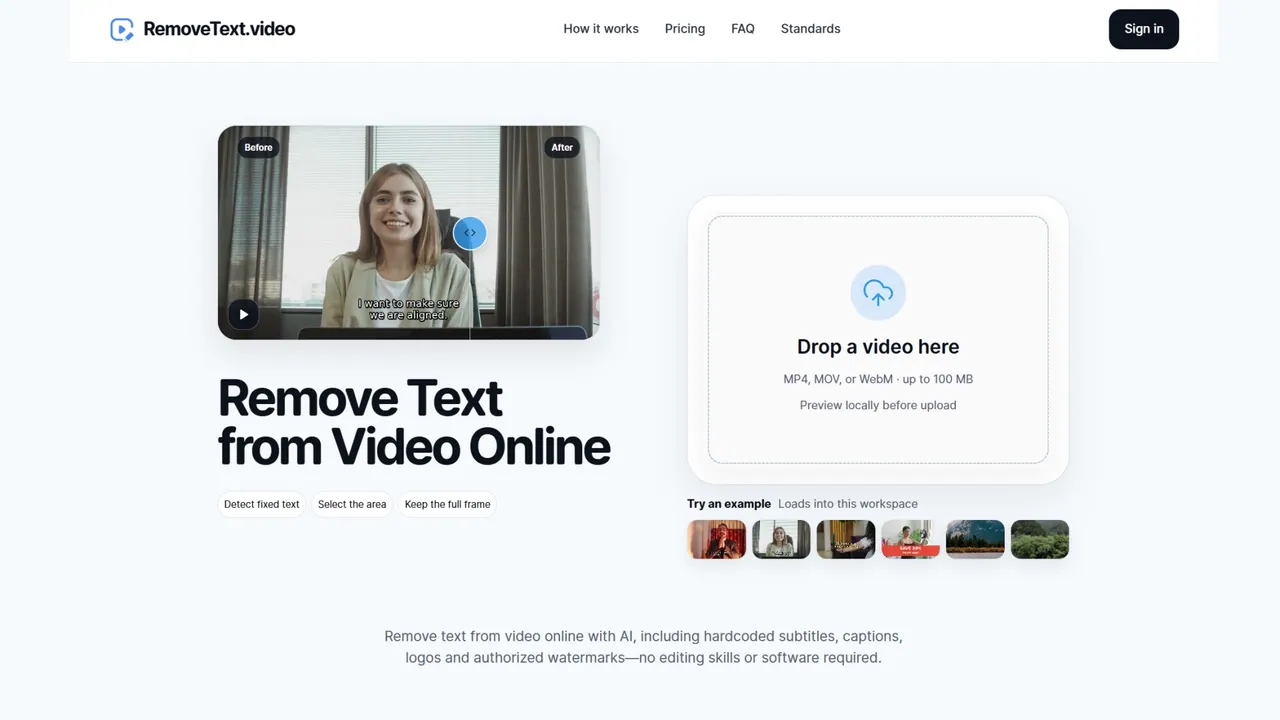
What does removetext.video do?
RemoveText.video helps you clean unwanted on-screen elements from existing videos—like hardcoded dates and labels, burned-in subtitles/captions, and authorized logos or watermarks—using AI repair instead of simply covering or cropping.
Upload an MP4, MOV, or WebM file (up to 100 MB) and preview locally in your browser. You can use automatic detection for fixed text, or manually select up to three target areas to clean while keeping the full frame. After you review the selected area, original dimensions, and processing details, start processing and download the repaired output.
The tool supports different cleanup modes depending on what you’re removing. It’s designed for content creators, marketers, video editors, and teams repurposing older footage or preparing clips for localization—especially when captions or overlays are embedded in the picture and need cleanup without rebuilding the entire edit.
What types of text can I remove from a video?
You can remove hardcoded text like dates, labels, titles, and timestamps baked into the video frames. You can also target captions and subtitle overlays when they appear as part of the picture.
Can RemoveText.video handle burned-in captions or subtitles?
Yes—when captions or subtitles are burned into the video image, you can select the caption area and remove it using the appropriate cleanup mode. If subtitles exist as a separate track, you may need to disable that track instead.
Will the output blur or crop the video?
The workflow reconstructs the selected region while keeping the full frame and original dimensions. The result may vary based on how complex the background and the selected area are.
Can I remove any logo or watermark from any video?
Cleanup for logos and watermarks is intended for footage you own or have permission to edit, and you should use the authorized watermark/logo cleanup options accordingly.
Do I have to upload my video immediately to try it?
No. Selecting a file creates a local browser preview, and automatic fixed-text detection runs locally on sampled frames. Upload begins only when you start processing after you confirm the processing details.
What video formats and file sizes are supported?
Supported formats are MP4, MOV, and WebM, with files up to 100 MB.
This listing is claimed
Own removetext.video? Sign in with the email used to claim it to manage this listing, or upgrade to Pro for featured-first placement and a newsletter feature.