
RemoveHandwriting
AI Image Generators from Text Tools
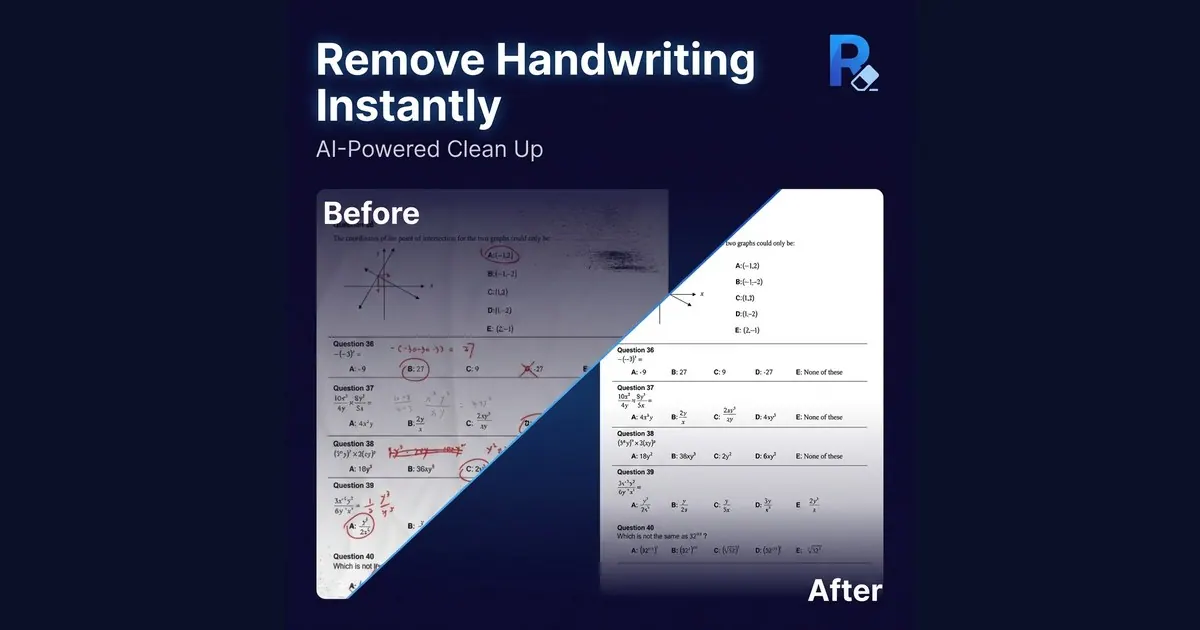
RemoveHandwriting cleans handwritten notes, answers, annotations, and signatures from images and PDFs while preserving printed content.
Promoted
 RewindType any X/Twitter handle. Get their year back as a narrated video story. Then ask it anything.
 KurodyneSell the tools from your AI side projects. Listing is free.
 Pixmax.aiPixmax.ai is an all-in-one AI workspace for videos, visual stories, and marketing content.
 AI Checker PlusAI detector that highlights which passages AI wrote. Free check, no sign-up. Plagiarism too.
 SEOify - Improve your SEO & rankingsBuild links to rank in Google. Improve your DR with links you can start building now.Advertise here330,000+ people visit Dang.ai every month.
What does RemoveHandwriting do?
RemoveHandwriting removes handwritten text, notes, annotations, and signatures from photos, scanned documents, and PDFs—so you can produce clean, shareable copies while keeping the printed parts of your document intact. The focus is on document cleanup tasks like clearing marked-up worksheets, exam papers, receipts, and scans without disturbing printed questions, tables, diagrams, or overall page layout.
For images and scans, use the single-image remover on common formats like JPG/JPEG, PNG, WebP, HEIC, and HEIF. There’s also bulk processing for cleaning multiple images. If your work is in document form, the PDF remover supports page selection, preserves layout, and lets you export a cleaned PDF.
You can also remove handwritten signatures from forms or contracts. When AI needs extra help—like for damaged pages or complex marks—you can use manual/expert cleanup instead of relying solely on automated results.
Processing is available with different quality modes: Standard (fast cleanup), Color (keeps original colors), and Ultra (deeper removal for hard scans). RemoveHandwriting offers freemium access: you can try an Ultra image without an account (and the trial download isn’t available), and a new account starts with 1 credit. You can earn additional free credits through sharing; paid subscriptions and one-time credit packs are also available, with Basic starting at about $3.90/month plus quarterly and yearly options. Plans can be canceled anytime, and you don’t need a credit card to start. Web access works across the same account used by official iOS and Android apps, and an API is available for bulk workflows.
What can RemoveHandwriting remove from a document?
It removes handwritten answers, notes, annotations, and marks, including handwritten signatures. Printed text and the document’s layout are kept as intact as possible.
Which file types are supported for handwriting removal?
For images, upload JPG/JPEG, PNG, WebP, HEIC, or HEIF. For multi-page work, upload a PDF and select which pages to clean before exporting a new PDF.
Can I erase handwriting from only part of an image?
Yes. Use the selected-area handwriting remover to box the area you want cleaned so printed content outside the selection stays untouched.
What’s the difference between the processing modes (Standard, Color, Ultra)?
Standard is optimized for faster cleanup. Color keeps the original colors as much as possible, while Ultra performs deeper removal for harder scans.
Is there a free option before I subscribe?
Yes. You can try an Ultra image without an account, and a new account includes 1 credit. Sharing can also earn 10 free credits.
Does RemoveHandwriting work on mobile and is there an API?
Yes. Your account works across the web and the official iOS and Android apps. An API is also available for bulk processing workflows.
This listing is claimed
Own RemoveHandwriting? Sign in with the email used to claim it to manage this listing, or upgrade to Pro for featured-first placement and a newsletter feature.