Promptelle
AI Prompt Generator Tools
Promptelle offers Gemini-optimized image-to-prompt and text-to-image tools to turn photos and ideas into copy-paste-ready AI photo prompts.
- Pricing
- Free
- Category
- Prompt
- Listed
- Sep 13, 2026
- Updated
- Sep 14, 2026
Promoted
 KurodyneSell the tools from your AI side projects. Listing is free.
 Sidrune AI85% off. Stable Claude API for agent developers. Pay as you go. Invoices & refunds available.
 Pixmax.aiPixmax.ai is an all-in-one AI workspace for videos, visual stories, and marketing content.
 RewindType any X/Twitter handle. Get their year back as a narrated video story. Then ask it anything.
 SEOify - Improve your SEO & rankingsBuild links to rank in Google. Improve your DR with links you can start building now.Advertise here270,000+ people visit Dang.ai every month.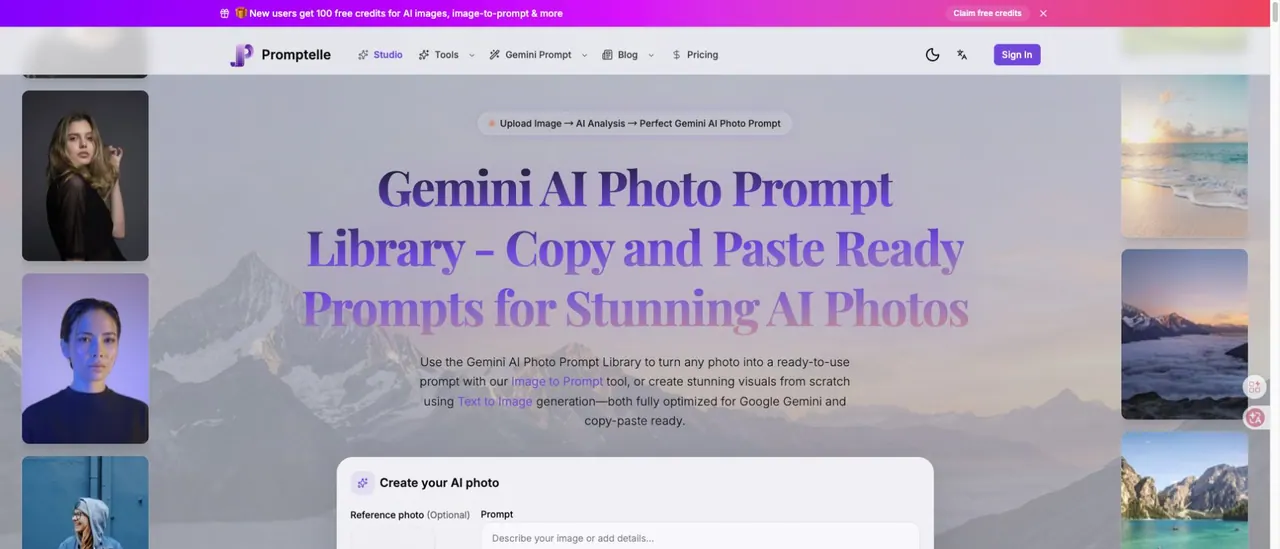
What does Promptelle do?
Promptelle is an independent Gemini AI photo prompt library and creative image toolkit designed to help you move from a reference photo or a simple idea to a polished, copy-ready prompt.
Use the Image to Prompt tool to upload a reference photo and get a structured prompt that’s optimized for Gemini photo generation. Prefer to start from words? Use Text to Image generation to create visuals from scratch based on the style and direction you choose.
Browse the prompt gallery by category and style for fast inspiration—covering Women and Boys sections with options like headshots, fashion, couples, seasonal looks, cinematic lighting, and more. You can copy a prompt directly, then iterate with Image to Image or Text to Image workflows to refine your results.
What is Promptelle used for?
Promptelle helps you turn a photo into a ready-to-use Gemini AI photo prompt or generate a new image from a text idea using Gemini-optimized workflows.
How does Image to Prompt work?
Upload a reference photo to run an AI analysis, then receive a structured prompt you can copy and paste to generate a look aligned with your uploaded image.
Can I create prompts from my own images?
Yes—use the Image to Prompt tool by uploading your image. This is designed to help you carry visual direction from your reference into the prompt.
What’s the difference between Image to Prompt and Text to Image?
Image to Prompt starts from a reference photo and produces a copy-ready prompt. Text to Image starts from a written idea and generates visuals based on that direction.
Which style categories are available in the prompt library?
The library is organized by sections like Women and Boys, with style options including Aesthetic, Cinematic, Professional (like headshots), Fashion, and more.
How can I keep my face consistent when using a reference photo?
When you use a reference photo, outputs are more likely to preserve identity. If you want scene or outfit changes, use the prompt generator and Image to Image workflow to iterate.
This listing is claimed
Own Promptelle? Sign in with the email used to claim it to manage this listing, or upgrade to Pro for featured-first placement and a newsletter feature.