
Photo Animate
AI Video Maker Generators & Tools
Turn static photos into lifelike, natural-looking photo-to-video clips with AI motion, templates, and flexible output settings.
- Pricing
- Free
- Category
- Video
- Listed
- Aug 23, 2026
- Updated
- Aug 24, 2026
Promoted
 Pixmax.aiPixmax.ai is an all-in-one AI workspace for videos, visual stories, and marketing content.
 Sidrune AI85% off. Stable Claude API for agent developers. Pay as you go. Invoices & refunds available.
 SEOify - Improve your SEO & rankingsBuild links to rank in Google. Improve your DR with links you can start building now.Advertise here270,000+ people visit Dang.ai every month.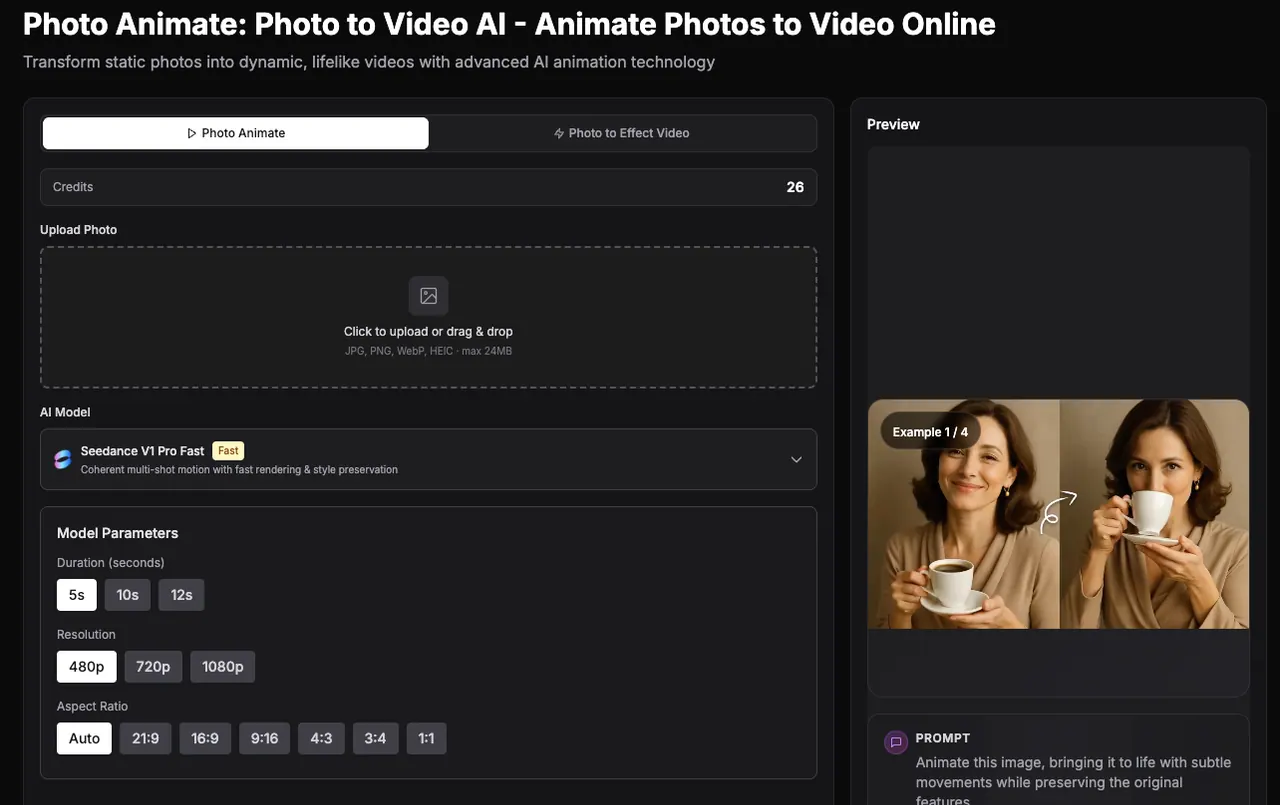
What does Photo Animate do?
Photo Animate is an AI picture animator that helps you bring photos to life by turning still portraits into short, realistic video clips. It focuses on natural motion—like subtle blinking, gentle smiles, and small head movements—so the output stays true to the original photo for memory-focused stories, memorial projects, and creative content.
Start from a single photo and choose a motion style or prompt, then preview and download your clip. You can also use templates for quick results (such as Dance, Walking, Old Photo, Ghibli, Cartoon, Handshake, and Hugging) and adjust duration, resolution, and aspect ratio to fit social posts and family slideshows.
Photo Animate is especially useful for old photos and vintage portraits, including faded, black-and-white, and restored images. It also supports scenarios created from two images for interaction-style scenes like hugging.
With an easy upload → select motion → generate workflow, you can animate portraits without advanced editing skills or separate animation software.
What can I create with Photo Animate?
You can convert a still portrait into a short animated clip with natural facial and motion effects. You can also generate interaction-style scenes using two-photo mode.
How do I animate a photo from start to download?
Upload your photo, select a motion template or describe the motion you want, then preview the result and download the finished video.
Is Photo Animate good for old or black-and-white photos?
Yes. Old black-and-white, faded, and vintage portraits often work well, especially when the face details are clear (including after restoration or enhancement).
Can I make a portrait blink and smile?
Yes. Choose a natural expression workflow (subtle blinking and small facial movement) for results that preserve the original look.
Can I create talking-style portrait videos?
You can create talking-style portrait videos by using an appropriate expression or speech prompt with a clear, well-lit, centered face for best results.
What video settings can I control?
You can choose duration (5s/10s/15s), resolution (up to 1080p options are available), and aspect ratio (including auto, 1:1, 16:9, 9:16, 4:3, and others).
This listing is claimed
Own Photo Animate? Sign in with the email used to claim it to manage this listing, or upgrade to Pro for featured-first placement and a newsletter feature.