NovaImage AI
Verified
AI Art Generator & Creator Tools
NovaImage AI is a one-workspace platform for creating AI images and videos with models like Nano Banana 2, Nano Banana Pro, and Seedance.

Promoted
 KurodyneSell the tools from your AI side projects. Listing is free.
 Sidrune AI85% off. Stable Claude API for agent developers. Pay as you go. Invoices & refunds available.
 Pixmax.aiPixmax.ai is an all-in-one AI workspace for videos, visual stories, and marketing content.
 RewindType any X/Twitter handle. Get their year back as a narrated video story. Then ask it anything.
 SEOify - Improve your SEO & rankingsBuild links to rank in Google. Improve your DR with links you can start building now.Advertise here270,000+ people visit Dang.ai every month.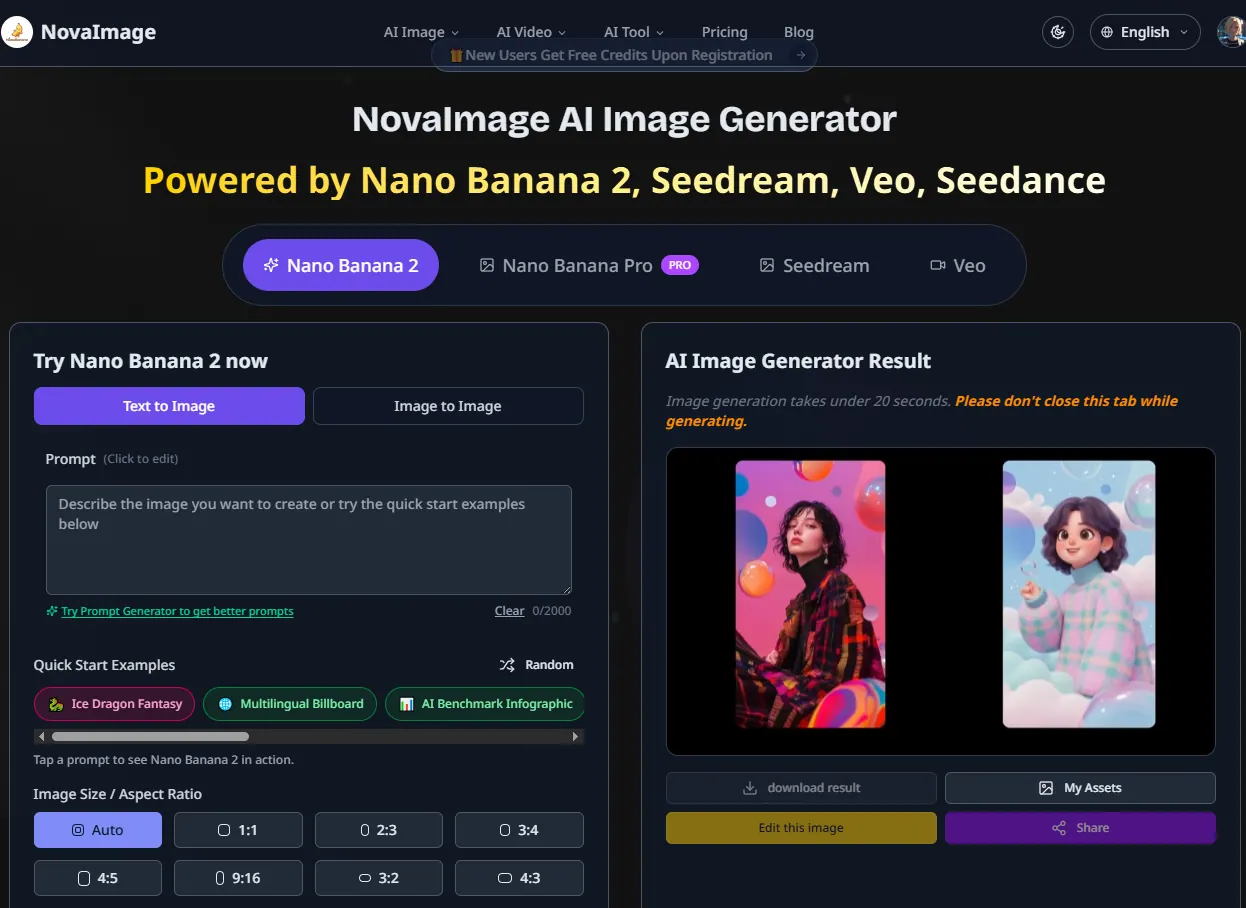
What does NovaImage AI do?
NovaImage AI brings AI image and video creation into one unified workspace. Generate from text, refine image edits, and produce videos—without jumping between separate tools. You can also use a Prompt Generator to help craft stronger prompts.
For image creation, choose between Nano Banana 2 and Nano Banana Pro. Nano Banana 2 is built for fast iteration, while Nano Banana Pro focuses on higher-precision production workflows, including crisp multilingual text rendering, professional output quality, and advanced reference-based editing (including multi-image merging). Both models support workflows like image-to-image editing, background replacement, and photo restoration.
For video creation, NovaImage AI includes cinematic generation tools such as Seedance 2.0 (and additional video models listed on the platform). The workflow also supports enhancements like 8K upscaling and editing tools such as prompt refinement, image upscaling, and image text removal. Generation time can vary, and image generation may take 1–3 minutes—so keep the tab open while rendering.
What can I create with NovaImage AI?
You can generate AI images and create AI videos in a single workspace. The platform supports text-to-image and image-to-image workflows, plus tools like upscaling and image text removal.
What’s the difference between Nano Banana 2 and Nano Banana Pro?
Use Nano Banana 2 when you want rapid iteration and fast concept testing. Choose Nano Banana Pro for precision-focused image creation, including crisp multilingual text rendering and stronger reference-based control.
Does NovaImage AI support web-grounded results?
Yes—web search grounding is available as an option during image creation, with a credit cost indicated on the platform (shown as +2 credits).
How do I edit an existing image in NovaImage AI?
Start by uploading an image (or pasting an image URL), then describe the change you want. Generate a result, refine with follow-up prompts, and download the finished image in high resolution.
What output sizes or formats are available for image work?
Image size and aspect ratio options are available in the creation flow (including common ratios like 1:1 and 16:9). Upscaling to 8K and print-ready outputs are supported within the platform workflow.
How long does image generation take?
Image generation may take about 1–3 minutes. Keep the tab open while generation is running.
This listing is claimed
Own NovaImage AI? Sign in with the email used to claim it to manage this listing, or upgrade to Pro for featured-first placement and a newsletter feature.