
MusicGenerator.so
Verified
AI Music Tools & Generators
MusicGenerator.so turns your lyrics or prompts into vocal songs or instrumentals, lets you preview and download results, and exports stems when available.
Promoted
 MuzieCreate professional AI music videos starring you. Bring a song or make one, done in minutes.
 AI Checker PlusAI detector that highlights which passages AI wrote. Free check, no sign-up. Plagiarism too.
 Pixmax.aiPixmax.ai is an all-in-one AI workspace for videos, visual stories, and marketing content.
 AdsfieldPro ads from one product photo — $40/year
 SEOify - Improve your SEO & rankingsBuild links to rank in Google. Improve your DR with links you can start building now.Advertise here330,000+ people visit Dang.ai every month.
What does MusicGenerator.so do?
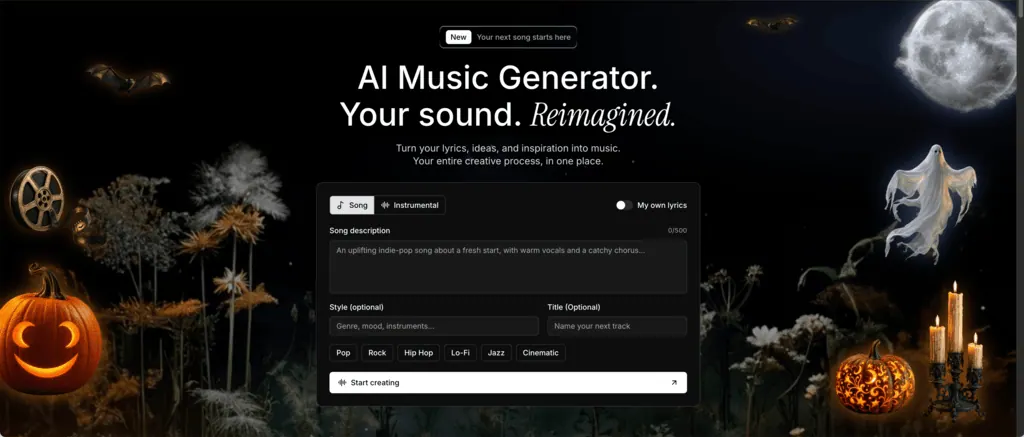
MusicGenerator.so is an AI music generator and online studio for turning lyrics, ideas, and inspiration into original tracks. Use it to create music in one place—from first input to a downloadable result—without jumping between complicated production tools.
Create with Song mode for vocals or Instrumental mode for music-only tracks. You can start from your own lyrics or begin with a creative prompt, then shape the outcome using details like genre, mood, tempo, and instrument preferences. After generation, preview what you created and iterate by producing variations based on the same starting direction.
If you’re looking for inspiration, explore the AI Music Showcase to hear example tracks across styles such as trap and R&B, lo-fi, jazz, and synthwave. This makes it easier to decide on a vibe before you commit to your own lyrics or prompt.
For creators who want more control than a single mixed file, MusicGenerator.so offers stem separation. After generating, you can download your audio and export stems when available, so you can work with individual parts in your downstream workflow.
MusicGenerator.so is designed for content creators, musicians and producers, filmmakers and game developers, educators and students, brands and marketers, and anyone who needs music for videos, podcasts, livestreams, or personal projects. Pricing and plans are available in the platform’s Pricing section, and you can also earn daily credits via a daily reward (up to 30 credits over 7 days) by signing in.
What can I create with MusicGenerator.so?
You can generate songs with vocals, instrumental tracks, and stem-separated audio. Start from your own lyrics or a prompt and refine the direction with style details.
Can I use my own lyrics?
Yes—paste your lyrics to generate a vocal song. If you don’t have lyrics yet, you can use a prompt instead.
What’s the difference between Song Mode and Instrumental Mode?
Song Mode generates music with vocals, while Instrumental mode focuses on music without vocals. Use Instrumental mode for backing tracks or background music.
Can I preview and download what I generate?
Yes. After a track is generated, you can listen to the result and use the available download options for your account. Your creations are saved in your library.
Does MusicGenerator.so support stem separation?
Yes. You can export stems when available, letting you work with individual parts rather than only a single mixed file.
How do daily credits work?
Sign in to claim a daily reward. You can earn credits over multiple days, up to a total of 30 credits in 7 days.
This listing is claimed
Own MusicGenerator.so? Sign in with the email used to claim it to manage this listing, or upgrade to Pro for featured-first placement and a newsletter feature.