
MossImage Studio
AI Image Generators from Text Tools
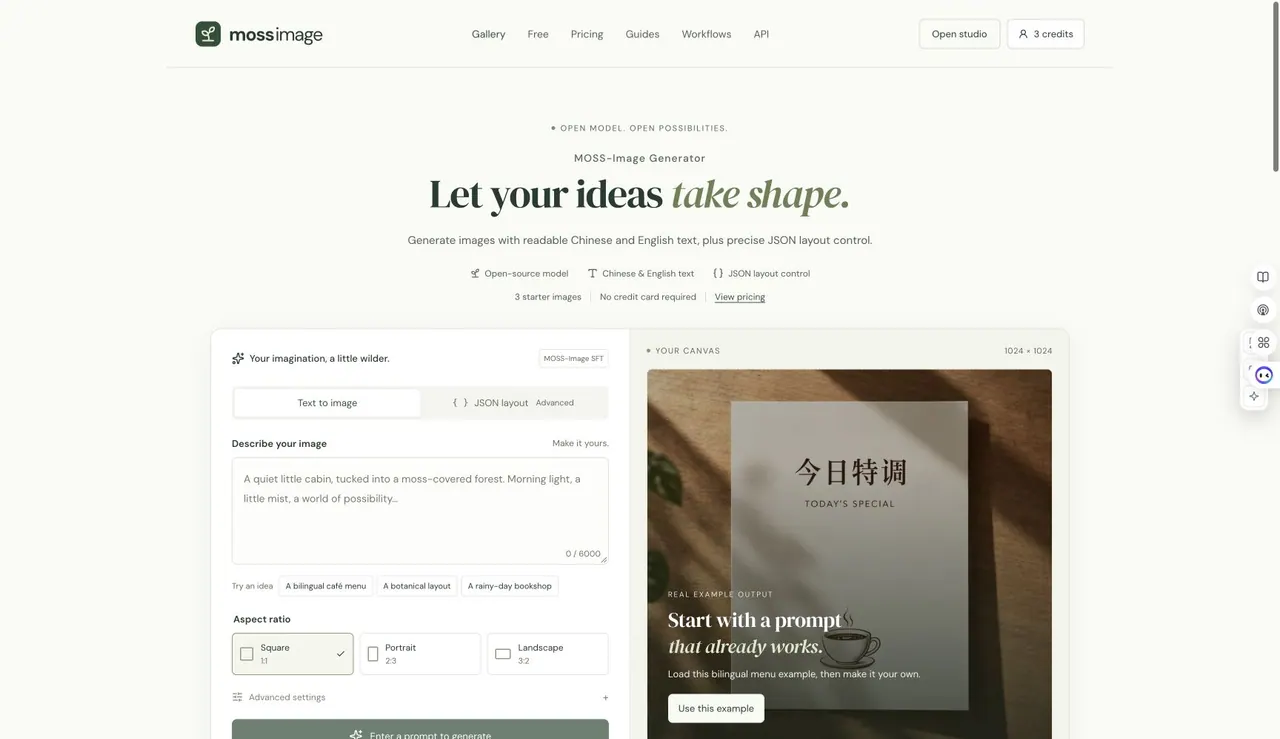
MossImage Studio is a browser-based MOSS-Image generator that supports Chinese/English text and JSON layout control.
Promoted
 AI Checker PlusAI detector that highlights which passages AI wrote. Free check, no sign-up. Plagiarism too.
 RewindType any X/Twitter handle. Get their year back as a narrated video story. Then ask it anything.
 KurodyneSell the tools from your AI side projects. Listing is free.
 Pixmax.aiPixmax.ai is an all-in-one AI workspace for videos, visual stories, and marketing content.
 SEOify - Improve your SEO & rankingsBuild links to rank in Google. Improve your DR with links you can start building now.Advertise here330,000+ people visit Dang.ai every month.
What does MossImage Studio do?
MossImage Studio is an independent, browser-based interface for generating images with the open-source MOSS-Image model family. It offers both a hosted, text-to-image experience and options to run the open checkpoints locally with ComfyUI. The hosted SFT option is designed for text-led visuals like posters, menus, labels, and images that include Chinese or English lettering, with a clean, no-watermark download.
A core feature is JSON layout control, which lets you describe where elements should go so your composition starts from a more intentional structure. You can work from a prompt or switch to structured JSON layout for more advanced placement guidance. The studio also includes a prompt gallery and guides, including a JSON layout guide and downloadable ComfyUI workflows for a more hands-on workflow.
MossImage Studio is for creators, designers, and visual storytellers who want quick iteration in the browser—especially when precise text placement matters. You can generate a free preview without signing in, then use verification to unlock a small starter set.
Pricing includes a free plan with 3 starter images after verification, plus optional paid credit plans: a one-time 30-image pack for $9.99, a monthly plan with 80 images per month for $14.99/mo (up to 160 with rollover), and an annual plan with 800 images per year for $119 (about $0.15 per image). Reserved credits are restored automatically when a generation fails, is rejected for safety reasons, or returns without a usable image.
Is there a free way to try MossImage Studio without signing in?
Yes—there’s a free 512 × 512 text preview available without signing in, so you can test an idea before creating a full set.
What’s the difference between MOSS-Image Base and MOSS-Image SFT in this studio?
Base is the foundation checkpoint and is suited to local setup with ComfyUI, while SFT is the hosted option designed for stronger text-led generation (including Chinese and English) for items like posters, menus, and labels.
How does JSON layout control help with image creation?
JSON layout control lets you specify where elements (like text and objects) should be placed, giving you a more directed starting point for composition beyond a plain prompt.
Where do my generated images go, and can I download them clean?
You can download generated images from the studio; downloads are clean and no-watermark.
What happens if a generation fails or doesn’t produce a usable image?
When the service confirms a technical failure, safety rejection, or a response without a usable image, the reserved credit is restored automatically.
Do credits expire, and what payment options are available?
Monthly and one-time credit packs follow their stated billing rules: subscription credits follow the billing cycle, while one-time pack credits do not expire. Pricing includes a free starter option after verification, plus $9.99 for 30 one-time images, $14.99/mo for 80 images (up to 160 with rollover), and $119/year for 800 images.
This listing is claimed
Own MossImage Studio? Sign in with the email used to claim it to manage this listing, or upgrade to Pro for featured-first placement and a newsletter feature.