Moshion
AI Video Maker Generators & Tools
Moshion turns your text and scripts into high-quality motion graphics, exporting MP4 or MOV clips ready for your editor.
- Pricing
- Free
- Category
- Video
- Listed
- Jun 11, 2026
- Updated
- Jun 12, 2026
What does Moshion do?
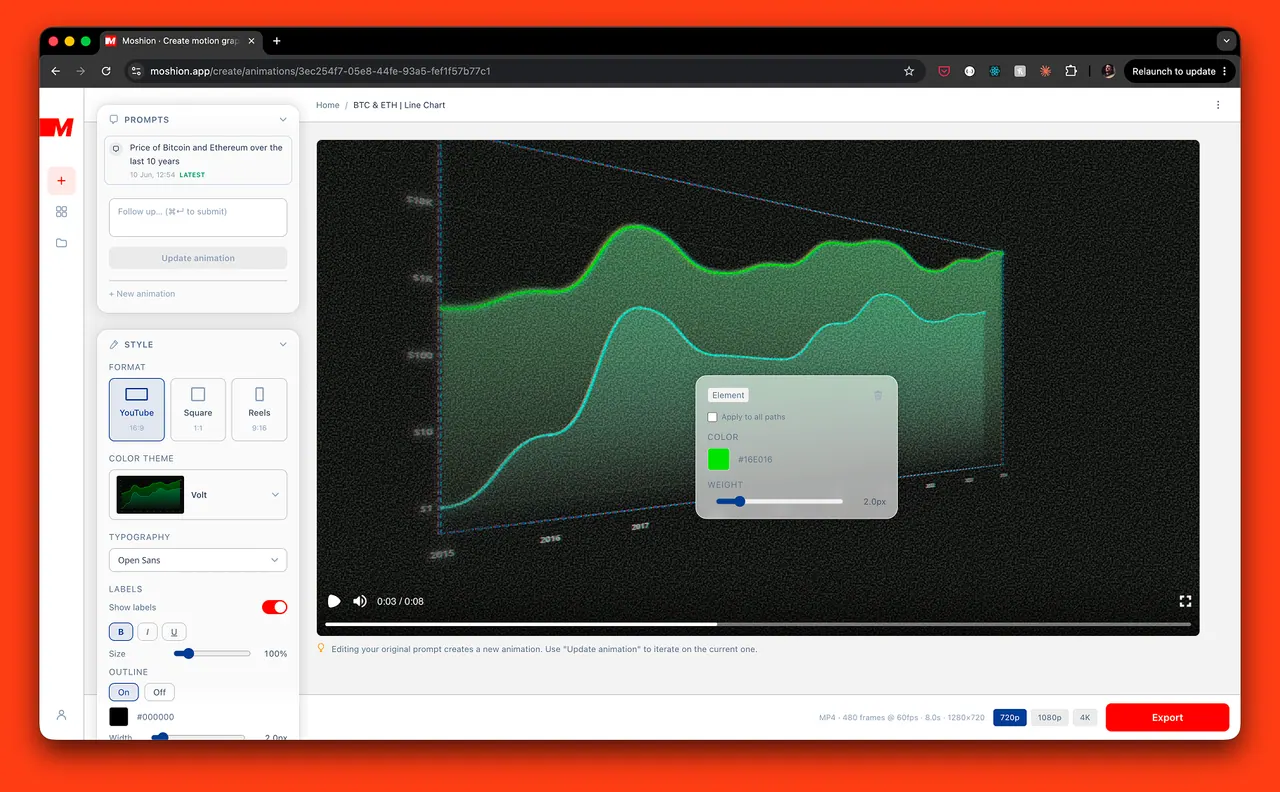
Moshion generates motion graphics from a text prompt—fast. Describe your idea (or paste a script), then generate polished animated visuals you can export and drop into your video.
Create animated infographic-style content like maps with routes and highlights, bar and line charts, timelines, pie charts, and other stat callouts. Use AI refinements to iterate on style and details (for example, change colors, camera effects, filters, or specify what to mark and where to zoom).
Export options fit common editing workflows: MP4 or MOV up to 4K, with multiple aspect ratios (16:9, 1:1, 9:16). Transparent exports with ProRes 4444 are available for overlays.
What kinds of videos can I make with Moshion?
You can generate animated infographic-style clips—like maps (routes/highlights), charts (bar/line/pie), timelines, and stat callouts—by describing what you want to visualize.
Can I create animations from a full script, not just a short prompt?
Yes. Paste your script and select the moments you want to animate; Moshion surfaces multiple animations based on the content.
What file formats can I export?
You can export MP4 or MOV (up to 4K). Transparent overlays are available using ProRes 4444.
How do refinements work if I don’t like the first result?
Refine the output by adding instructions like changing the look (e.g., “make it darker”) or adjusting details (e.g., “mark COVID on the graph” or “trace the route”).
Is Moshion a general AI video generator?
No. It focuses on generating motion graphics (animated visuals, charts, maps, and stats) rather than talking heads or b-roll.
Can I use the exported videos in my YouTube content or client work?
Yes. The generated videos are yours to use in your projects, including YouTube content, client work, and courses, without attribution.
Is this your tool?
Upgrade Moshion to Pro for featured-first placement, a newsletter feature and ongoing listing management.