
MindDory
Language Learning AI Assistants
MindDory turns real words and mistakes from your keyboard, Chrome, and photos into spaced-repetition flashcards across 60+ languages.
Promoted
 AI Checker PlusAI detector that highlights which passages AI wrote. Free check, no sign-up. Plagiarism too.
 RewindType any X/Twitter handle. Get their year back as a narrated video story. Then ask it anything.
 KurodyneSell the tools from your AI side projects. Listing is free.
 Sidrune AI85% off. Stable Claude API for agent developers. Pay as you go. Invoices & refunds available.
 Pixmax.aiPixmax.ai is an all-in-one AI workspace for videos, visual stories, and marketing content.
 SEOify - Improve your SEO & rankingsBuild links to rank in Google. Improve your DR with links you can start building now.Advertise here270,000+ people visit Dang.ai every month.
What does MindDory do?
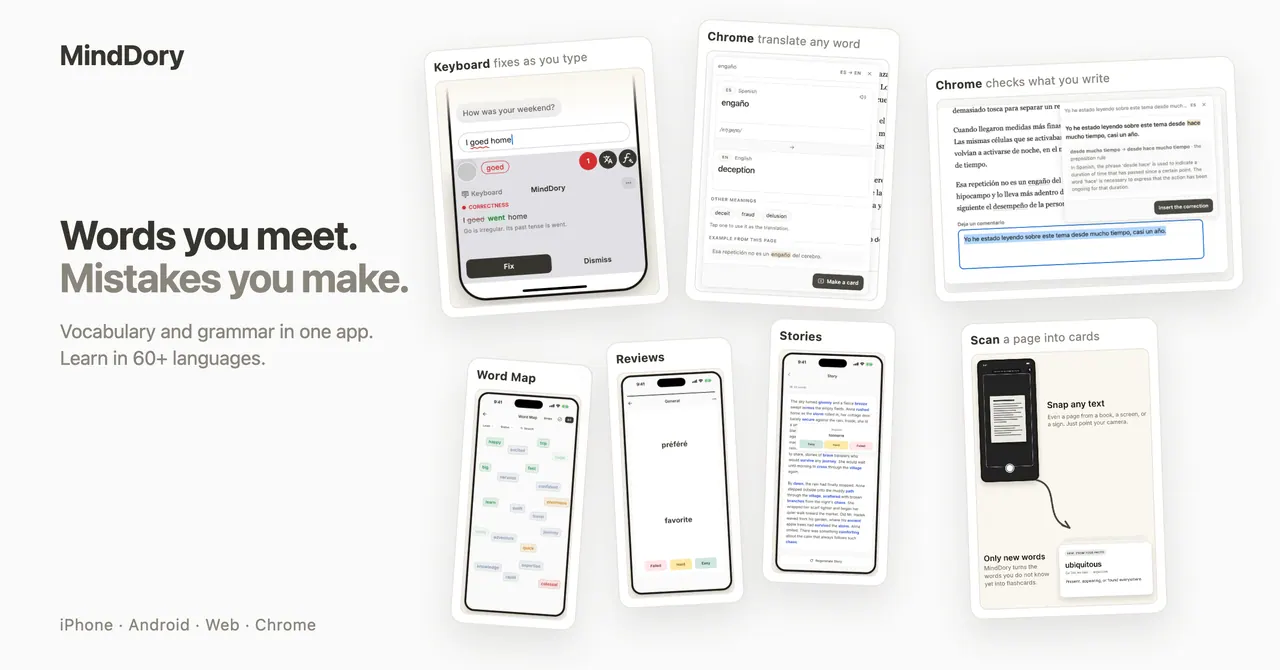
MindDory is an AI-native vocabulary app that helps you remember real words from real life. Instead of manually building decks, it saves vocabulary where it happens: your phone keyboard, Chrome, the camera, and chats with your AI assistant. When you meet a new word—or correct a mistake—MindDory brings those items back for review until they stick.
Use the MindDory keyboard on iPhone and Android to check sentences as you type. It fixes mistakes in one tap and explains why, while the Grammar tab organizes what you’re getting wrong so you know what to work on next. Active Words also highlights the words you can really use, based on what you’ve typed.
MindDory also helps you learn from context. Save words from Chrome, or scan a page with the camera—vision OCR pulls out only the words you don’t already know and turns them into flashcards. If you use an AI assistant, connect Claude or any MCP-compatible client to convert words from your chats into review cards.
Practice is powered by spaced repetition, so you see what’s due today and study in short sessions. You can create Memory Cues (visual mnemonics) for words that are hard to remember, and use Word Map to see what you know by level. There’s a free plan, and Premium is available for $49.99/year (with the free plan including daily study, an AI allowance, and cloud sync).
How does MindDory create flashcards without manually adding vocabulary?
It captures words where you already read and write—keyboard typing, Chrome browsing, camera scans, and words from your AI assistant chats—then turns the words you don’t know yet into spaced-repetition cards.
What does the MindDory keyboard do while I type in another language?
It checks what you type across apps, fixes mistakes in one tap, and explains why. It also tracks what you get wrong in the Grammar tab and grows Active Words from your real usage.
Can I save vocabulary from pages or photos?
Yes. Use the camera to scan a page or save words from Chrome, and vision OCR extracts only the words you don’t already know into your cards.
How do I turn words from my AI chat into review cards?
Connect Claude or use an MCP-compatible client so vocabulary from your chats becomes cards you can practice in your review flow.
Does MindDory schedule reviews based on how hard a word is?
Yes. Spaced repetition brings hard words back sooner and easy words later, and it stops asking for a word once it’s learned.
Is there a free plan, and what does Premium cost?
Yes, MindDory offers a free plan. Premium costs $49.99/year.
This listing is claimed
Own MindDory? Sign in with the email used to claim it to manage this listing, or upgrade to Pro for featured-first placement and a newsletter feature.