Songmastr
Master your Music with ai
Elevate your music with AI mastering. Master your Music with ai for professional-quality sound.
Promoted
 Pixmax.aiPixmax.ai is an all-in-one AI workspace for videos, visual stories, and marketing content.
 RewindType any X/Twitter handle. Get their year back as a narrated video story. Then ask it anything.
 KurodyneSell the tools from your AI side projects. Listing is free.
 Sidrune AI85% off. Stable Claude API for agent developers. Pay as you go. Invoices & refunds available.
 SEOify - Improve your SEO & rankingsBuild links to rank in Google. Improve your DR with links you can start building now.Advertise here270,000+ people visit Dang.ai every month.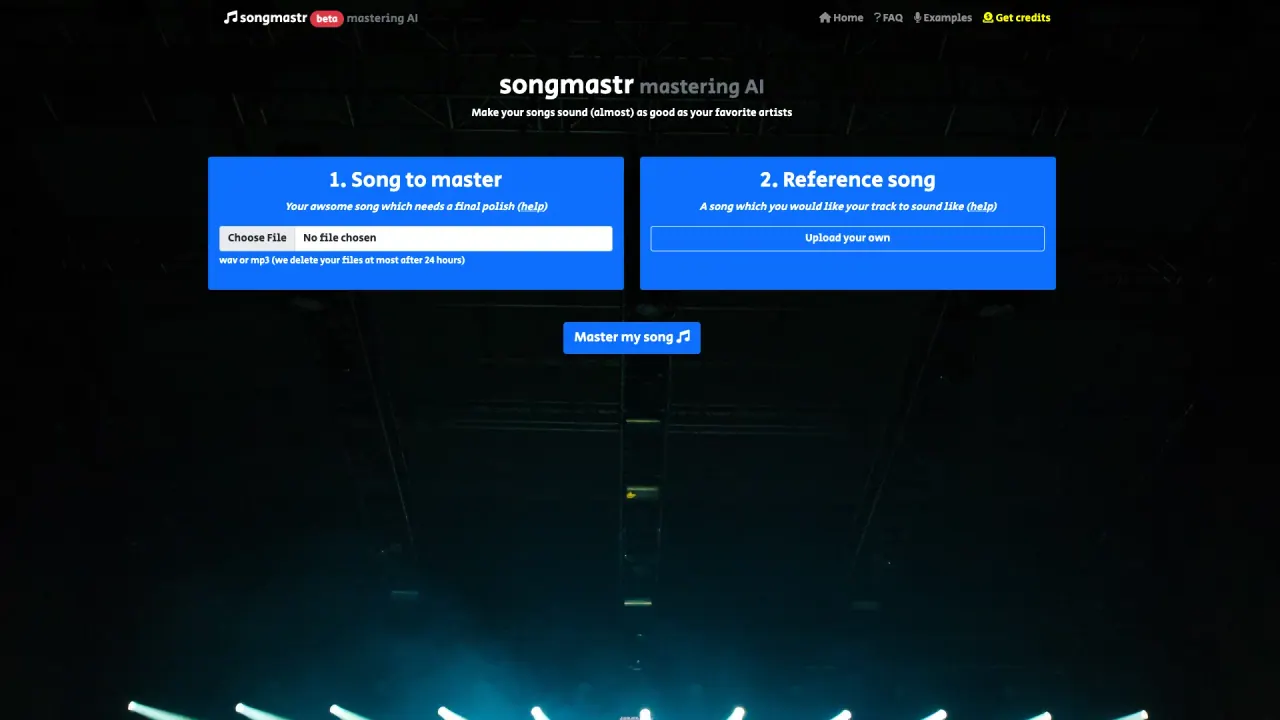
What does Songmastr do?
How can I master my song using Songmastr?
To master your song with Songmastr, follow these steps:
- Prepare your song file in WAV or MP3 format.
- Upload your song on the platform by selecting “Upload your awsome song which needs a final polish.”
- Choose a reference song you want your track to sound like (you can upload your own reference).
- Click “Master my song” to start the AI-based mastering process.
- Once processing is finished, you will be redirected to a download page where you can download the mastered file.
Do I need to install software or create an account to use Songmastr?
No. This service does not require any software installation or registration.
What formats and restrictions are there for using Songmastr?
- Supported formats: WAV or MP3
- Maximum song length: 10 minutes
- Maximum file size: 80 MB
- Free usage: up to seven songs per week
- Privacy: uploaded files are stored temporarily and deleted within 24 hours (at most)
How long are my uploaded files stored, and when are they deleted?
Uploaded files are stored temporarily and are deleted within 24 hours (at most).
How many songs can I master for free per week?
Seven songs per week.
What does the Songmastr AI algorithm adjust to master my song?
The AI masters your track to match the reference track on RMS (loudness), frequency response (FR), peak amplitude, and stereo width. It uses the open-source Matchering library to achieve these adjustments.
Do I need to accept terms of use to use Songmastr?
Yes. By using the service, you are accepting the terms of use.
Is this your tool?
Claim Songmastr to manage this listing, or upgrade to Pro for featured-first placement and a newsletter feature.