Make Image Transparent
AI Art Generator & Creator Tools
Make Image Transparent creates transparent PNGs from uploaded images or text prompts using AI—no manual masking needed.
- Pricing
- Free
- Category
- Art
- Listed
- Aug 29, 2026
- Updated
- Oct 16, 2026
Promoted
 RewindType any X/Twitter handle. Get their year back as a narrated video story. Then ask it anything.
 KurodyneSell the tools from your AI side projects. Listing is free.
 Sidrune AI85% off. Stable Claude API for agent developers. Pay as you go. Invoices & refunds available.
 Pixmax.aiPixmax.ai is an all-in-one AI workspace for videos, visual stories, and marketing content.
 SEOify - Improve your SEO & rankingsBuild links to rank in Google. Improve your DR with links you can start building now.Advertise here270,000+ people visit Dang.ai every month.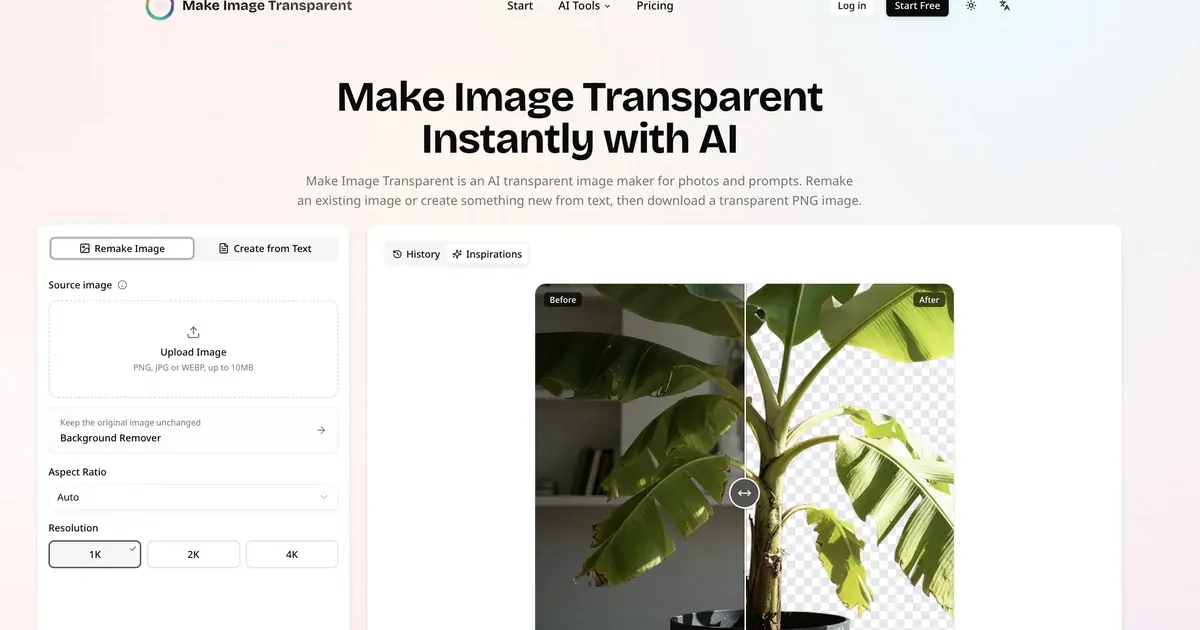
What does Make Image Transparent do?
Make Image Transparent turns your photos and ideas into transparent PNG assets you can place directly into your next design. Use AI to remake a subject with a transparent background, or start from a text description to generate a new transparent image from scratch.
You can choose how you begin with two modes: “Remake Image” or “Create from Text.” Upload a JPG, PNG, or WebP (up to 10 MB per image) and select an aspect ratio and output size (1K, 2K, or 4K). If you prefer generating from an idea, describe the subject, style, view, materials, colors, and lighting, then generate a ready-to-use transparent PNG.
The tool focuses on cleaner results for hard-to-isolate details like hair, reflective surfaces, accessories, illustrations, and fine edges. After generation, review the transparency preview and download your PNG when it looks right.
Make it useful for profile graphics, thumbnails, posters, store listings, ads, catalogs, stickers, icons and UI elements, character/game assets, brand elements, and layered visual effects. Each transparent result uses credits ("Make Image Transparent 3 credits"), and you can try it for free before upgrading.
What does Make Image Transparent do?
It uses AI to remake uploaded images or generate new transparent images from text, then downloads them as transparent PNG files.
How do I make an uploaded image transparent?
Choose “Remake Image,” upload a JPG/PNG/WebP (max 10 MB), then pick an aspect ratio and output size before generating and downloading the transparent PNG.
Can I create a transparent PNG from text?
Yes. Use “Create from Text” and describe the subject, style, view, materials, colors, and lighting to generate a transparent PNG without cutting it out first.
Do I need Photoshop or any design experience?
No. Upload an image or write a description and the tool generates the transparent result for you, so you don’t need masks or clipping paths.
Does Background Remover keep the original subject unchanged?
Yes. Background Remover keeps the original subject and removes only its existing background, while Transparent Image Maker can rebuild and enhance edges as part of a generative remake.
Is the transparency real in the downloaded PNG?
Yes. The downloaded PNG is created with real transparency, so you can place it over other colors, layouts, and designs.
This listing is claimed
Own Make Image Transparent? Sign in with the email used to claim it to manage this listing, or upgrade to Pro for featured-first placement and a newsletter feature.