LiveSwapAI
AI Video Maker Generators & Tools
LiveSwapAI is a real-time AI face swap app for streaming and video calls, built around a live camera preview and virtual identity presets.
- Pricing
- Free trial
- Category
- Video
- Listed
- Nov 22, 2026
- Updated
- Nov 22, 2026
Promoted
 RewindType any X/Twitter handle. Get their year back as a narrated video story. Then ask it anything.
 KurodyneSell the tools from your AI side projects. Listing is free.
 Pixmax.aiPixmax.ai is an all-in-one AI workspace for videos, visual stories, and marketing content.
 AI Checker PlusAI detector that highlights which passages AI wrote. Free check, no sign-up. Plagiarism too.
 SEOify - Improve your SEO & rankingsBuild links to rank in Google. Improve your DR with links you can start building now.Advertise here330,000+ people visit Dang.ai every month.
What does LiveSwapAI do?
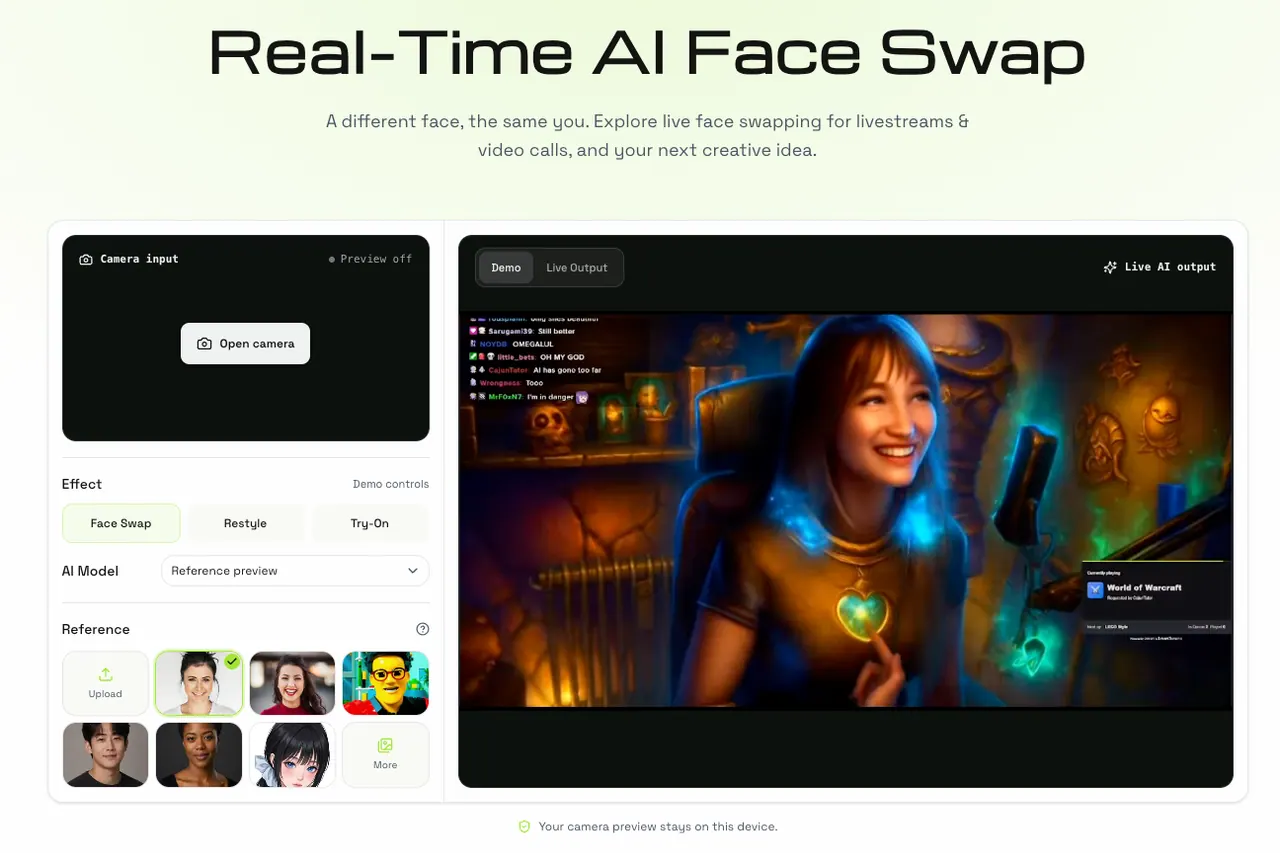
LiveSwapAI lets you apply an AI face swap to live camera footage, so you can explore “a different face, the same you” for streams, video calls, and creative content. Instead of swapping faces in a finished photo or video, the workflow focuses on a reference portrait and a moving camera feed—ideal for experimenting with on-camera personas, character looks, and recurring identities.
You can preview the experience in a browser with camera support over HTTPS and no installation required. Watch demos, check your camera, then choose a preset or upload a portrait image (JPEG, PNG, or WebP up to 10 MB). The camera preview remains local on your device, which helps you evaluate framing and lighting before live processing is available.
For streaming and conferencing scenarios, LiveSwapAI also highlights a desktop workflow that would provide a processed feed via a compatible video input. Streaming tools like OBS Studio and meeting apps like Zoom or Google Meet require a supported video input to receive a processed camera feed; browser preview alone is not meant to connect output into those apps. Live processing and virtual-camera integration are still in development for output to OBS Studio, Zoom, and Google Meet.
LiveSwapAI is for streamers, VTubers, content creators, and anyone who wants a quick way to test creative face transformations for live moments. Create a recurring persona, switch up the mood with character transformations, or keep a consistent brand look episode after episode.
What is live face swapping with LiveSwapAI?
Live face swapping applies a reference face to moving camera footage in real time, rather than replacing a face in a finished photo or video. You start with a clear portrait and then map it onto your live camera preview.
Can I use LiveSwapAI for video calls?
LiveSwapAI is positioned for video calls and meetings, but the virtual-camera output to apps like Zoom or Google Meet isn’t available on the preview page. The live processing and integration needed for that output are still in development.
What kind of portrait photo should I choose?
Use one clear, front-facing photo of yourself or a person whose image you have permission to use. Good, even lighting and a well-framed face help the live result look more consistent.
What happens when I open the camera?
Your camera preview stays on your device. The browser preview lets you check your original video and framing before live processing and virtual-camera output are connected.
What’s the difference between Demo and Live Output?
Demo content shows the visual direction, while your camera preview remains local. Live Output refers to the live processing and virtual-camera feed needed to connect the swapped face into other apps, which isn’t available on the preview page yet.
What affects the quality of the live face swap result?
The reference portrait clarity, lighting, and how your face sits within the frame can affect the outcome. Movement and framing also influence how the transformation responds during the live camera experience.
This listing is claimed
Own LiveSwapAI? Sign in with the email used to claim it to manage this listing, or upgrade to Pro for featured-first placement and a newsletter feature.