
Live Face Swap
AI Video Maker Generators & Tools
Create real-time AI face swaps, restyles, and virtual try-ons in your browser using a webcam and a reference photo.
- Pricing
- Free trial
- Category
- Video
- Listed
- Nov 16, 2026
- Updated
- Nov 16, 2026
Promoted
 Pixmax.aiPixmax.ai is an all-in-one AI workspace for videos, visual stories, and marketing content.
 AI Checker PlusAI detector that highlights which passages AI wrote. Free check, no sign-up. Plagiarism too.
 RewindType any X/Twitter handle. Get their year back as a narrated video story. Then ask it anything.
 KurodyneSell the tools from your AI side projects. Listing is free.
 SEOify - Improve your SEO & rankingsBuild links to rank in Google. Improve your DR with links you can start building now.Advertise here330,000+ people visit Dang.ai every month.
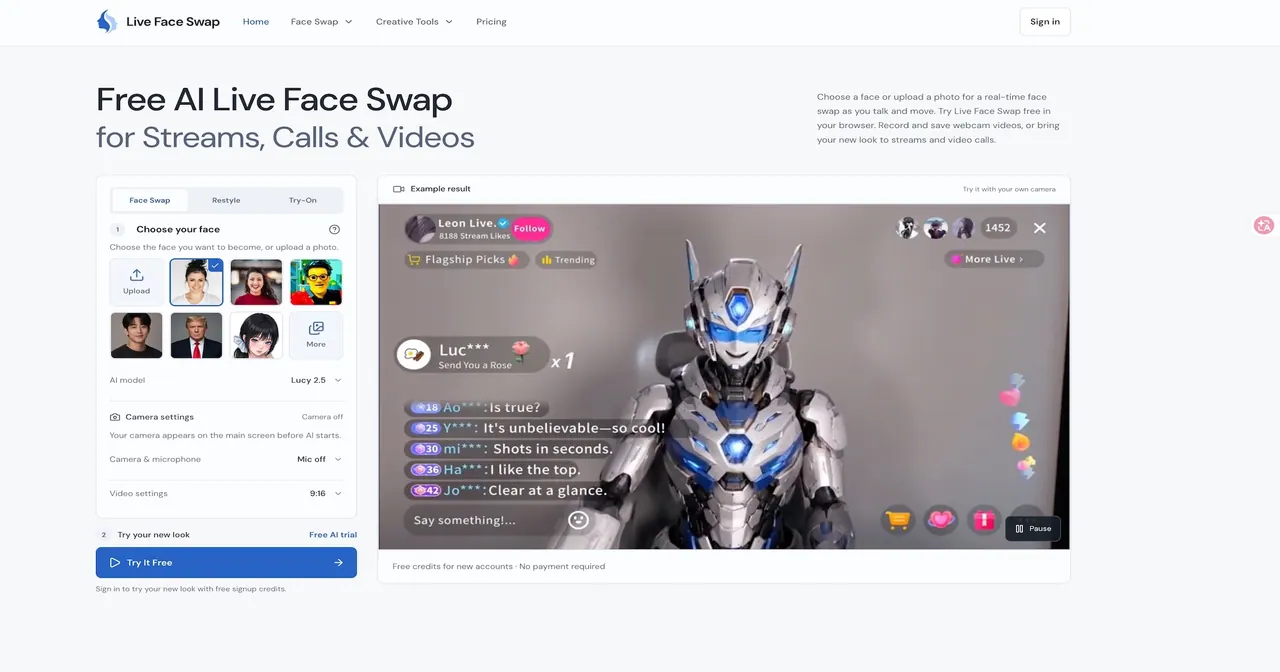
What does Live Face Swap do?
Live Face Swap is a browser-based AI studio that transforms your live webcam feed using a reference photo. Pick a face from the gallery or upload your own, then preview the effect as you talk and move. You can switch between Face Swap, Restyle, and Try-On to create character-style videos, explore visual looks, or preview outfit ideas while staying in the same studio.
The live studio supports recording and clip management so you can capture multiple takes and compare results. After recording, you can review recorded clips, trim the start and finish, and download your output. You can also choose portrait (9:16) or landscape (16:9) framing, and save still frames as PNG images directly from the session.
Live Face Swap is useful for character introductions, reaction clips, comedy sketches, personalized greetings, and testing a new on-camera look. It’s also built for streams and video calls—get your transformed camera feed ready for OBS or supported video-call apps and preview before you join.
AI processing runs in the cloud, so there’s no dedicated AI GPU required and no installation for the browser studio. New users can try with welcome credits, and subscriptions and credit packs are available for additional usage (Basic $15/month, Pro $29/month, Max $69/month; credit packs are one-time purchases). Reviewing and editing don’t consume AI credits, and undownloaded clips are temporary within the studio tab.
How do I start a live face swap in the browser?
Choose Face Swap in the studio, select a gallery reference or upload your photo, then allow camera access and click Start Face Swap. Your expressions and movements come from your live webcam.
Can I use Live Face Swap for streaming or video calls?
Yes. Use your transformed camera feed in OBS and supported video-call apps. You can preview your look before you stream or join a call.
Do I need to install anything or use a dedicated AI GPU?
No. Live Face Swap is a browser studio, and AI processing runs in the cloud, so you don’t need a dedicated AI GPU for the tool to work.
Can I record my session and download a video?
Yes. Recording is optional; when you record, you can save takes and download the original (and, where supported, an edited MP4 with trimming and audio timing adjustments).
Will my photos and video be uploaded and stored?
Starting an AI effect sends your reference photo and live camera video to AI providers for processing. Reference-library photos are saved in your browser for reuse, and QR transfers use temporary encrypted storage for transfer between phone and computer.
What happens if I refresh or close the studio tab after recording?
Undownloaded recordings disappear when you refresh or close the page because the clip list is temporary in that tab. Download takes before leaving if you want to keep them.
This listing is claimed
Own Live Face Swap? Sign in with the email used to claim it to manage this listing, or upgrade to Pro for featured-first placement and a newsletter feature.