
Klox
AI Art Generator & Creator Tools
Klox turns ideas, scripts, and storyboards into editable AI video workflows on a transparent canvas.
- Pricing
- Free
- Category
- Art
- Listed
- Sep 16, 2026
- Updated
- Sep 17, 2026
Promoted
 Sidrune AI85% off. Stable Claude API for agent developers. Pay as you go. Invoices & refunds available.
 Pixmax.aiPixmax.ai is an all-in-one AI workspace for videos, visual stories, and marketing content.
 RewindType any X/Twitter handle. Get their year back as a narrated video story. Then ask it anything.
 KurodyneSell the tools from your AI side projects. Listing is free.
 SEOify - Improve your SEO & rankingsBuild links to rank in Google. Improve your DR with links you can start building now.Advertise here270,000+ people visit Dang.ai every month.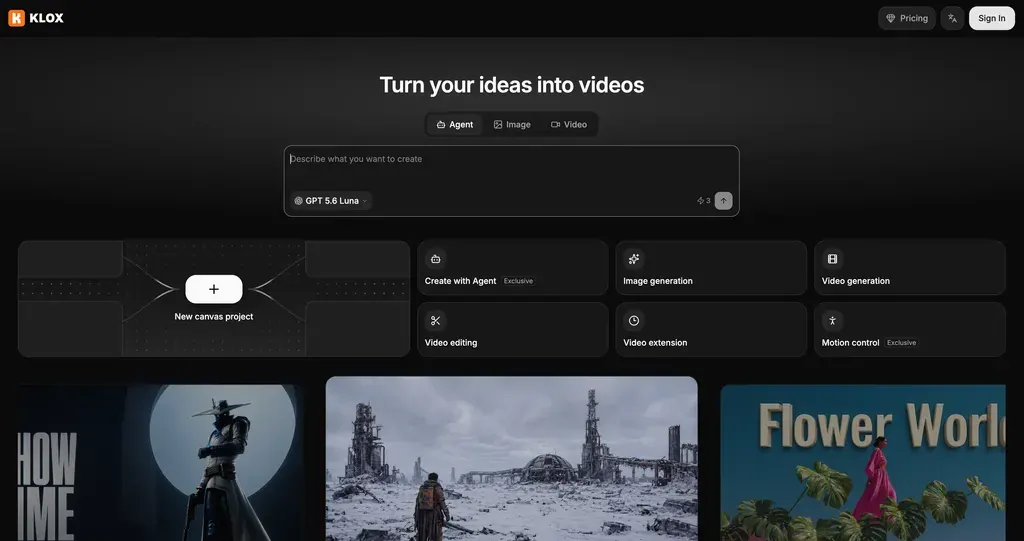
What does Klox do?
Klox helps you create videos from ideas, scripts, and storyboards with an AI-powered director for visual storytelling.
Instead of hiding intermediate steps, Klox shows the full working process as a node-based workflow canvas. Scripts, shot prompts, images, clips, and edits all appear as nodes you can adjust, then regenerate only the parts that depend on your changes—or take over manually at any step.
You can generate quickly in one step using text or reference images for stills and for video creation modes, then keep refining the resulting workflow. For deeper control, use the canvas workflows to organize generation nodes, scene groups, and compose steps, and let the Klox Agent make requested changes directly on the canvas within a credit budget you authorize.
What is Klox?
Klox is an AI video creation tool that helps you turn ideas, scripts, and storyboards into videos using a transparent, editable workflow canvas.
How does Klox’s canvas workflow work?
Your work is represented as nodes (e.g., scripts, shot prompts, images, clips, and edits) in a visual graph. You can edit any node and regenerate only what depends on it.
Can the Klox Agent modify my project?
Yes. You can describe a change in natural language, and the agent updates the canvas (adding nodes, wiring connections, and writing prompts) and can run generations within a credit budget you authorize.
What kinds of video creation are available in Klox?
You can create images and videos in one step from text or reference images, and you can also rework clips with prompts or extend video by continuing from an existing clip.
Can I take over editing manually?
Yes. At any step, you can modify nodes and prompts directly and regenerate targeted parts, or handle edits yourself.
Can I publish my workflow?
Yes. You can publish a workflow version as a public work, with video and a cover.
This listing is claimed
Own Klox? Sign in with the email used to claim it to manage this listing, or upgrade to Pro for featured-first placement and a newsletter feature.