
Indream.ai
AI Video Maker Generators & Tools
Indream is a connected AI video editor and generator for creating visuals, voice, captions, and polished exports in one workflow.
- Pricing
- Free
- Category
- Video
- Listed
- Jun 12, 2026
- Updated
- Jun 14, 2026
What does Indream.ai do?
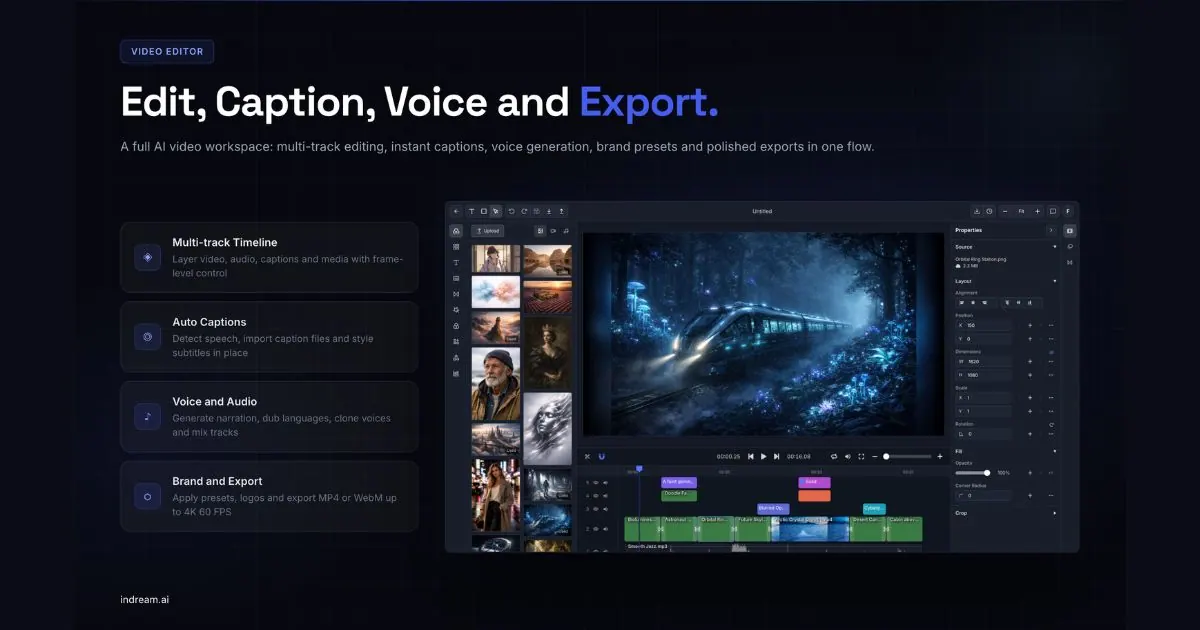
Indream brings AI video creation and editing into one connected workflow, so you can go from an idea to a finished video without bouncing between separate tools. Generate image and video assets from prompts, explore directions in Infinite Canvas, then move into the AI video editor for timeline-based editing.
In the AI video editor, you work inside a real multi-track timeline with captions, voice and audio, brand presets, effects, and export controls. Trim, snap, mute, hide, and arrange video, image, audio, text, and caption layers with precise track controls—while keeping projects editable from early drafts through final render.
Indream also supports voice cloning and text to speech for reusable narration, auto captions for faster assembly, and brand and export settings for consistent output. If you’re building automation, the Video Editor API turns structured JSON timelines into rendered videos with developer-focused request schemas and webhook support.
What is Indream used for?
Indream is an AI video editor and AI video generator that helps turn ideas into editable video projects, including AI visuals, voice/cloned narration, auto captions, and final export.
Can I use the AI generator by itself?
Yes. The AI generator can create visuals and standalone image/video assets from prompts, which you can later bring into the video editor for editing and export.
How does Infinite Canvas help before editing?
Infinite Canvas is an exploration workspace where you can arrange assets freely, test variations, and do preparation steps like background removal or object separation before you commit to the final timeline.
What can I edit in the AI video editor?
You can edit on a multi-track timeline, arranging video, image, audio, text, and caption layers. The editor includes auto captions, voice/audio tools, brand presets, effects, and export controls.
Can I reuse voices and brand presets across projects?
Yes. Generated assets, cloned voices, logos/intro-outro elements, and brand settings can be reused across projects to maintain consistency and save time.
Does Indream offer an API for automation?
Yes. The Video Editor API supports rendering videos from structured JSON timelines (including multi-track features like transitions/effects/captions) and includes webhook support for workflow automation.
Is this your tool?
Upgrade Indream.ai to Pro for featured-first placement, a newsletter feature and ongoing listing management.