
ImgVid
AI Video Maker Generators & Tools
ImgVid turns any image into an AI video online using your prompt, offering multiple models and export options for social clips.
- Pricing
- Free
- Category
- Video
- Listed
- Aug 16, 2026
- Updated
- Aug 16, 2026
Promoted
 AI Checker PlusAI detector that highlights which passages AI wrote. Free check, no sign-up. Plagiarism too.
 RewindType any X/Twitter handle. Get their year back as a narrated video story. Then ask it anything.
 KurodyneSell the tools from your AI side projects. Listing is free.
 Sidrune AI85% off. Stable Claude API for agent developers. Pay as you go. Invoices & refunds available.
 Pixmax.aiPixmax.ai is an all-in-one AI workspace for videos, visual stories, and marketing content.
 SEOify - Improve your SEO & rankingsBuild links to rank in Google. Improve your DR with links you can start building now.Advertise here270,000+ people visit Dang.ai every month.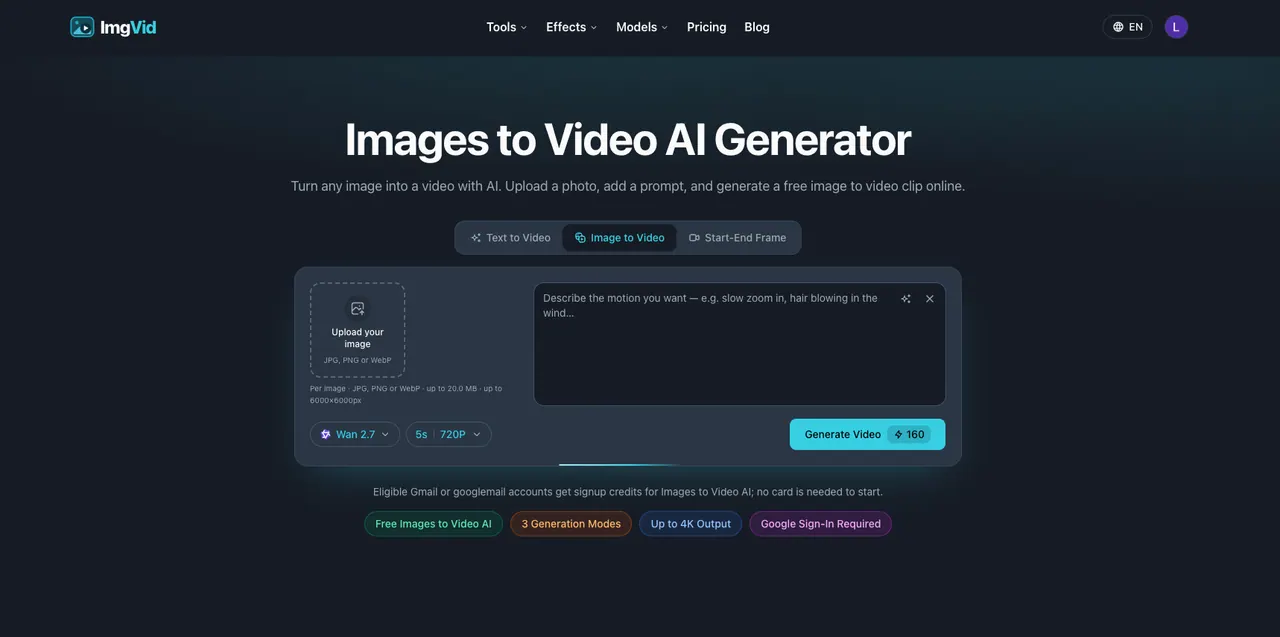
What does ImgVid do?
ImgVid is an online image-to-video AI generator that lets you upload a photo, add a prompt describing the motion and mood, and generate a video clip in your browser. You can animate a single image, blend multiple images into a continuous sequence, or use a start-and-end frame to let the AI create the transition.
With multiple generation modes, ImgVid supports prompt-driven motion for cinematic looks, anime/illustration styles, old-photo revivals, talking avatars, music and performance scenes, and more. The workflow is straightforward: choose your input (image(s) or frames), describe the camera move and atmosphere in plain words, then regenerate until the result matches your vision.
Model flexibility is built in so you can try different generation options on the same concept. ImgVid is designed for creators making image-to-video clips for vertical and widescreen formats, including TikTok and Reels use cases, with exports up to 4K and no watermark.
How do I turn my image into a video on ImgVid?
Upload a JPG, PNG, or WebP image, add a prompt describing the motion/camera/mood, then generate the clip. You can re-run the generation to refine the look.
What generation modes are available?
You can generate from a single image (image to video), from multiple images (multi-image blending), or from a start and end frame (start-end frame) to create the transition.
Do I need to install anything to use ImgVid?
No—ImgVid runs in your browser on any laptop or phone.
Do I need a credit card to start?
Eligible Gmail or googlemail accounts can start with signup credits for image-to-video generation and no card is needed to begin.
What file types and sizes are supported for uploads?
You can upload JPG, PNG, or WebP. Limits include up to 20.0 MB per image and up to 6000×6000px.
Are there watermarks on exports?
Exports carry no watermark.
This listing is claimed
Own ImgVid? Sign in with the email used to claim it to manage this listing, or upgrade to Pro for featured-first placement and a newsletter feature.