
ImgPilot
AI Image Generators from Text Tools
ImgPilot generates AI images from text and lets you edit reference images through chat-based, iterative refinement.
- Pricing
- Free
- Category
- Image
- Listed
- Jun 6, 2026
- Updated
- Jun 6, 2026
Promoted
 Sidrune AI85% off. Stable Claude API for agent developers. Pay as you go. Invoices & refunds available.
 Pixmax.aiPixmax.ai is an all-in-one AI workspace for videos, visual stories, and marketing content.
 RewindType any X/Twitter handle. Get their year back as a narrated video story. Then ask it anything.
 KurodyneSell the tools from your AI side projects. Listing is free.
 SEOify - Improve your SEO & rankingsBuild links to rank in Google. Improve your DR with links you can start building now.Advertise here270,000+ people visit Dang.ai every month.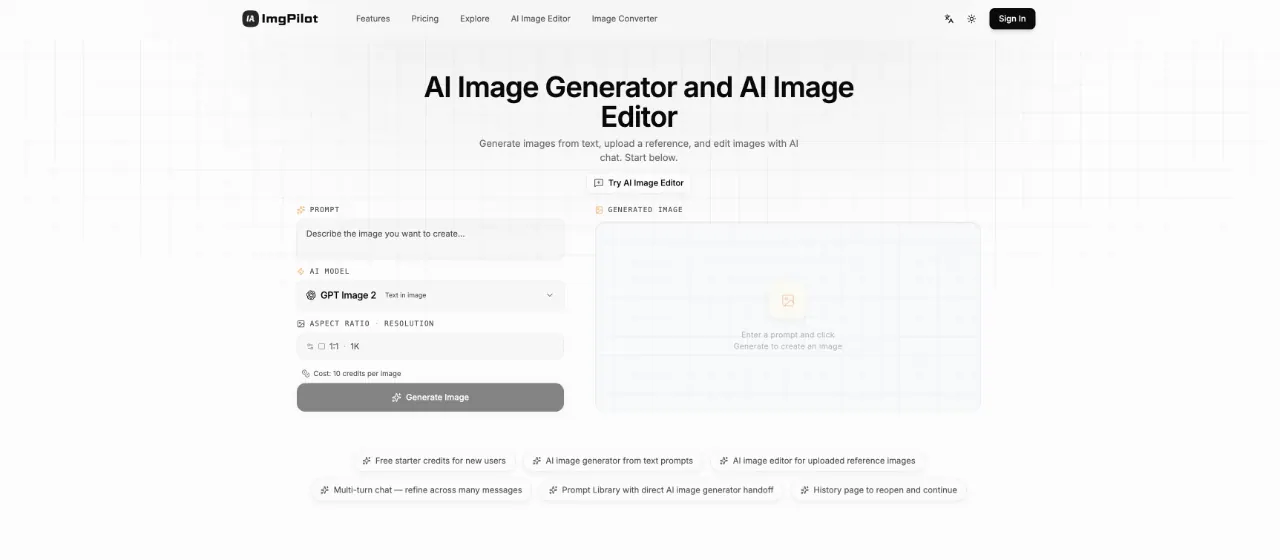
What does ImgPilot do?
ImgPilot combines an AI image generator and an AI image editor in one place. Generate from a text prompt, or upload a reference image and refine it using AI chat—each edit builds on the previous result.
For quick results, start with text-to-image: describe what you want in everyday language, choose an AI model, aspect ratio, and resolution, then generate and download or keep refining. If you already have an image you like, use the image editor path by uploading a reference and telling the AI what to add, remove, restyle, or fix through multi-turn conversation.
To speed up ideation, use the Prompt Library for prompt structures you can preview and send directly into generation. You can also revisit prior work from the history page and continue iterating without restarting your process.
How do I use ImgPilot as an AI image generator from text?
Enter a prompt in everyday language, choose an AI model plus aspect ratio and resolution, then generate an image and refine it through additional chat prompts if needed.
Can ImgPilot edit images from a reference photo?
Yes. Upload a reference image and describe your changes in natural language (like changing the background, adding objects, or restyling). Edits build on the previous result.
What’s the difference between generating from text and editing from a reference?
Text-to-image is best for creating a first draft from a single prompt. Reference editing is best when you want to keep an existing composition and iteratively improve it with chat.
What AI models are available in ImgPilot?
ImgPilot offers multiple image models in the same interface, including GPT Image 2, Nano Banana Pro/Nano Banana/Nano Banana 2, Flux Kontext Pro/Max, GPT-4o Image, and Grok Image.
How do credits work for image generation and editing?
Credits are used to generate images. You’ll see a per-image credit cost during generation (for example, 10 credits per image in the generator flow). Plans provide credit bundles and free starter credits for new users.
Where can I find previous generations?
Use the History page to reopen and continue prior generations, so you can keep refining results over multiple sessions.
This listing is claimed
Own ImgPilot? Sign in with the email used to claim it to manage this listing, or upgrade to Pro for featured-first placement and a newsletter feature.