
ImgPhotoEditor AI Photo Editor
AI Image Generators from Text Tools
Edit photos in seconds using natural-language AI prompts—remove backgrounds, erase objects, and upscale to 4K with no sign-up.
- Pricing
- Free
- Category
- Image
- Listed
- Aug 25, 2026
- Updated
- Oct 16, 2026
Promoted
 Sidrune AI85% off. Stable Claude API for agent developers. Pay as you go. Invoices & refunds available.
 Pixmax.aiPixmax.ai is an all-in-one AI workspace for videos, visual stories, and marketing content.
 RewindType any X/Twitter handle. Get their year back as a narrated video story. Then ask it anything.
 KurodyneSell the tools from your AI side projects. Listing is free.
 SEOify - Improve your SEO & rankingsBuild links to rank in Google. Improve your DR with links you can start building now.Advertise here270,000+ people visit Dang.ai every month.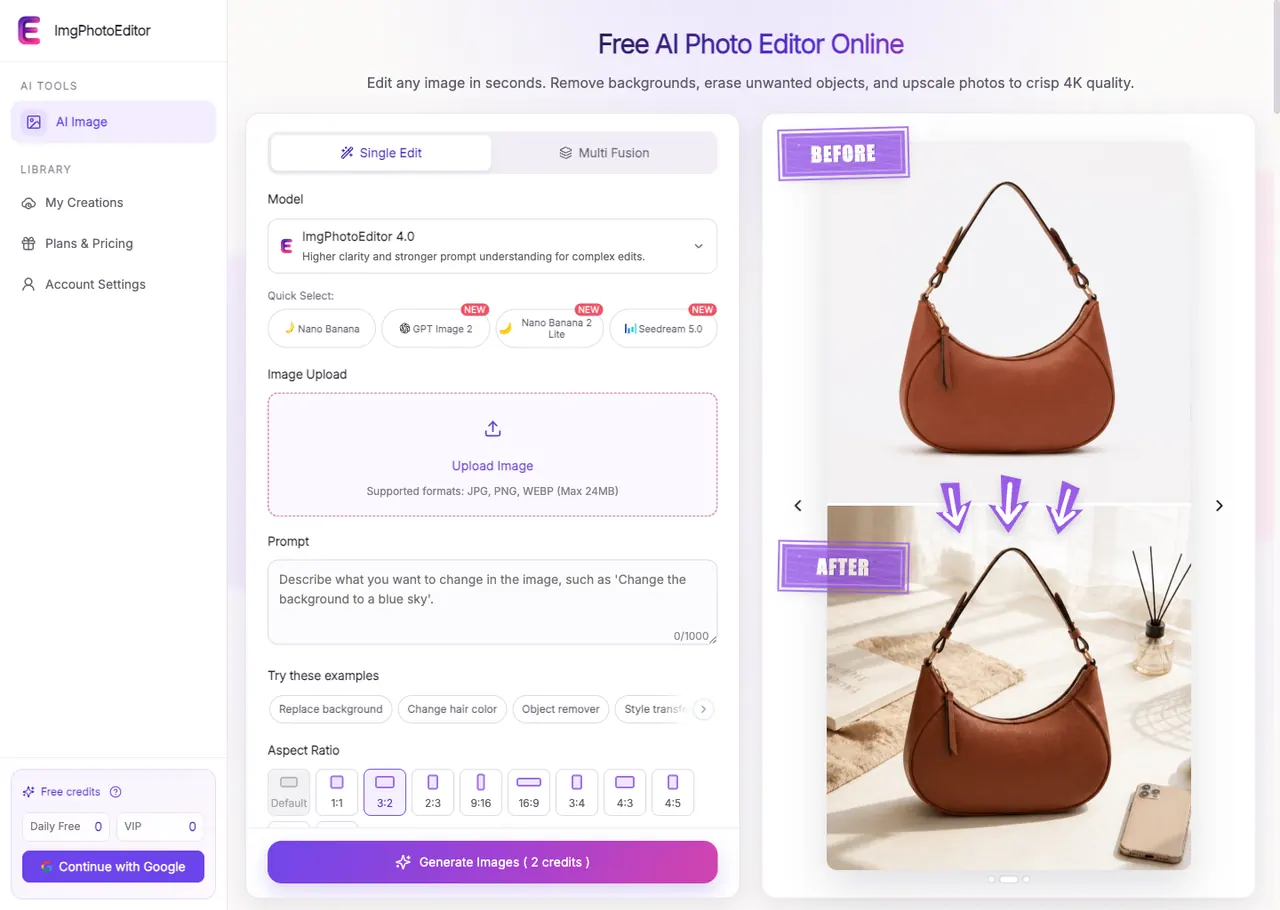
What does ImgPhotoEditor AI Photo Editor do?
ImgPhotoEditor is a free, web-based AI photo editor that helps you make practical image changes using simple text prompts. Upload a JPG, PNG, or WebP (up to 24MB), describe what you want to do, pick an AI model and output option, then generate and download your edited result.
Use it to remove or replace backgrounds, erase unwanted objects, and perform style transfers or visual changes. It includes tools for old photo restoration and adjusting image composition with aspect ratio options and an AI Image Extender that expands beyond the original borders for formats like widescreen or social crops—without the need to learn complex editing software.
For image quality improvements, ImgPhotoEditor can upscale photos to high-resolution 4K output. The AI photo enhancer is designed to recover natural detail and reduce common compression artifacts, making it useful for presentations, prints, older photos, and clearer online listings.
ImgPhotoEditor is a good fit for e-commerce and online sellers, content creators, marketers, photographers, and anyone who wants fast, clean results from everyday photos. It also provides clear workflow steps and a simple generate-and-download process so you can iterate quickly when reviewing before/after results.
Is ImgPhotoEditor free to use?
Yes—core AI photo editing tools are available for free, so you can run common edits like background removal, object erasing, and enhancements without signing up.
Do I need an account to edit photos?
No sign-up is required to use the free AI photo editor for editing and generating results.
What image formats and file size are supported?
You can upload JPG, PNG, or WebP images, up to 24MB per file.
What edits can I do with the AI tools?
You can remove backgrounds, erase unwanted objects, upscale to 4K, extend images to new aspect ratios, restore old photos, and apply visual style changes.
Can the editor upscale images to 4K?
Yes. You can upscale images to high-resolution 4K output using the AI photo enhancer, with enhancement choices like 2× or 4×.
How do I get started with an edit?
Upload your image, write a clear natural-language prompt describing the change you want (e.g., “remove the background” or “erase the bicycle”), choose a model/output option, then generate and download the result.
This listing is claimed
Own ImgPhotoEditor AI Photo Editor? Sign in with the email used to claim it to manage this listing, or upgrade to Pro for featured-first placement and a newsletter feature.