ImagEditorAI
AI Image Generators from Text Tools
ImagEditorAI is a free online AI image editor where you upload a photo, describe the change in plain language, and download the result—no layers required.
- Pricing
- Free
- Category
- Image
- Listed
- Sep 19, 2026
- Updated
- Sep 19, 2026
Promoted
 RewindType any X/Twitter handle. Get their year back as a narrated video story. Then ask it anything.
 KurodyneSell the tools from your AI side projects. Listing is free.
 Sidrune AI85% off. Stable Claude API for agent developers. Pay as you go. Invoices & refunds available.
 Pixmax.aiPixmax.ai is an all-in-one AI workspace for videos, visual stories, and marketing content.
 SEOify - Improve your SEO & rankingsBuild links to rank in Google. Improve your DR with links you can start building now.Advertise here270,000+ people visit Dang.ai every month.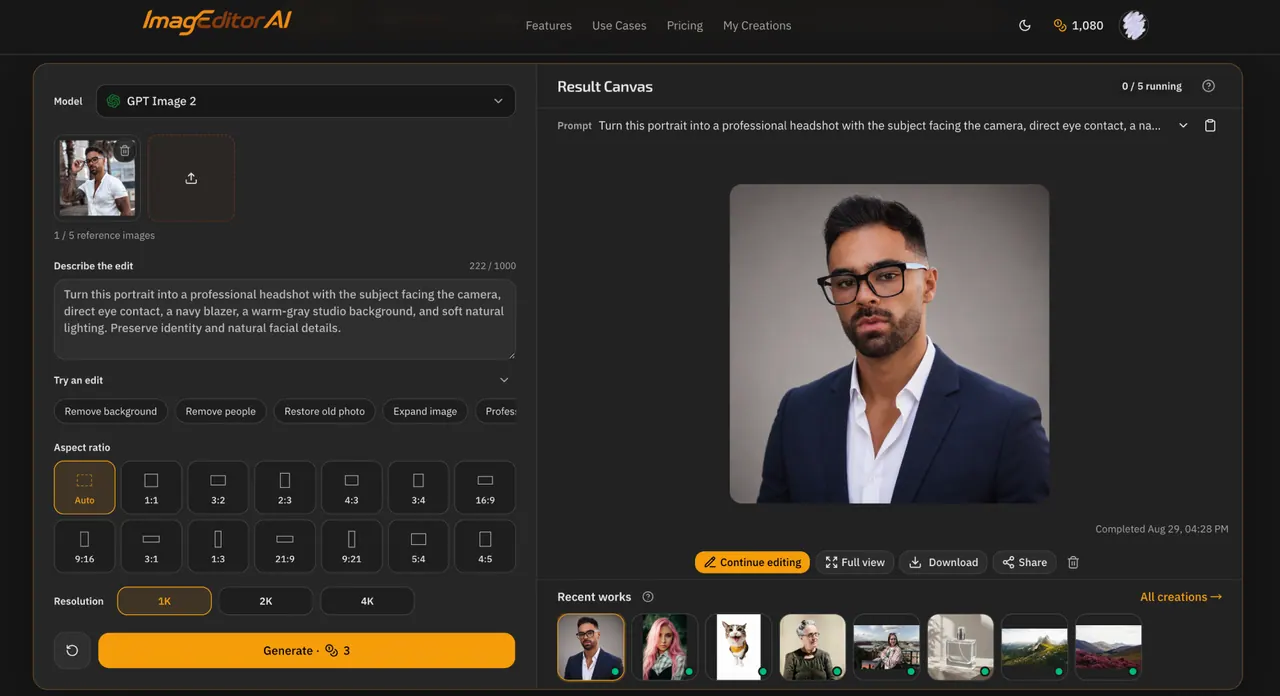
What does ImagEditorAI do?
ImagEditorAI helps you edit existing photos with written prompts instead of layers, masks, or selection tools. Upload a PNG, JPG, or WebP image (up to five reference images, 20MB each), describe what you want to change and what to preserve, then generate and download your edited result directly in your browser.
Use it for everyday cleanup like removing objects or people, undoing the matcha filter look, expanding and reframing images for new formats, or retouching and restoring faded or damaged photos. You can also swap backgrounds, place a subject into a new scene, remove shadows, and edit details like clothing, hairstyles, or photo text.
For creators and commerce, ImagEditorAI supports product-focused workflows such as creating consistent product scenes, recoloring products, isolating subjects on a white background, and generating ghost mannequin and AI fashion model looks. Output options include selectable aspect ratios and resolutions (with supported 1K, 2K, and 4K choices), and results download without a watermark.
Do I need to learn layers or masks to edit with ImagEditorAI?
No. You upload a photo and describe the change you want in plain language, and the editor applies the edit without requiring layers or masks.
Is ImagEditorAI free, and do I need to sign up?
You can start without sign-up. Eligible guests refresh to 9 free credits each UTC day, while account holders refresh to 15 free credits each UTC day.
What kinds of edits can I make with a prompt?
You can remove or replace backgrounds, remove people or objects, restore old photos, retouch/enhance images, switch art styles (anime/3D/cartoon/comic/illustrated), expand and reframe, and change outfits or hairstyles while preserving identity.
Can it remove an object or person while keeping the rest of the photo the same?
Yes—if you identify the exact target and explicitly describe what to preserve, like surrounding subjects, logos, edges, and lighting. Always review faces, text, logos, and edges after generation.
What file types and upload limits are supported?
You can upload up to five PNG, JPG, or WebP reference images, up to 20MB per file. Paste is supported as well.
Will the downloaded image include a watermark?
No. Downloaded results do not include a watermark. If you register, you can also save and reuse edits in My Creations.
This listing is claimed
Own ImagEditorAI? Sign in with the email used to claim it to manage this listing, or upgrade to Pro for featured-first placement and a newsletter feature.