Image Translate AI
AI Art Generator & Creator Tools
Image Translate AI instantly translates text in images for 200+ languages, preserving fonts, layout, and design for a clean before/after result.
- Pricing
- Free
- Category
- Art
- Listed
- Sep 1, 2026
- Updated
- Sep 1, 2026
Promoted
 Sidrune AI85% off. Stable Claude API for agent developers. Pay as you go. Invoices & refunds available.
 Pixmax.aiPixmax.ai is an all-in-one AI workspace for videos, visual stories, and marketing content.
 AI Checker PlusAI detector that highlights which passages AI wrote. Free check, no sign-up. Plagiarism too.
 RewindType any X/Twitter handle. Get their year back as a narrated video story. Then ask it anything.
 KurodyneSell the tools from your AI side projects. Listing is free.
 SEOify - Improve your SEO & rankingsBuild links to rank in Google. Improve your DR with links you can start building now.Advertise here270,000+ people visit Dang.ai every month.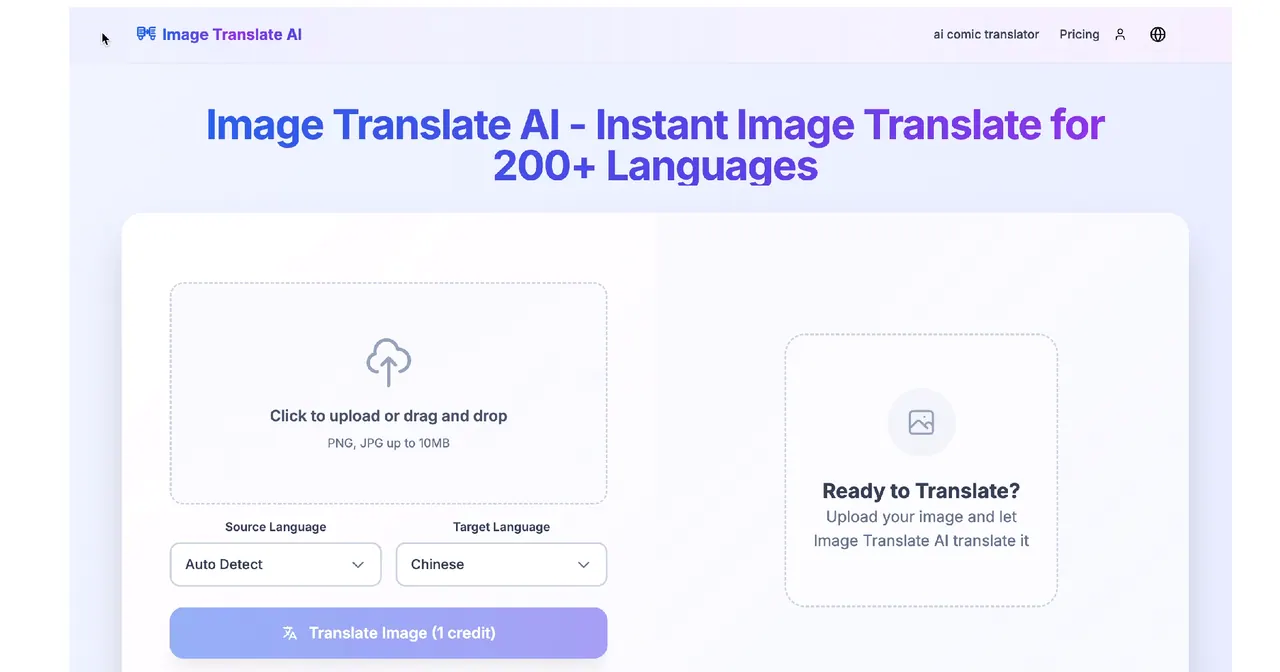
What does Image Translate AI do?
Upload an image (PNG, JPG, WebP, and other common formats, up to 10MB) or use an image URL to translate text embedded in the image.
Choose your source and target languages, or enable auto-detect to figure out the source language automatically. Image Translate AI processes your image quickly and returns a translated image that keeps the original fonts, alignment, colors, and overall design.
Use it to translate screenshots, scanned documents, and other image-based text while maintaining a polished look—then download your translated image in seconds.
What kinds of images can I translate with Image Translate AI?
You can upload common image formats such as JPG, PNG, and WebP (and other common formats), or paste an image URL. The uploader accepts files up to 10MB, and it works well with screenshots and scanned documents.
How do I choose languages for translation?
Select a source language and a target language, or use auto-detect to identify the source language automatically. Supported languages include 130+ options for source and target.
Does the tool preserve the original layout and design?
Yes. Translations are returned as an image that preserves fonts, alignment, colors, and design elements so the translated result matches the original structure.
How fast does Image Translate AI translate an image?
Translation is designed to be instant; typical processing is described as ready within about 30–60 seconds depending on image size and complexity.
How does credits/usage work when translating an image?
Each translation can consume a credit (e.g., “Translate Image (1 credit)”), and you can start with a free plan for limited daily translations. Higher-volume usage uses paid plans with more credits.
Can I translate multiple images at once?
Yes. Batch processing is supported for multiple images, and this capability is available in paid plans.
This listing is claimed
Own Image Translate AI? Sign in with the email used to claim it to manage this listing, or upgrade to Pro for featured-first placement and a newsletter feature.