
ImageToLive
AI Video Creation Tool
Turn any still photo into a cinematic live video in seconds using style presets—no prompt engineering required.
Promoted
 AI Checker PlusAI detector that highlights which passages AI wrote. Free check, no sign-up. Plagiarism too.
 RewindType any X/Twitter handle. Get their year back as a narrated video story. Then ask it anything.
 KurodyneSell the tools from your AI side projects. Listing is free.
 Sidrune AI85% off. Stable Claude API for agent developers. Pay as you go. Invoices & refunds available.
 Pixmax.aiPixmax.ai is an all-in-one AI workspace for videos, visual stories, and marketing content.
 SEOify - Improve your SEO & rankingsBuild links to rank in Google. Improve your DR with links you can start building now.Advertise here270,000+ people visit Dang.ai every month.
What does ImageToLive do?
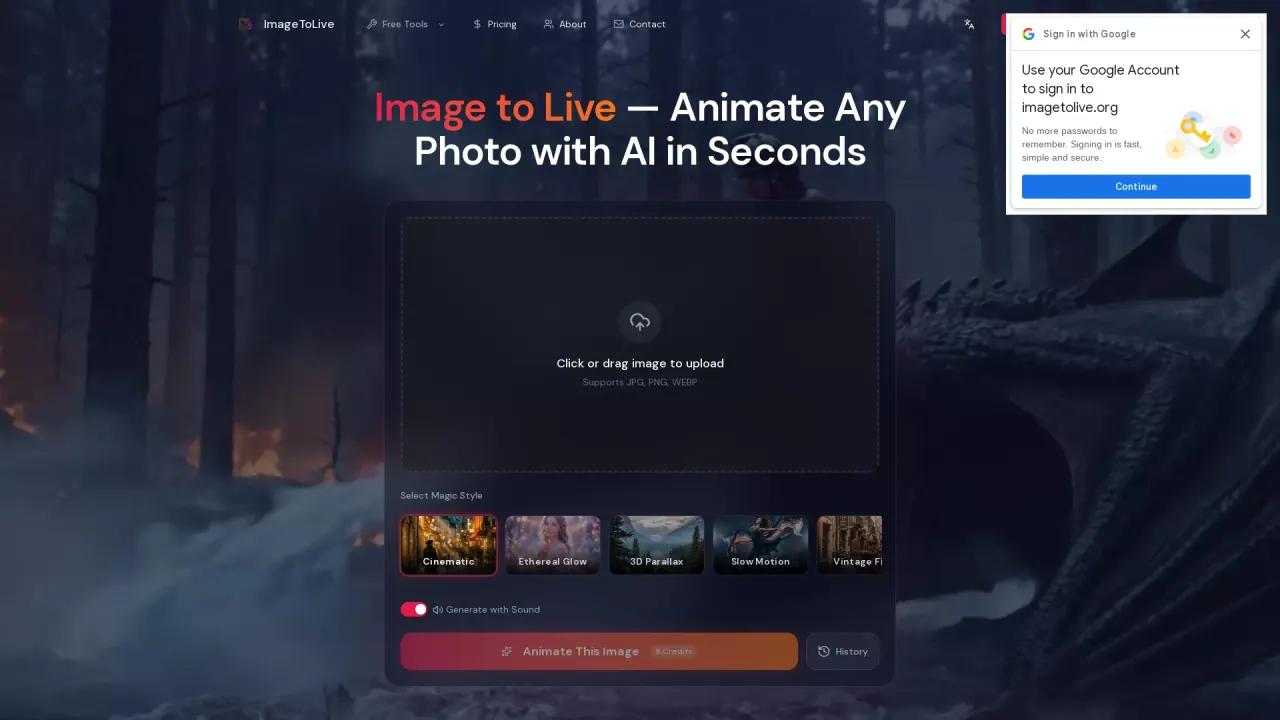
ImageToLive is an AI photo animator that turns still images into shareable moving clips. Upload a photo and the engine analyzes the subject, lighting, and scene layers, then adds believable motion—like drifting clouds, moving hair, rippling water, or a subtle cinematic push for portraits.
Choose from “Magic Style” presets such as Cinematic, Ethereal Glow, 3D Parallax, Slow Motion, Vintage Film, Nature Flow, Cyberpunk, and Golden Hour. Each preset combines movement, pacing, and atmosphere, so you don’t need to write complex AI prompts. For creators who want audio-driven output, there’s an option to “Generate with Sound.”
The workflow is designed to be fast and beginner-friendly: upload (JPG/PNG/WEBP), select a style, generate (typically ~30 seconds depending on queue and settings), then download your result as an MP4. Output is available up to 4K at 60fps for social formats, and there’s also a phone-friendly Live Photo option for iPhone lock screens.
ImageToLive includes a private-by-default approach so uploads are processed securely and stay yours alongside your generated videos. Credits are used for generation (including an “8 Credits” display on the generation page), and you can start with free access via the Free Tools section.
What can I animate with ImageToLive?
You can animate a wide range of still images, including portraits, landscapes, artwork, product shots, and archival photos—then export the result as a moving clip or iPhone Live Photo.
Do I need to write prompts to generate a live video?
No. Upload your image and select a motion/style preset—the preset handles the movement, pacing, and atmosphere without complex prompting.
Which image formats are supported?
ImageToLive supports JPG, PNG, WEBP (with guidance that HEIC may also be used during upload).
How long does generation take?
Rendering usually takes around 30 seconds, depending on queue time and selected output settings.
What formats can I download and where can I use them?
You can download the result as an MP4 for social posts and presentations. There’s also a Live Photo option designed for iPhone lock screens.
Is there a watermark or commercial use limitation on the free version?
The free-version watermark details aren’t specified in the provided information. The page notes that Pro users get watermark-free output with full commercial rights.
This listing is claimed
Own ImageToLive? Sign in with the email used to claim it to manage this listing, or upgrade to Pro for featured-first placement and a newsletter feature.