
IMAGE TO VIDEO - KOOX AI
Verified
image to video, AI video generator
Turn any photo into a physics-based video with AI-generated motion, synchronized audio, and model comparisons.
Promoted
 KurodyneSell the tools from your AI side projects. Listing is free.
 Sidrune AI85% off. Stable Claude API for agent developers. Pay as you go. Invoices & refunds available.
 Pixmax.aiPixmax.ai is an all-in-one AI workspace for videos, visual stories, and marketing content.
 RewindType any X/Twitter handle. Get their year back as a narrated video story. Then ask it anything.
 SEOify - Improve your SEO & rankingsBuild links to rank in Google. Improve your DR with links you can start building now.Advertise here270,000+ people visit Dang.ai every month.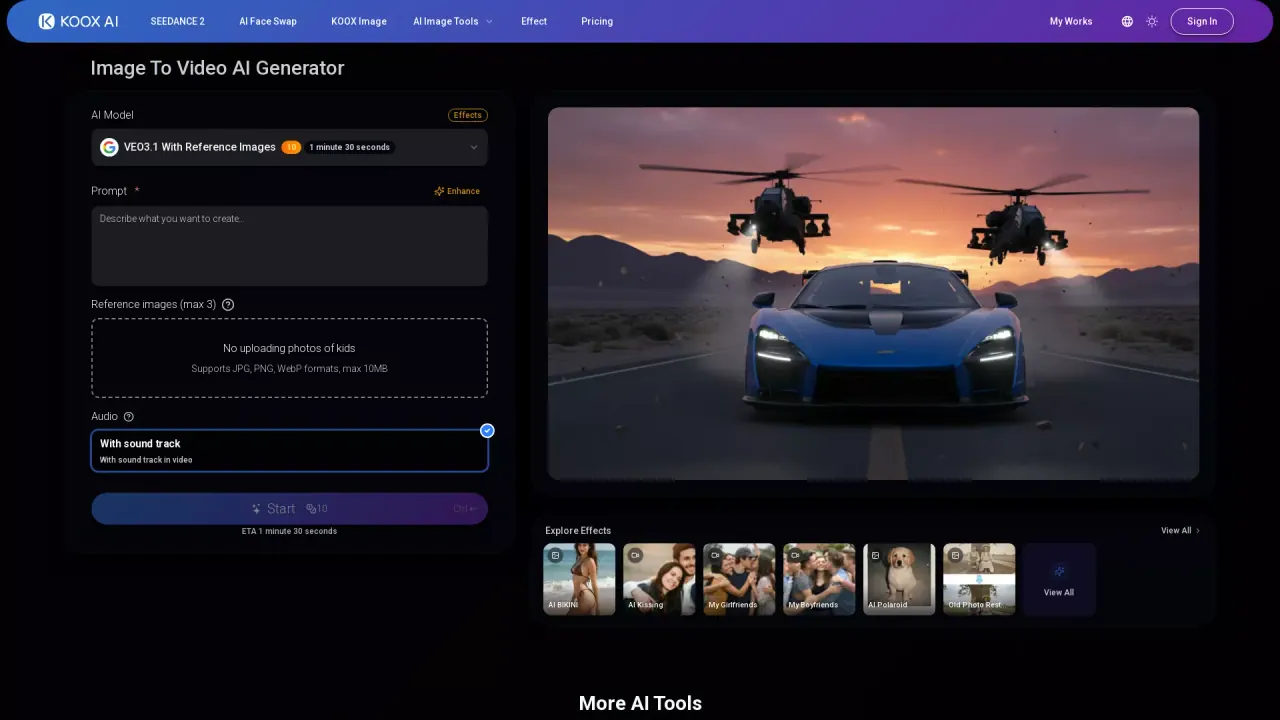
What does IMAGE TO VIDEO - KOOX AI do?
IMAGE TO VIDEO AI in KOOX AI lets you upload a supported image, describe the motion you want, and generate a video using available AI models. You can work with portraits, landscapes, and illustrations—plus photo, drawing, or 3D render inputs. After generation completes, you can download the result and refine by adjusting your prompt and settings.
What sets it apart is the end-to-end “video with sound” experience. Instead of adding generic background tracks, the AI generates audio that matches what’s happening in the motion—like footsteps when a person walks or wind when leaves move—procedurally synced to your video. It also aims for more consistent motion, reducing flickering and morphing so subjects stay steadier across frames.
You can use this tool to create scroll-stopping social content, animate product photos for marketing, and prototype character or concept motion in minutes. It’s also useful for artists, animators, startups, and small teams who want to iterate quickly without building a complex editing workflow.
Pricing: free credits may be available to try the service with no credit card required upfront. If you need more generations, you can purchase additional credits or choose a paid plan.
What does IMAGE TO VIDEO AI do?
It converts a static image into a video by generating motion frames from your input photo plus a text prompt describing the movement.
How do I create a video from a photo?
Upload a supported image, describe the motion you want (be specific or let the AI improvise), then generate and download when it’s finished.
Does the tool generate audio or just visuals?
Audio generation is enabled by default. You can describe the sounds you want in your prompt, and the AI generates matching sound effects and ambient audio synced to the motion.
What kinds of images can I use?
It supports multiple image types including portraits, landscapes, and illustrations, and accepts inputs like photos, drawings, and 3D renders.
Is it possible to compare different AI video models?
Yes—your generation can be compared across the available AI models in the workspace, which can help you find better results for your specific use case.
Is IMAGE TO VIDEO AI free to try?
Free credits may be available, and you typically don’t need a credit card upfront. If you want more generations, you can buy additional credits or switch to a paid plan.
This listing is claimed
Own IMAGE TO VIDEO - KOOX AI? Sign in with the email used to claim it to manage this listing, or upgrade to Pro for featured-first placement and a newsletter feature.