
Image to Video AI
Image to Video AI Generator
Turn your images into stunning videos with our advanced AI technology.
Promoted
 Sidrune AI85% off. Stable Claude API for agent developers. Pay as you go. Invoices & refunds available.
 Pixmax.aiPixmax.ai is an all-in-one AI workspace for videos, visual stories, and marketing content.
 SEOify - Improve your SEO & rankingsBuild links to rank in Google. Improve your DR with links you can start building now.Advertise here270,000+ people visit Dang.ai every month.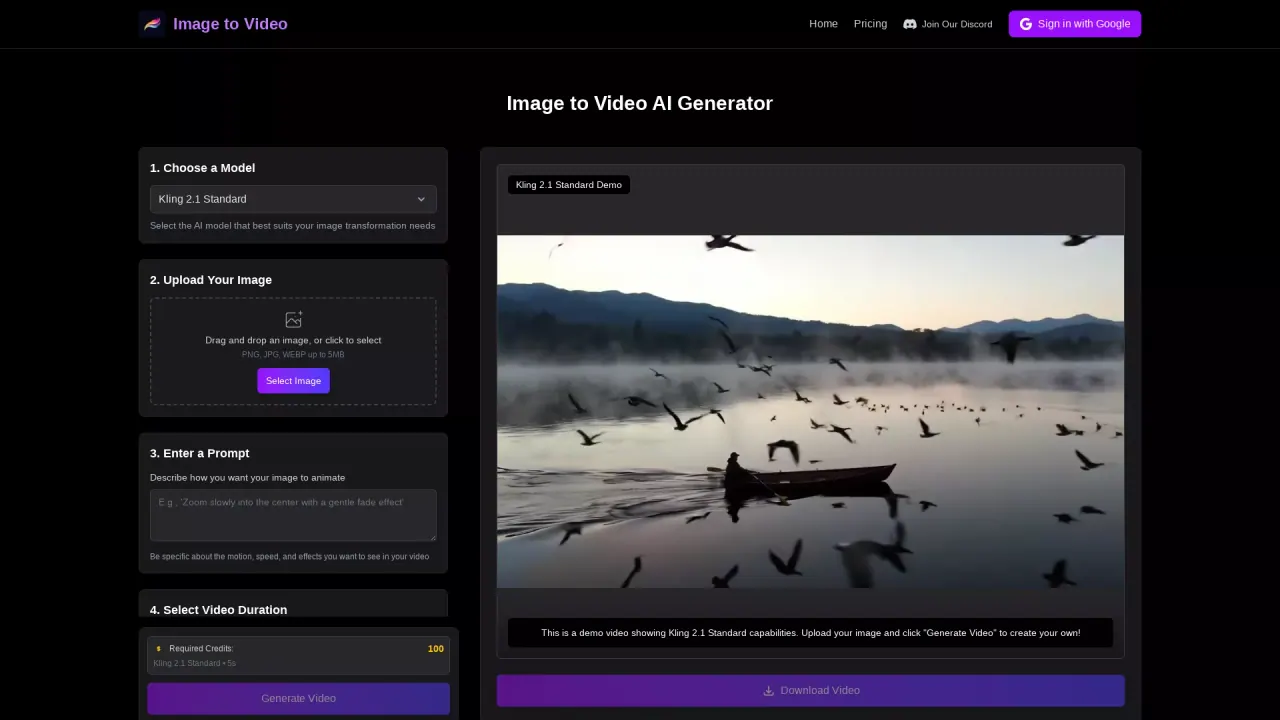
What does Image to Video AI do?
What is Image to Video AI and how does it work?
Image to Video AI transforms static images into dynamic video clips using advanced generative AI. The platform analyzes your uploaded image to understand the scene, objects, and composition, then creates natural motion, camera movements, and cinematic effects while preserving the original image’s quality. You describe how you want the image to animate with a natural-language prompt, and the AI generates the video.
What types of images work best for Image to Video AI transformation?
For best results, use high-resolution images with good lighting and clear subjects. Clear images with distinct subject matter help the AI generate realistic motion and maintain artistic integrity during video creation.
Can I use Image to Video AI for commercial purposes?
Yes. You can use the AI-generated videos for commercial applications such as marketing materials, social media content, educational resources, and more.
What image formats can I upload?
PNG, JPG, and WEBP are supported, up to 5MB per image.
What video durations are available?
The platform lists duration options of 5 seconds, 8 seconds, and 10 seconds. Some sections also reference shorter durations (down to 2 seconds) depending on the plan details.
What resolutions and aspect ratios are supported?
You can choose from multiple resolutions ranging from standard HD to 4K. Supported aspect ratios include 16:9 (YouTube), 9:16 (TikTok/Instagram Stories), and 1:1 (Instagram posts).
What AI models are available?
The platform offers a suite of models, including Veo 3, Kling AI, SeedDance AI, Runway, Hailuo AI, Vidu AI, Luma AI, PixVerse, Pika AI, Wanx AI, Hunyuan, Seedance, and additional models listed under More Models. Kling 2.1 Standard is also an option for certain video generations.
How do I use Image to Video AI? What are the basic steps?
- Upload Your Image: Drag and drop or select a PNG/JPG/WEBP image (up to 5MB).
- Select AI Model: Choose from the available image-to-video models.
- Enter a Prompt: Describe how you want your image to animate. You can also use a negative prompt (optional).
- Select Video Duration: Pick from the available duration options.
- Generate & Download: Generate the video and download the result.
Do I need to sign up or register to use Image to Video AI?
No registration is required to start creating videos. The site also offers paid plans with credits and features for ongoing use.
What plans are available and what do they include?
Active (Free) — $0/month (billed monthly)
- 50 credits per day
- 2 AI models
- Video length up to 5 seconds
- Standard video quality
- 1 generation at a time
Starter — $9.99/month (billed monthly)
- 2,000 credits per month
- 3 AI models
- Up to 8-second videos
- HD quality
- 2 generations at a time
Pro — $15.99/month (billed monthly)
- 3,000 credits per month
- 4 AI models
- Up to 10-second videos
- Full HD quality
- 4 generations at a time
Business — $21.99/month (billed monthly)
- 4,000 credits per month
- 4 AI models
- Up to 10-second videos
- 4K Ultra HD
- 8 generations at a time
- Priority queue, advanced styles, API access
Enterprise — $27.99/month (billed monthly)
- 5,000 credits per month
- 4 AI models
- Up to 10-second videos
- 4K Ultra HD
- 16 generations at a time
- Priority queue, advanced styles, custom aspect ratios, API access, dedicated support, custom models
All plans include core video generation features and 24/7 support. No setup fees, cancel anytime, and a 30-day money-back guarantee.
How do credits work?
Plans grant a monthly or daily allotment of credits used to generate videos. Higher-tier plans provide more credits, more AI model options, longer video durations, and additional capabilities like API access and priority queues.
Are API access and advanced features available?
API access and advanced features are included with Business and Enterprise plans, along with other benefits like priority queue and custom aspects or models.
Where can I see real examples of outputs?
The site includes a "See Image to Video in Action" section with real examples showing how different images transform into videos.
Are there any guarantees or support commitments?
Yes. All plans include 24/7 support, no setup fees, and a 30-day money-back guarantee. You can cancel anytime.
This listing is claimed
Own Image to Video AI ? Sign in with the email used to claim it to manage this listing, or upgrade to Pro for featured-first placement and a newsletter feature.