Image to Layers
AI Art Generator & Creator Tools
Convert flat images into editable PSD layers and transparent PNGs.
- Category
- Art
- Listed
- Nov 10, 2026
- Updated
- Nov 10, 2026
Promoted
 KurodyneSell the tools from your AI side projects. Listing is free.
 Sidrune AI85% off. Stable Claude API for agent developers. Pay as you go. Invoices & refunds available.
 Pixmax.aiPixmax.ai is an all-in-one AI workspace for videos, visual stories, and marketing content.
 AI Checker PlusAI detector that highlights which passages AI wrote. Free check, no sign-up. Plagiarism too.
 RewindType any X/Twitter handle. Get their year back as a narrated video story. Then ask it anything.
 SEOify - Improve your SEO & rankingsBuild links to rank in Google. Improve your DR with links you can start building now.Advertise here330,000+ people visit Dang.ai every month.
What does Image to Layers do?
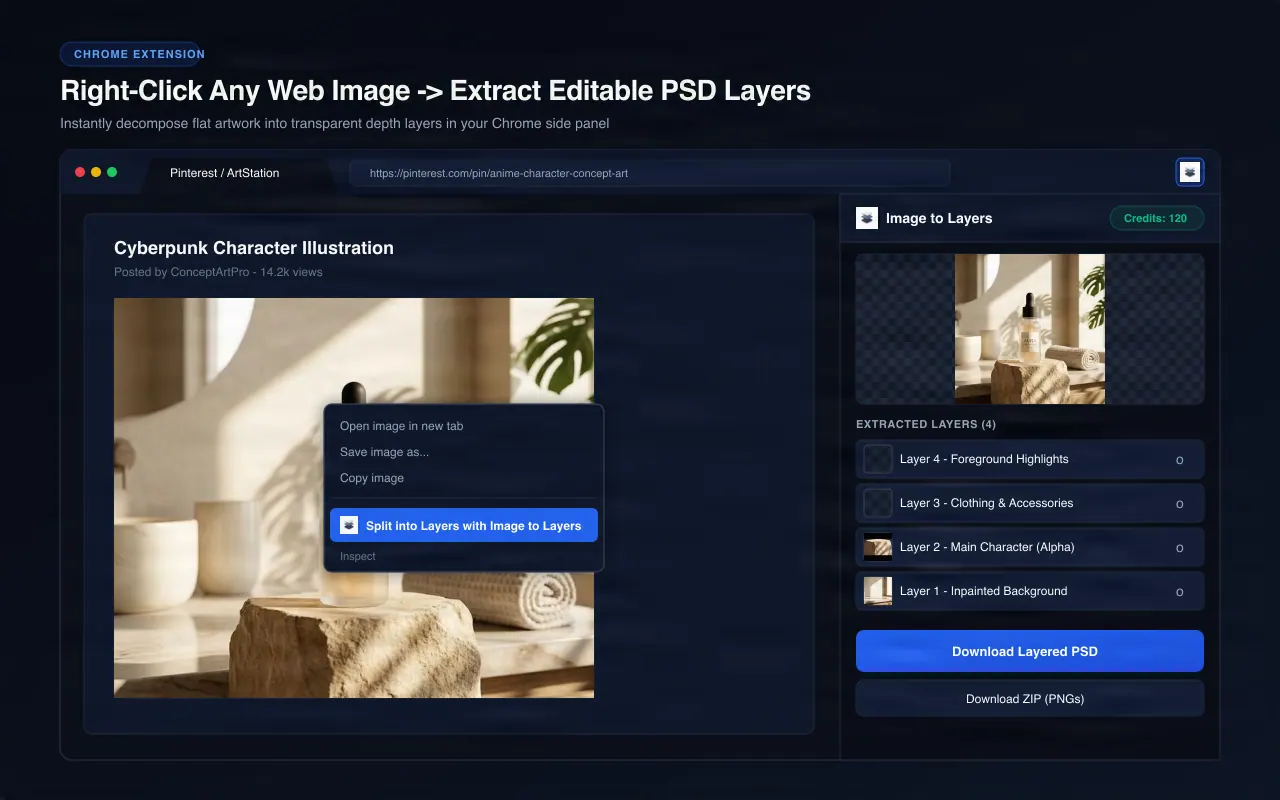
Image to Layers is an AI-powered creative platform that transforms flattened images into fully editable, multi-layer assets.
What it does:
- Semantic Layer Extraction: Automatically separates characters, subjects, foreground objects, and backgrounds from flat photos, illustrations, posters, and packaging designs.
- Layered PSD & PNG Exports: Download isolated transparent PNGs or export complete layered PSD files ready to open and edit in Photoshop, Figma, or Canva.
- AI Creative Tools: Extend images with generative outpainting, remove unwanted objects or text, replace backgrounds, and convert graphics to clean vector SVGs.
Who should use it: Built for graphic designers, digital illustrators, e-commerce brands, marketing teams, and content creators who need to edit, animate, or repurpose flattened graphics without hours of manual masking.
This listing is claimed
Own Image to Layers? Sign in with the email used to claim it to manage this listing, or upgrade to Pro for featured-first placement and a newsletter feature.