
GptImageWeb
AI Image Generator
GlowImage (GPT Image Web) generates and edits polished AI images for portraits, product shots, posters, and everyday creative work.
Promoted
 Pixmax.aiPixmax.ai is an all-in-one AI workspace for videos, visual stories, and marketing content.
 Sidrune AI85% off. Stable Claude API for agent developers. Pay as you go. Invoices & refunds available.
 SEOify - Improve your SEO & rankingsBuild links to rank in Google. Improve your DR with links you can start building now.Advertise here270,000+ people visit Dang.ai every month.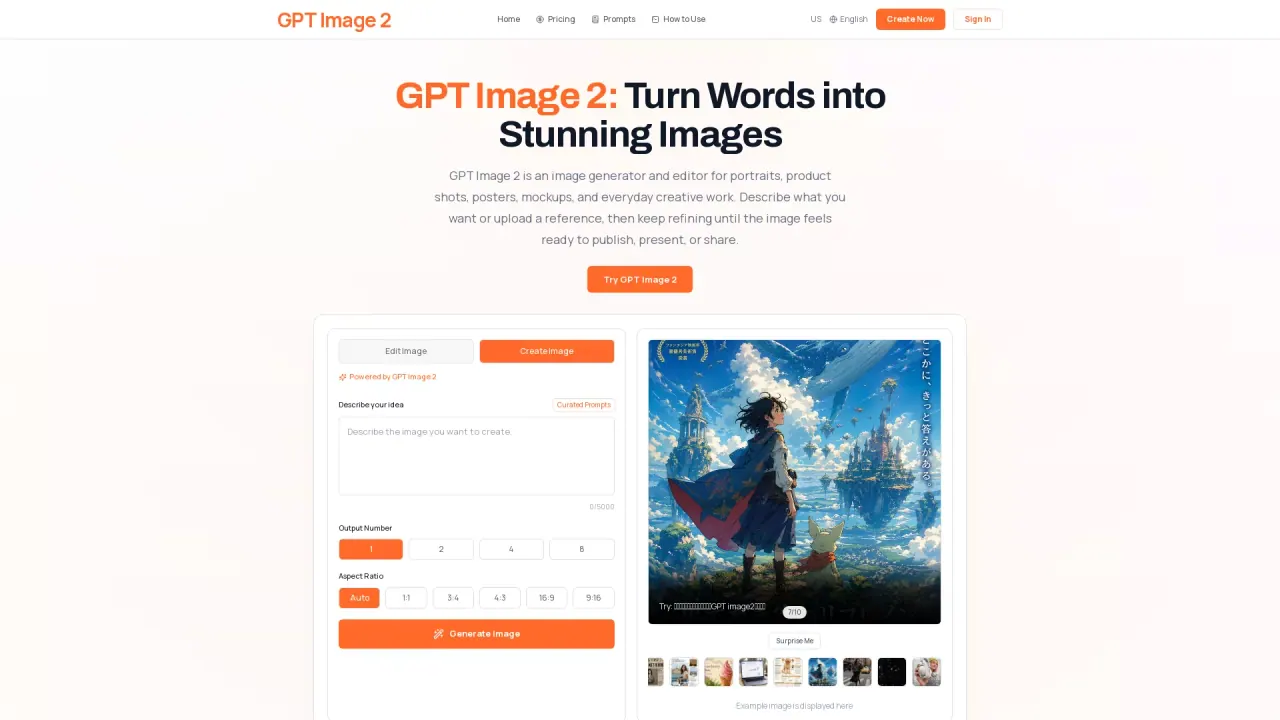
What does GptImageWeb do?
GlowImage is an AI image generator and editor that turns your ideas into polished visuals you can publish, present, or share. You can describe what you want in plain language or upload a reference photo, then refine the output until it feels finished—whether you’re creating new images or improving an existing one.
It’s built for fast, presentation-ready results. Generate images in different resolutions (1K/2K/4K) and aspect ratios (auto plus options like 1:1, 3:4, 4:3, 16:9, 9:16). For control, you can use curated prompts and iterate on the same direction instead of restarting from scratch. GlowImage also emphasizes character consistency, including a “character lock” approach that helps keep facial features and overall style recognizable across variations.
When you need edits, GlowImage supports natural-language changes—like swapping backgrounds and styling, adjusting mood and colors, making product setups look more premium, or strengthening the main focal point. It also supports visuals where text matters (labels, signage, menus, and poster-style copy) and helps produce product framing suitable for ads, launches, social creatives, and editorial covers.
Plans are available monthly: Basic is $4.95/mo with 400 credits (~200 1K images), Pro is $9.95/mo with 1,000 credits (~500 1K images), and Unlimited is $19.95/mo with 2,400 credits (~1,200 1K images). New users get 10 free credits for up to 5 1K images. Exports are watermark-free, commercial use is included, and failed generations are refunded.
What does GlowImage help me do?
Create AI images and make natural-language edits. It’s used for portraits, product shots, posters, mockups, and other everyday creative visuals.
Can I start from an uploaded photo and edit from there?
Yes. You can upload a reference, then describe the exact changes you want so the edit keeps the direction you like while refining the result.
What controls do I have over the output?
You can choose resolution (1K/2K/4K) and aspect ratio (including 1:1, 3:4, 4:3, 16:9, 9:16). You also refine using plain-language prompts and curated prompt options.
How does GlowImage handle consistency across multiple images of the same character or subject?
It supports character consistency, including “character lock,” to keep facial features and overall style recognizable while you vary pose, framing, scene, or expression.
Is the pricing based on credits, and what does “1K images” mean?
Plans include monthly credits, and the site estimates each plan’s output in terms of ~1K images (for example, Basic is ~200 1K images per 400 credits).
Are exports watermark-free and can I use images commercially?
Yes—exports are watermark-free and commercial use is included on the plans. Failed generations are also refunded, and generation history is saved.
This listing is claimed
Own GptImageWeb? Sign in with the email used to claim it to manage this listing, or upgrade to Pro for featured-first placement and a newsletter feature.