GIF Face Swap
AI Art Generator & Creator Tools
GIF Face Swap lets you upload a reaction GIF and a clear face photo to generate a personalized animated face-swap download.
- Pricing
- Free
- Category
- Art
- Listed
- Jul 24, 2026
- Updated
- Jul 25, 2026
Promoted
 Sidrune AI85% off. Stable Claude API for agent developers. Pay as you go. Invoices & refunds available.
 Pixmax.aiPixmax.ai is an all-in-one AI workspace for videos, visual stories, and marketing content.
 AI Checker PlusAI detector that highlights which passages AI wrote. Free check, no sign-up. Plagiarism too.
 RewindType any X/Twitter handle. Get their year back as a narrated video story. Then ask it anything.
 KurodyneSell the tools from your AI side projects. Listing is free.
 SEOify - Improve your SEO & rankingsBuild links to rank in Google. Improve your DR with links you can start building now.Advertise here270,000+ people visit Dang.ai every month.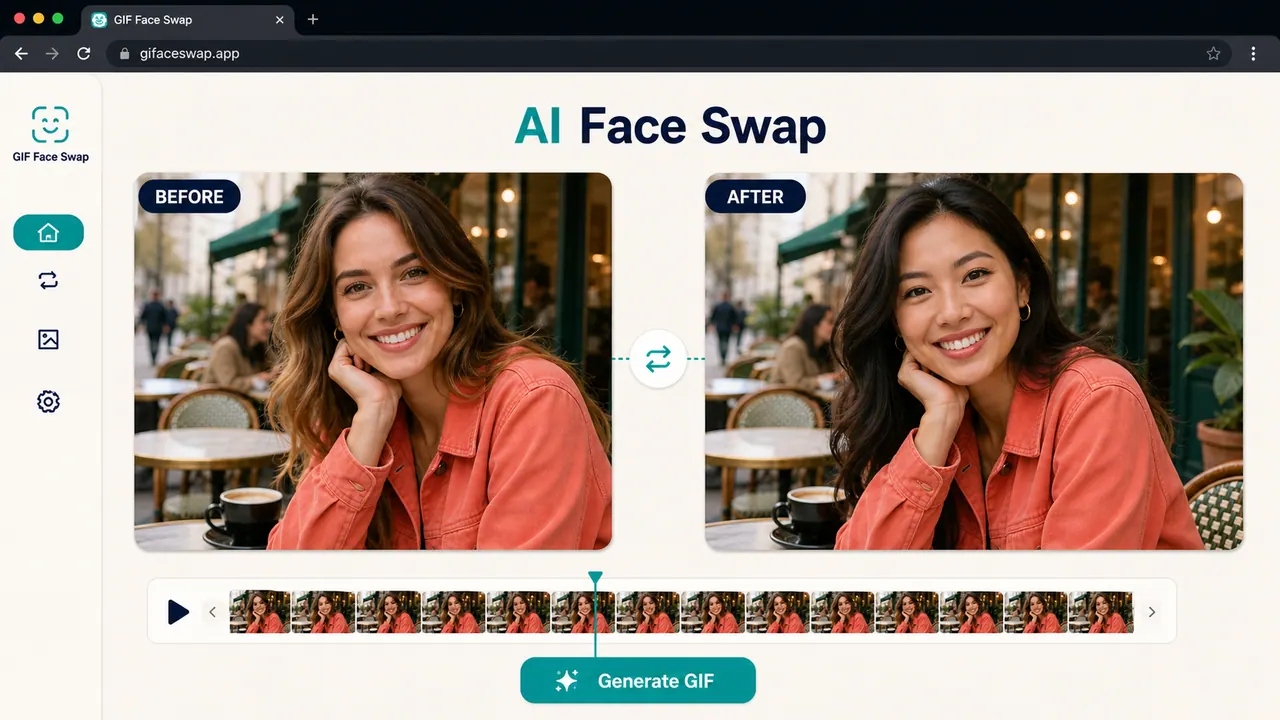
What does GIF Face Swap do?
GIF Face Swap is an online tool for creating face-swapped GIFs and animated WebP images from a short loop and one clear portrait. Upload a target GIF (or WebP) plus a front-facing face photo, preview the result, and download when it’s ready.
The workflow is designed to preserve the original loop timing and “reaction” feel. Using a clean, well-lit source face helps reduce blur and missed frames, and missed-face frames can pass through unchanged so the animation loop stays intact.
Start with a free swap to test your look, then upgrade when you need watermark-free exports. Your uploads and finished outputs stay private by default, with guest download links that expire.
What do I need to create a GIF Face Swap?
Upload a short animated GIF (or animated WebP) and one clear, front-facing portrait photo with good lighting.
What file types and limits can I upload?
You can upload GIF or WebP animations (max 20MB) and face photos in JPG/PNG/WebP (max 8MB each). Short loops work best.
Will my swapped GIF keep the original animation timing?
Yes—GIF Face Swap keeps the loop timing and helps maintain the share-ready reaction look of the original animation.
Do free downloads include a watermark?
Free trial exports are watermarked, and you can upgrade to get watermark-free exports when you’re ready to download.
How can I get a sharper result?
Use a clean, front-facing photo with even lighting and start with a short, higher-quality loop. If your GIFs are tiny, try a larger source when possible.
How private are my uploads and results?
Uploads and finished GIFs stay private. Guest download links expire, and finished results are saved for a limited time.
This listing is claimed
Own GIF Face Swap? Sign in with the email used to claim it to manage this listing, or upgrade to Pro for featured-first placement and a newsletter feature.