
Ghibli AI
Ghibli Style Image
Transform photos into magical studio ghibli artwork
Promoted
 Sidrune AI85% off. Stable Claude API for agent developers. Pay as you go. Invoices & refunds available.
 Pixmax.aiPixmax.ai is an all-in-one AI workspace for videos, visual stories, and marketing content.
 SEOify - Improve your SEO & rankingsBuild links to rank in Google. Improve your DR with links you can start building now.Advertise here270,000+ people visit Dang.ai every month.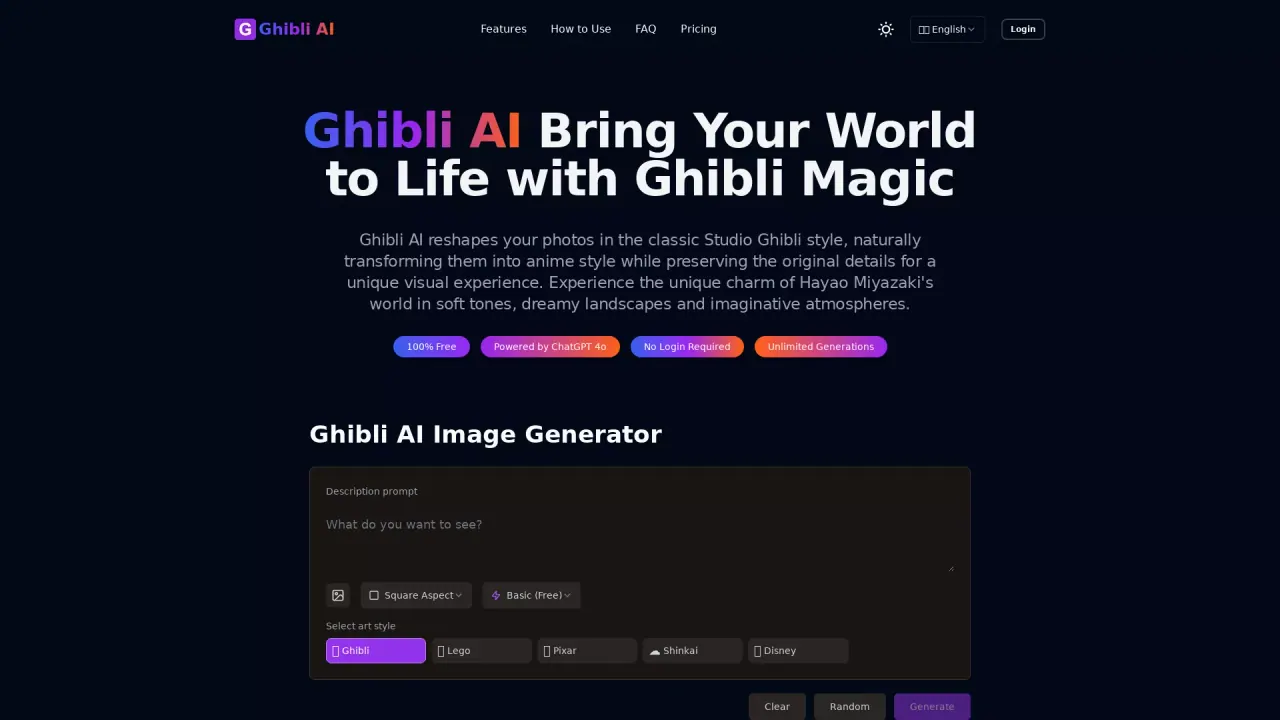
What does Ghibli AI do?
What is Ghibli AI?
Ghibli AI is a specialized AI image generator that reshapes your photos into authentic Studio Ghibli-style artwork. It captures Miyazaki’s soft color palettes, dreamy textures, and whimsical atmospheres while preserving the original photo’s details and essence.
How does Ghibli AI work?
Ghibli AI uses advanced machine learning models trained on Studio Ghibli’s distinctive style. When you upload a photo or enter a text prompt, it analyzes the content and applies Ghibli aesthetic elements—color palettes, lighting, textures—so the image transforms while maintaining the core composition and subject matter.
What image formats does Ghibli AI support?
Ghibli AI supports JPG, PNG, WebP, and HEIC. You can download your transformed artwork in high resolution.
What types of images work best with Ghibli AI?
Images with clear subjects and good lighting typically yield the best results. Portraits, landscapes, pet photos, and nature scenes transform especially well when you use high-quality images without excessive noise or blur.
Can I use Ghibli AI without any artistic skills?
Yes. Ghibli AI is designed to be user-friendly and accessible to everyone, regardless of artistic experience.
What art style options are available?
You can choose from several style options in the interface: No Style, Ghibli, Polaroid, 3D figure, Lego, Pixar, and Disney.
Can I control the style intensity of my transformations?
Yes. Ghibli AI offers style intensity controls so you can apply a subtle transformation or a more dramatic Ghibli-style result.
How fast does Ghibli AI transform images?
Transformations typically occur within seconds. Exact timing depends on image complexity and server load.
Is there a limit to how many images I can transform?
Yes. Ghibli AI uses subscription tiers with different transformation limits. The free tier provides a limited number of transformations, while premium subscriptions offer higher monthly allowances.
Can I use Ghibli AI for commercial projects?
Usage rights depend on your subscription level. Basic transformations are generally for personal use, while premium tiers provide commercial licensing options. Check the terms of service for specifics.
Do I need to login to use Ghibli AI?
No. Ghibli AI is accessible without requiring a login.
How do I transform my photos step-by-step?
Follow these steps:
- Upload Your Photo — choose a photo from your device (JPG, PNG, WebP, or HEIC).
- Describe Your Style — enter a text prompt describing the Ghibli-inspired aesthetic you want.
- Generate Artwork — click the transform button to apply the Ghibli style while preserving the original subject.
- Download & Share — save the high-resolution result in your preferred format and share or print as desired.
How can I contact support?
You can reach the team at hi@aighibli.app for questions or help.
This listing is claimed
Own Ghibli AI? Sign in with the email used to claim it to manage this listing, or upgrade to Pro for featured-first placement and a newsletter feature.