GenImagePro
AI Image Generators from Text Tools
GenImagePro turns your uploaded photo into studio-quality images and short AI videos with guided, template-style workflows.
- Pricing
- Free
- Category
- Image
- Listed
- Sep 2, 2026
- Updated
- Sep 3, 2026
Promoted
 AI Checker PlusAI detector that highlights which passages AI wrote. Free check, no sign-up. Plagiarism too.
 RewindType any X/Twitter handle. Get their year back as a narrated video story. Then ask it anything.
 KurodyneSell the tools from your AI side projects. Listing is free.
 Sidrune AI85% off. Stable Claude API for agent developers. Pay as you go. Invoices & refunds available.
 Pixmax.aiPixmax.ai is an all-in-one AI workspace for videos, visual stories, and marketing content.
 SEOify - Improve your SEO & rankingsBuild links to rank in Google. Improve your DR with links you can start building now.Advertise here270,000+ people visit Dang.ai every month.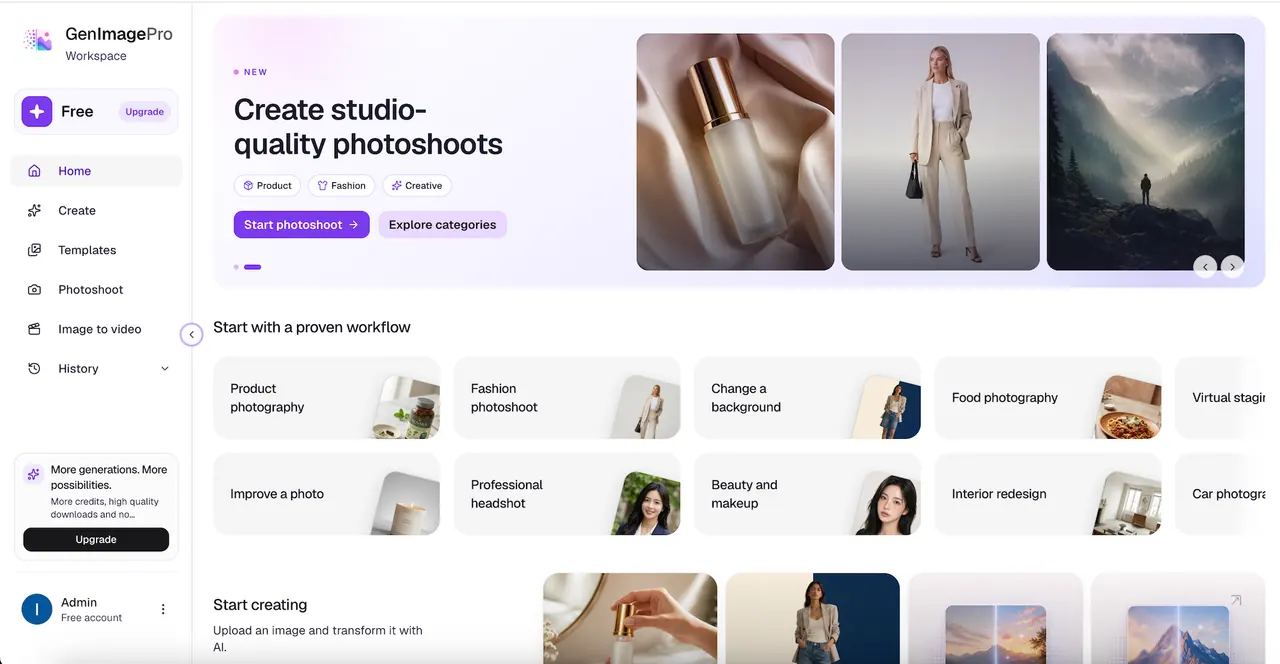
What does GenImagePro do?
GenImagePro is an AI image and video creation platform for turning one upload into professional visuals. Start from a product, portrait, food, fashion, or room photo, then generate new scenes, restyle and refine the image, and create short AI videos for ads and campaigns.
With an image-to-image workflow, you preserve your existing subject while changing backgrounds, lighting, styling, and overall creative direction. Use ready-made styles for faster results, or combine image generation, AI editing, enhancement, and background tools in a single workspace.
Explore tools for product photography and ecommerce listings, fashion photoshoots, portraits and headshots, makeup and beauty edits, room staging and interior visuals, food photography, and more—then apply the best results to social and marketing content, including still-to-video motion.
What can I create with GenImagePro?
You can generate and edit professional visuals from an uploaded image, including product photography, fashion photoshoots, portraits, backgrounds, food images, room visuals, and short AI videos for ads and campaigns.
Do I need to write prompts to use GenImagePro?
No—use guided workflows and ready-made styles to create results without complex prompting, then refine only when needed.
How does image-to-image generation keep my subject consistent?
Your uploaded image stays the visual reference, so the product/garment/face/room remains recognizable while you change the scene, background, lighting, styling, and creative direction.
Can GenImagePro replace or update a background while keeping the subject sharp?
Yes. Use background tools to remove backgrounds cleanly or replace backgrounds while keeping the product as the main focus for ecommerce and creative use.
Can I turn a still image into a video?
Yes. Generate AI videos by turning your still image into short motion for products, fashion, and campaigns.
What file types can I upload for the image-to-image workflow?
You can upload PNG or JPG files up to 20MB for the workflow.
This listing is claimed
Own GenImagePro? Sign in with the email used to claim it to manage this listing, or upgrade to Pro for featured-first placement and a newsletter feature.