
G Maps Extractor
Verified
AI Marketing Tools
G Maps Extractor is a no-code Google Maps scraper that exports business leads—reviews, contact details, and more—into CSV, Excel, or JSON.
Promoted
 Sidrune AI85% off. Stable Claude API for agent developers. Pay as you go. Invoices & refunds available.
 Pixmax.aiPixmax.ai is an all-in-one AI workspace for videos, visual stories, and marketing content.
 SEOify - Improve your SEO & rankingsBuild links to rank in Google. Improve your DR with links you can start building now.Advertise here270,000+ people visit Dang.ai every month.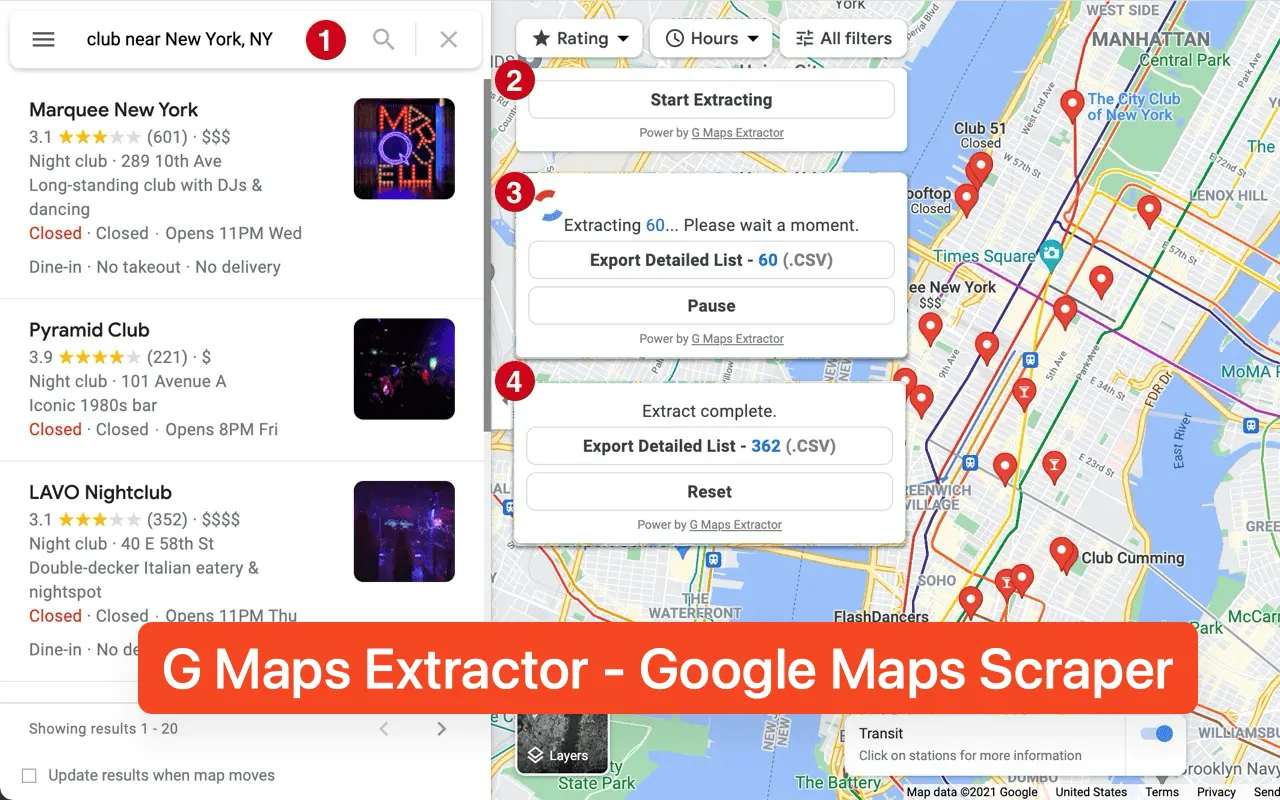
What does G Maps Extractor do?
G Maps Extractor is a no-code Google Maps scraper for turning public business listings into structured, export-ready data. Search by keyword and location (for example, “dentists in Chicago” or “coffee shops in Portland”) and collect more than 30 fields per place, including business name, category, address, phone, email, website, social media profiles, rating, review count, opening hours, coordinates, and the Google Maps URL.
You can also export richer assets like reviews, photos, and key identifiers (such as Place Id, Cid, and other knowledge/placement IDs) along with review URLs and featured images. The tool supports cloud scraping for bulk keyword runs, and you can also use Chrome/Edge extensions or dedicated APIs for Places, Reviews, and Photos.
If you’re building AI-assisted workflows, you can bring Google Maps data into your tooling by connecting a Google Maps Scraper MCP to Claude, Codex, Cursor, or VS Code. Export formats include CSV, Excel, and JSON, making it convenient for CRM entry, outreach, local SEO research, and market/competitor analysis.
What data can I extract from Google Maps with G Maps Extractor?
You can export place details like name, categories, address, phone, email, website, social media profiles, rating, review count, opening hours, coordinates, and the Google Maps URL. It also supports reviews, photos, and multiple identifiers (e.g., Place Id/Cid) for each listing.
Can I export results to CSV, Excel, or JSON?
Yes—export output is available as CSV, Excel, or JSON, depending on how you collect and use the data.
Can I scrape Google Maps in bulk?
Yes. Use cloud-based scraping to run bulk keyword searches so you can collect data for many listings at once.
What’s included if I use the extension vs the APIs?
The extension focuses on extracting and exporting data from Google Maps, while the APIs are separated for Places, Reviews, and Photos so you can target the data type you need.
Is there a way to try scraping without paying upfront?
Yes. There are 1,000 free credits per month and you can start scraping instantly without a credit card.
How does using Google Maps Scraper MCP help in AI workflows?
The MCP connection brings Google Maps location data into AI tooling like Claude, Codex, Cursor, or VS Code, so you can use the scraped results directly in your workflow.
This listing is claimed
Own G Maps Extractor? Sign in with the email used to claim it to manage this listing, or upgrade to Pro for featured-first placement and a newsletter feature.