
BabyFilter
AI Baby Face Predictor
Transform your portrait into a photorealistic babyface with Baby Filter—choose preset sizes, get no-watermark downloads, and use credits or a club subscription.
- Pricing
- Freemium
- Category
- Profile picture
- Listed
- Feb 17, 2026
- Updated
- Oct 17, 2026
Promoted
 Pixmax.aiPixmax.ai is an all-in-one AI workspace for videos, visual stories, and marketing content.
 Sidrune AI85% off. Stable Claude API for agent developers. Pay as you go. Invoices & refunds available.
 SEOify - Improve your SEO & rankingsBuild links to rank in Google. Improve your DR with links you can start building now.Advertise here270,000+ people visit Dang.ai every month.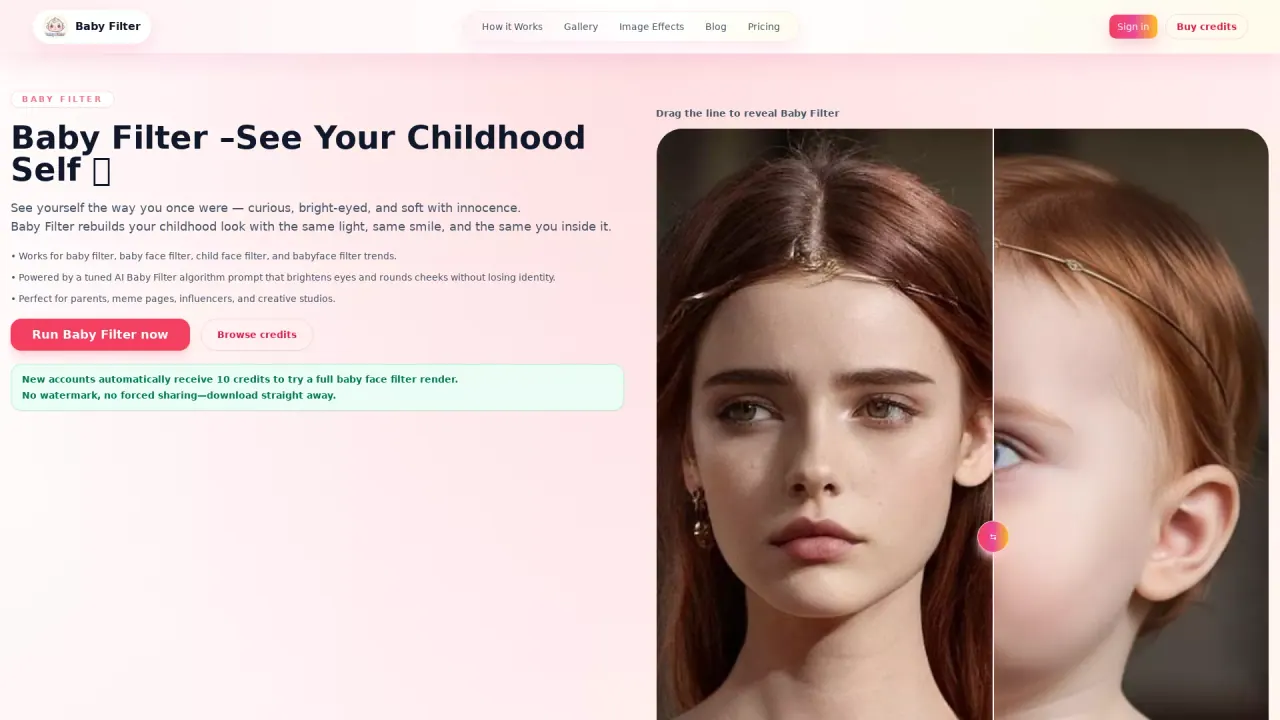
What does BabyFilter do?
BabyFilter is a studio-built AI “baby face filter” workflow that turns your portrait into a photorealistic babyface while keeping you recognizable. The transformation preserves your original background, lighting, and pose, then gently reshapes facial proportions and skin texture for that soft, bright-eyed look seen in viral baby filter and child face filter trends.
Using BabyFilter is straightforward: upload a clean portrait, pick an output size (Avatar, Wallpaper, or Poster), and generate your babyface render. The process uses a tuned AI Baby Filter algorithm plus a finishing pass to deliver consistent results without prompt engineering. You can also download straight away with no watermark and re-run as many times as you like.
BabyFilter is built for both casual creators and teams who need repeatable, launch-ready visuals. It’s a good fit for parents and future-parents who want nostalgic edits or “what I looked like” style keepsakes, as well as social media creators, meme pages, and campaign studios producing “baby reveal” teasers, future-child clips, giveaways, and fan edits.
For pricing, BabyFilter offers one-time credit packs and subscription tiers through the Baby Filter Club: Creator, Studio, and Agency. New accounts receive 10 free welcome credits for a trial render.
What does BabyFilter actually change in my photo?
It preserves your original background, lighting, and pose, then subtly reshapes facial proportions and skin texture to create a photorealistic babyface while keeping you recognizable.
What output sizes does BabyFilter offer?
Avatar (1024×1024), Wallpaper (1536×1024), and Poster (1024×1536) are available, so you can match common social crops or print-ready formats.
How many credits do I need for one BabyFilter render?
One baby filter render costs 10 credits.
Can I try BabyFilter without paying?
Yes—new accounts automatically receive 10 welcome credits for one full baby face filter render.
Will BabyFilter change my background or outfit?
No. The pipeline keeps your original background, lighting, and clothing, so the final image looks like the same moment—just babyfied.
Do credits expire or reset if I stop a subscription?
Credits never expire. If you cancel, any remaining credits stay in your balance until you use them.
This listing is claimed
Own BabyFilter? Sign in with the email used to claim it to manage this listing, or upgrade to Pro for featured-first placement and a newsletter feature.