Brat Generator
No longer active
AI Brat Image Generation Tool
This is a free online image generation tool inspired by Charli XCX's "Brat" album cover aesthetic.
Brat Generator is no longer available
What does Brat Generator do?
How do I create Brat-style images with the Free Brat Generator?
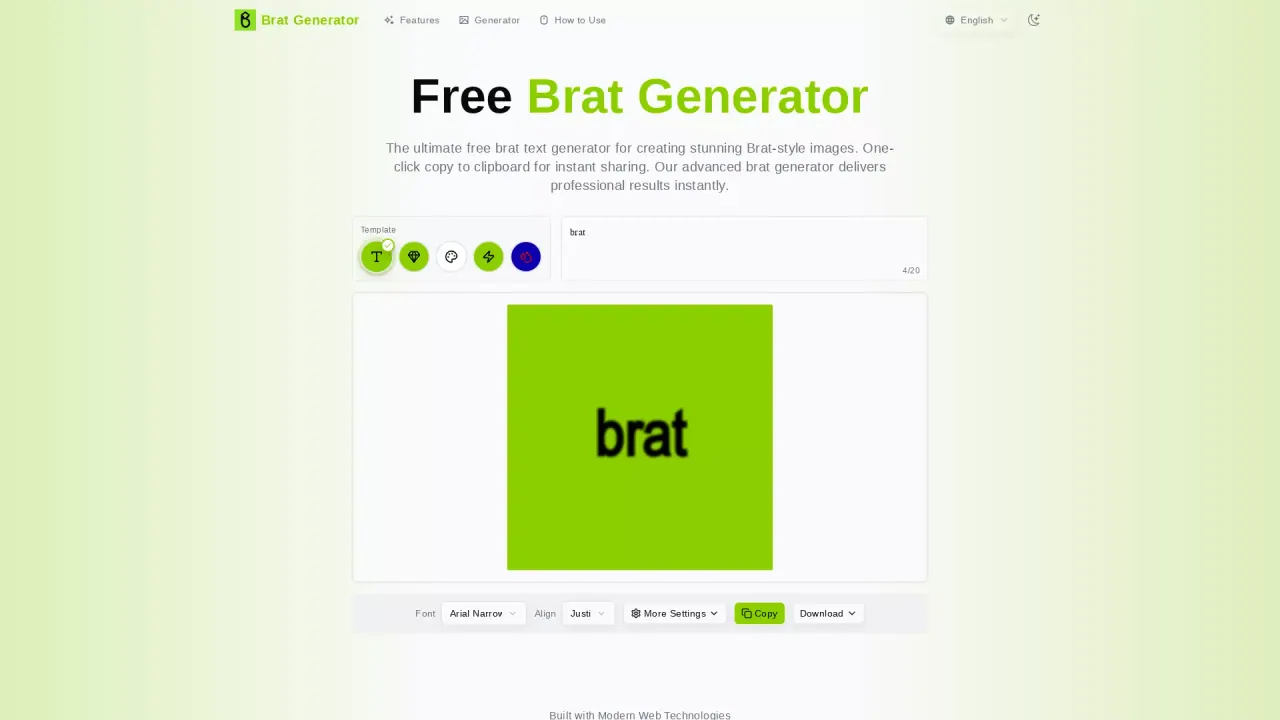
Start by typing your message in the text area. Pick one of the 5 templates: Classic Green, Diamond Layout, White, Strike-through, or Blue Sweat. Customize with fonts, colors, alignment, and effects using the collapsible settings panel. When you’re ready, copy to clipboard for instant sharing or download in Standard (500×500), HD (1000×1000), or Ultra HD (2000×2000) PNG format. The generator automatically enforces template-specific character limits.
Is the Brat Generator free to use?
Yes. The Brat Generator is 100% free with no hidden costs, no signup required, no watermarks, and unlimited image creation. You can download in three quality levels (Standard, HD, Ultra HD) without restrictions.
What templates are available in the Brat Generator?
Five authentic templates are available: Classic Green, Diamond Layout, White, Strike-through, and Blue Sweat. Each template captures a distinct Brat aesthetic with unique typography and styling.
How does the Diamond Layout template arrange text?
The Diamond Layout template automatically arranges text in a geometric diamond pattern. The generator calculates optimal word distribution and spacing and supports automatic text wrapping to fit the canvas.
What fonts are available and which should I choose?
The tool offers 11 fonts, including Arial Narrow, Compacta Black, Times Roman, and system fonts with fallbacks. For an authentic Brat look, Arial Narrow is recommended; Compacta Black works well for the Blue Sweat template.
What are the character limits for each template?
Character limits vary by template. Classic Green is best for short phrases (around 20 characters). Diamond Layout supports longer text up to 450 characters. The generator automatically tracks and enforces the limits for each template.
What customization options can I apply?
You can customize fonts, background and text colors (9 preset colors plus a color picker for custom colors), text alignment, and a range of effects such as blur, uppercase transformation, strike-through styling, and horizontal flipping. Advanced options are accessible in the collapsible settings panel.
What export options and sizes are available, and can backgrounds be transparent?
Exports are PNG in Standard (500×500), HD (1000×1000), and Ultra HD (2000×2000). PNG exports can have transparent backgrounds where applicable. You can also copy your creation to the clipboard for quick sharing.
How does the copy to clipboard feature work?
After generating your image, click the Copy button to place the image in your clipboard, ready to paste into social posts, messages, or apps that support image pasting.
Does the Brat Generator work on mobile devices?
Yes. The Brat Generator is fully responsive and works on smartphones, tablets, and desktops. You can create, copy, and download from any device with a web browser.
Can I use generated images commercially?
Images are suitable for personal use, social media, and creative projects. For commercial use, ensure you have appropriate rights and consider fair use principles, especially when using the Brat aesthetic for business purposes.
Do I need to sign up or will there be watermarks?
No signup is required, and there are no watermarks on downloaded images.