
Free AI Video Hub
AI Prompt Generator Tools
Upload a photo and get a high-quality image-to-video motion prompt in under 30 seconds—free, no signup, ready for major AI video tools.
- Pricing
- Free
- Category
- Prompt
- Listed
- Jul 15, 2026
- Updated
- Aug 1, 2026
Promoted
 KurodyneSell the tools from your AI side projects. Listing is free.
 Sidrune AI85% off. Stable Claude API for agent developers. Pay as you go. Invoices & refunds available.
 Pixmax.aiPixmax.ai is an all-in-one AI workspace for videos, visual stories, and marketing content.
 RewindType any X/Twitter handle. Get their year back as a narrated video story. Then ask it anything.
 SEOify - Improve your SEO & rankingsBuild links to rank in Google. Improve your DR with links you can start building now.Advertise here270,000+ people visit Dang.ai every month.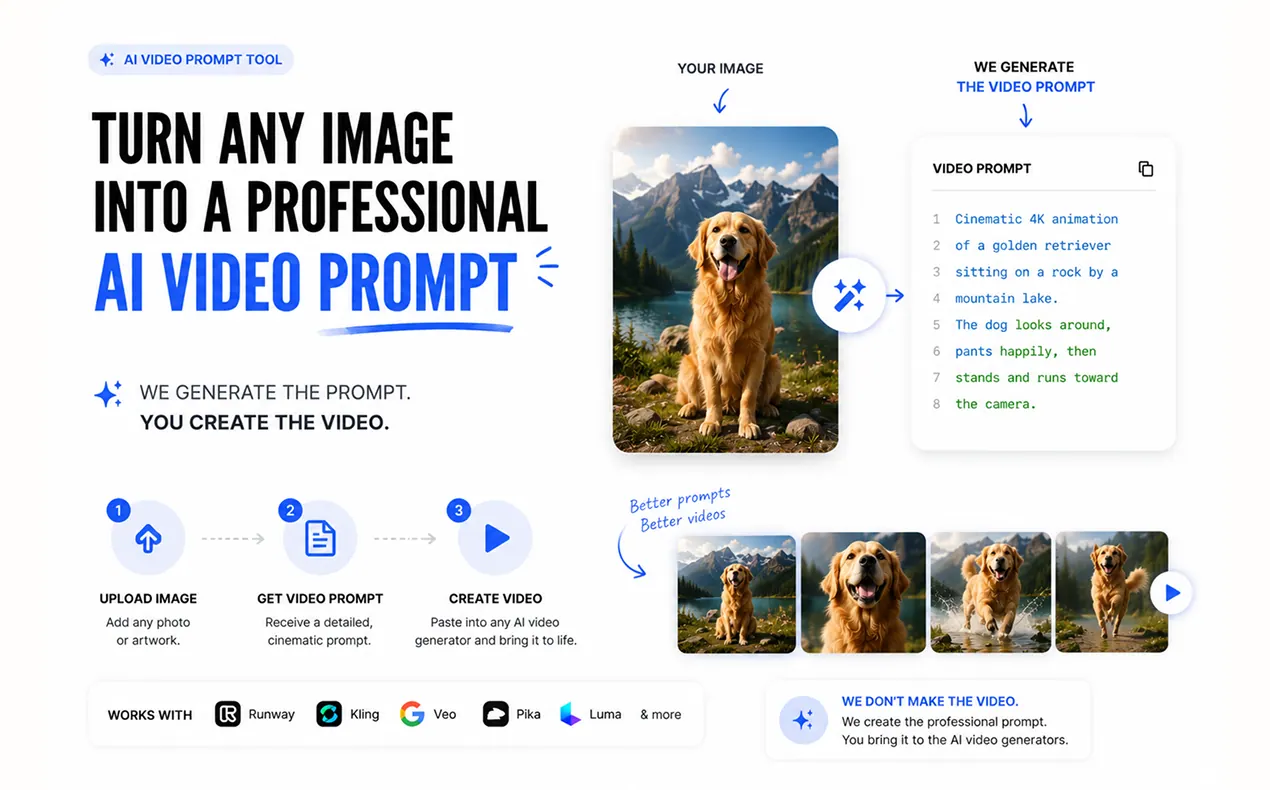
What does Free AI Video Hub do?
Free AI Video Hub turns a still image into a ready-to-paste image-to-video prompt. Upload one photo, describe the motion you want (or leave it blank), and get a detailed prompt in under 30 seconds—no editing skills, no signup, and no credit card.
Instead of producing generic “animate this” prompts, it generates structured motion instructions that match your actual subject, colors, lighting, and depth from the image. The prompt includes an aspect ratio match, a camera/motion plan, and an anti-morph negative prompt designed to help prevent common failures like identity drift and warping.
Once you have the prompt, it’s formatted for popular AI video generators, including Runway, Kling, and Veo (and others like SeeDance, Luma, and Pika). Use it to create scroll-stopping clips from portraits, landscapes, products, pets, travel photos, and more—starting from your real first frame.
What does this image-to-video tool generate for me?
You get a detailed image-to-video prompt built around your uploaded image, plus a first-frame reference description and a recommendation for which model best fits the motion you asked for.
How do I animate a photo with AI?
Upload one image, then type the motion you want (for example, “slow zoom” or “hair in the wind”). If you don’t specify motion, the tool generates a natural option, and outputs a complete prompt you can paste into an AI video generator.
Do I upload the photo and create the video directly here?
This tool focuses on generating the prompt. Paste it into an image-to-video AI model (like Runway, Kling, or Veo) to generate the short clip.
What kind of motion works best from a still photo?
One clear primary motion works best—such as a slow push-in/zoom, subtle drifting elements (hair, clouds), parallax for separated foreground/background, or gentle product rotation. Avoid stacking many competing motions.
Will the prompt help keep the person or product looking the same?
Yes—prompts include a tuned negative prompt meant to block common issues like morphing, warping, extra limbs, and identity drift so the subject stays consistent.
Is it really free and does it require signup?
It’s free and doesn’t require signup or a credit card. Upload one photo, generate your prompt, and paste it into your preferred AI video tool.
This listing is claimed
Own Free AI Video Hub? Sign in with the email used to claim it to manage this listing, or upgrade to Pro for featured-first placement and a newsletter feature.