FontDance
AI Art Generator & Creator Tools
FontDance is an AI font generator that turns prompts or image references into usable, downloadable TTF and WOFF2 font files.
- Pricing
- Free
- Category
- Art
- Listed
- Jun 22, 2026
- Updated
- Jun 23, 2026
Promoted
 Sidrune AI85% off. Stable Claude API for agent developers. Pay as you go. Invoices & refunds available.
 Pixmax.aiPixmax.ai is an all-in-one AI workspace for videos, visual stories, and marketing content.
 SEOify - Improve your SEO & rankingsBuild links to rank in Google. Improve your DR with links you can start building now.Advertise here270,000+ people visit Dang.ai every month.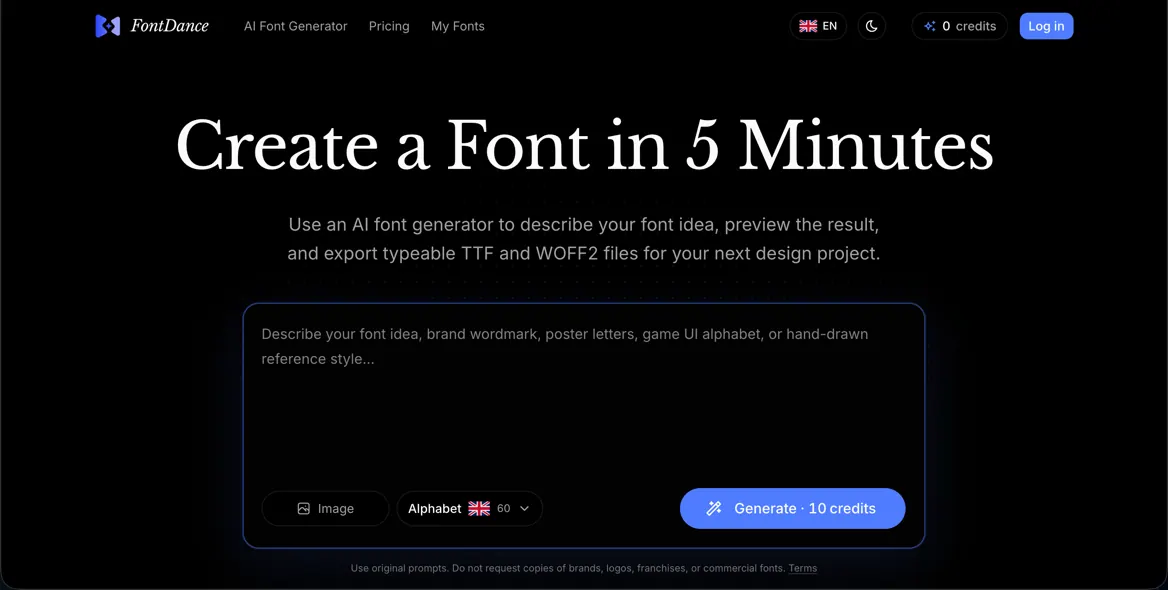
What does FontDance do?
FontDance helps you create typeable fonts from an idea. Start with a written style prompt, a reference image, or both, then generate a draft alphabet you can review before downloading.
The workflow is designed for practical font outcomes: live text preview, checks aimed at improving structure/readability, and a connected path from generation to real font exports. You can test spacing and rhythm using your own words before you commit.
When you’re ready, FontDance exports TTF and WOFF2 files, so your generated font can move from concept to usable assets for design projects and prototypes. You can also keep results organized in a “My Fonts” library for ongoing experiments.
Can I generate a font from text prompts or do I need an image?
You can start from a written style prompt, a reference image, or both. The prompt and/or image are used to guide the generated alphabet and style direction.
What file formats can I download from FontDance?
You can download typeable font files in TTF and WOFF2 formats.
Can I preview my own text before exporting the font?
Yes. Use the live preview to type your own words and assess spacing, rhythm, and readability before downloading.
Is FontDance for decorative lettering images or for real fonts?
FontDance is built for generating usable, typeable fonts rather than loose decorative text effects.
Does FontDance help improve the quality of the generated glyphs and layout?
The generation workflow includes checks intended to support structure, readability, and glyph layout, so drafts are more likely to be usable as fonts.
What happens if the generated font draft isn’t usable?
You can generate again and use the live preview step to decide whether the rhythm and consistency are worth exporting. When a direction doesn’t work, simply iterate with a new prompt or reference.
This listing is claimed
Own FontDance? Sign in with the email used to claim it to manage this listing, or upgrade to Pro for featured-first placement and a newsletter feature.