
FolioDrop
No Code AI Tools
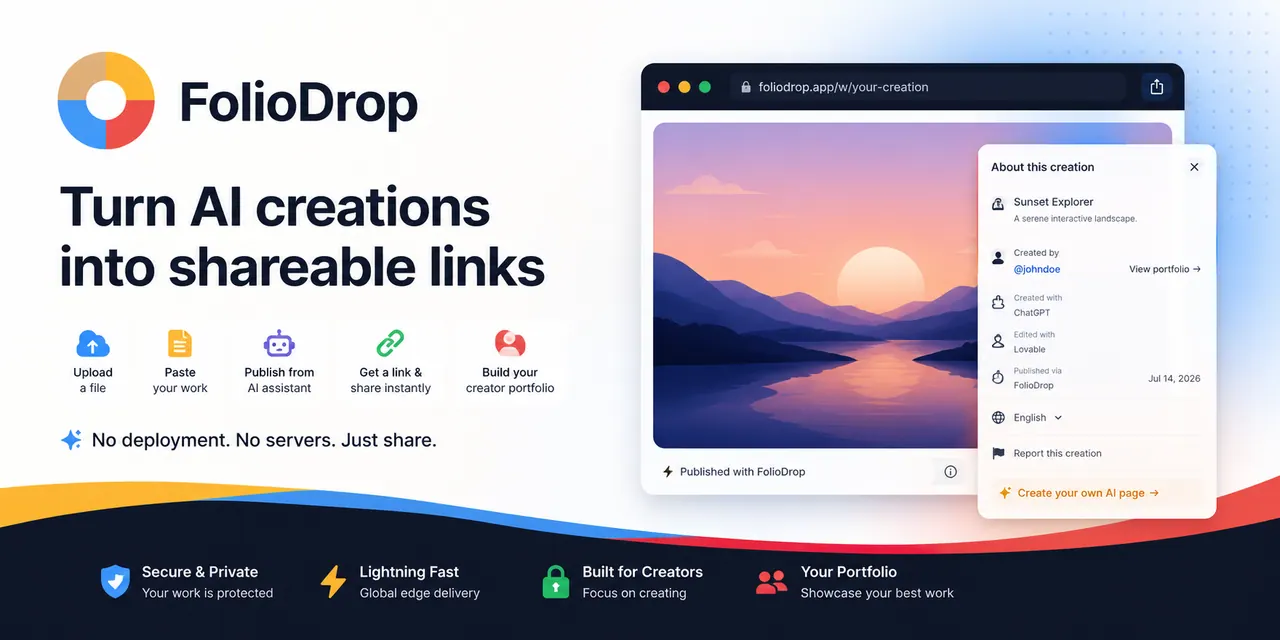
FolioDrop lets you upload or paste a complete HTML file and publish it as a free live share link in a personal folio.
- Pricing
- Free
- Category
- No Code
- Listed
- Aug 16, 2026
- Updated
- Oct 19, 2026
Promoted
 AI Checker PlusAI detector that highlights which passages AI wrote. Free check, no sign-up. Plagiarism too.
 RewindType any X/Twitter handle. Get their year back as a narrated video story. Then ask it anything.
 KurodyneSell the tools from your AI side projects. Listing is free.
 Sidrune AI85% off. Stable Claude API for agent developers. Pay as you go. Invoices & refunds available.
 Pixmax.aiPixmax.ai is an all-in-one AI workspace for videos, visual stories, and marketing content.
 SEOify - Improve your SEO & rankingsBuild links to rank in Google. Improve your DR with links you can start building now.Advertise here270,000+ people visit Dang.ai every month.
What does FolioDrop do?
FolioDrop is free HTML hosting for one complete, self-contained web page. Upload or paste your finished .html (or .htm) file, preview it in the browser, and publish a live HTTPS share URL. Your work stays organized in your personal folio along with the source context and visibility settings.
Built for AI-made artifacts, FolioDrop helps you turn a finished single-page output into something others can open immediately—without a Git repository, build pipeline, or deployment setup. Inline CSS and JavaScript travel with the page, and external assets can continue working as long as their URLs are reachable over HTTPS.
FolioDrop is intentionally narrow: it’s designed for portable, one-file publishing—not multi-file applications. If your project needs a repository, framework build, server routes, databases, environment variables, or a custom domain, use a deployment platform like Vercel, Netlify, Cloudflare Pages, or GitHub Pages.
With light metadata and editing in your folio (title, tags, notes, and source notes), it’s easier to preserve context after the chat ends. The Free plan supports up to three creations, and works are available for one month by default, with credits available to keep a work online.
What does FolioDrop do?
FolioDrop hosts one complete HTML document and publishes it as a live, browser-ready share URL. It also keeps your work in a personal folio with source context and visibility controls.
Can I publish an HTML file without Git or a build step?
Yes. FolioDrop is designed for a complete, portable HTML document. Upload or paste the finished file, review it, and publish the HTTPS link.
What counts as a “complete HTML file” for FolioDrop?
It’s a single .html (or .htm) page that contains the markup and any portability-critical styling/scripts in one document. If you rely on external assets, they must remain reachable over HTTPS after publishing.
Will my external images, fonts, or scripts keep working?
They can, if the browser can reach those assets over HTTPS after you publish. For best portability, inline CSS and JavaScript are typically more reliable; review asset URLs and permissions before sharing.
Is FolioDrop a replacement for Vercel, Netlify, or Cloudflare Pages?
No. FolioDrop is for one-file publishing and folio presentation. Use a deployment platform for multi-file apps, framework builds, server logic, databases, custom domains, and infrastructure configuration.
What are the free plan limits and how long do links stay active?
The Free plan supports up to three creations. Works are available for one month by default, and credits can be used to keep a work online.
This listing is claimed
Own FolioDrop? Sign in with the email used to claim it to manage this listing, or upgrade to Pro for featured-first placement and a newsletter feature.