
flux3.video
AI Video Maker Generators & Tools
Create short AI videos for free in your browser with FLUX 3 using text-to-video or image-to-video—no card required.
Promoted
 MuzieCreate professional AI music videos starring you. Bring a song or make one, done in minutes.
 AI Checker PlusAI detector that highlights which passages AI wrote. Free check, no sign-up. Plagiarism too.
 Pixmax.aiPixmax.ai is an all-in-one AI workspace for videos, visual stories, and marketing content.
 SEOify - Improve your SEO & rankingsBuild links to rank in Google. Improve your DR with links you can start building now.Advertise here330,000+ people visit Dang.ai every month.
What does flux3.video do?
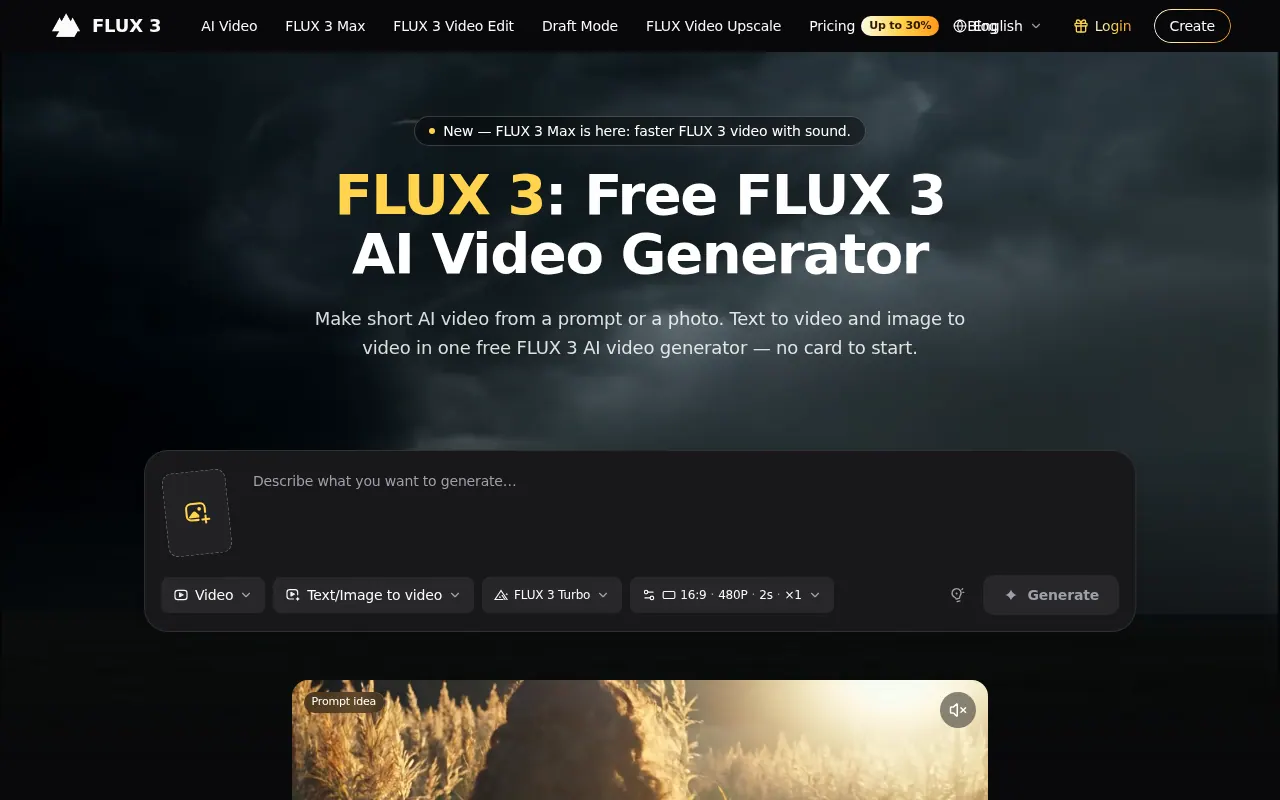
FLUX 3 Video is a free, browser-based AI video generator that turns a text prompt or an uploaded photo into short video clips. Work in one place for both text-to-video and image-to-video, generate quickly from everyday-style prompts, and save finished results to your personal library for reuse.
The workflow is simple: write a short scene in plain language or upload a still image, choose a model, generate the clip, then download or reopen it later from your library. You can also switch models for different output goals—starting with FLUX 3 Turbo for fast previews and moving to FLUX 3 or FLUX 3 Max for higher-quality results with sound.
FLUX 3 Video includes multiple styles (like candid, animated, product, and design-led) so you’re not limited to one “cinematic” look. Completed generations are saved to a history/library, and failed runs refund credits automatically so a bad take doesn’t cost your balance.
Pricing starts free (no credit card). Paid plans are available for more credits, higher limits, HD resolution and batch generation, commercial licensing, and features like no daily limit on AI agent chat and no watermark on images—use the upgrade when you need more volume or rights for client/ad work.
What can I create with flux3.video?
You can generate short AI video clips using text-to-video (a prompt describing a scene) or image-to-video (animating an uploaded photo).
Do I need a credit card to start?
No. You can start free in your browser with free credits and upgrade only when you need more runs or commercial licensing.
How do text-to-video and image-to-video work in one place?
Both modes are available in the same workspace, so you can switch between writing a scene prompt and uploading a still image, then generate and save results to your library.
What models are available for video and sound?
FLUX 3 Turbo is used for fast preview runs, while FLUX 3 and FLUX 3 Max are available in the model picker for higher-quality output, with FLUX 3 Max focused on faster video with sound.
What happens if a generation fails?
Failed runs refund credits automatically, so unsuccessful attempts don’t permanently reduce your balance.
Can I use the outputs commercially?
Paid plans include a commercial use license for your generated outputs.
This listing is claimed
Own flux3.video? Sign in with the email used to claim it to manage this listing, or upgrade to Pro for featured-first placement and a newsletter feature.