
Flow AI Video
AI Video Maker Generators & Tools
Flow AI Video turns prompts and reference media into cinematic short video shots you can review and refine take by take.
- Pricing
- Free
- Category
- Video
- Listed
- Sep 6, 2026
- Updated
- Oct 19, 2026
Promoted
 AI Checker PlusAI detector that highlights which passages AI wrote. Free check, no sign-up. Plagiarism too.
 RewindType any X/Twitter handle. Get their year back as a narrated video story. Then ask it anything.
 KurodyneSell the tools from your AI side projects. Listing is free.
 Sidrune AI85% off. Stable Claude API for agent developers. Pay as you go. Invoices & refunds available.
 Pixmax.aiPixmax.ai is an all-in-one AI workspace for videos, visual stories, and marketing content.
 SEOify - Improve your SEO & rankingsBuild links to rank in Google. Improve your DR with links you can start building now.Advertise here330,000+ people visit Dang.ai every month.
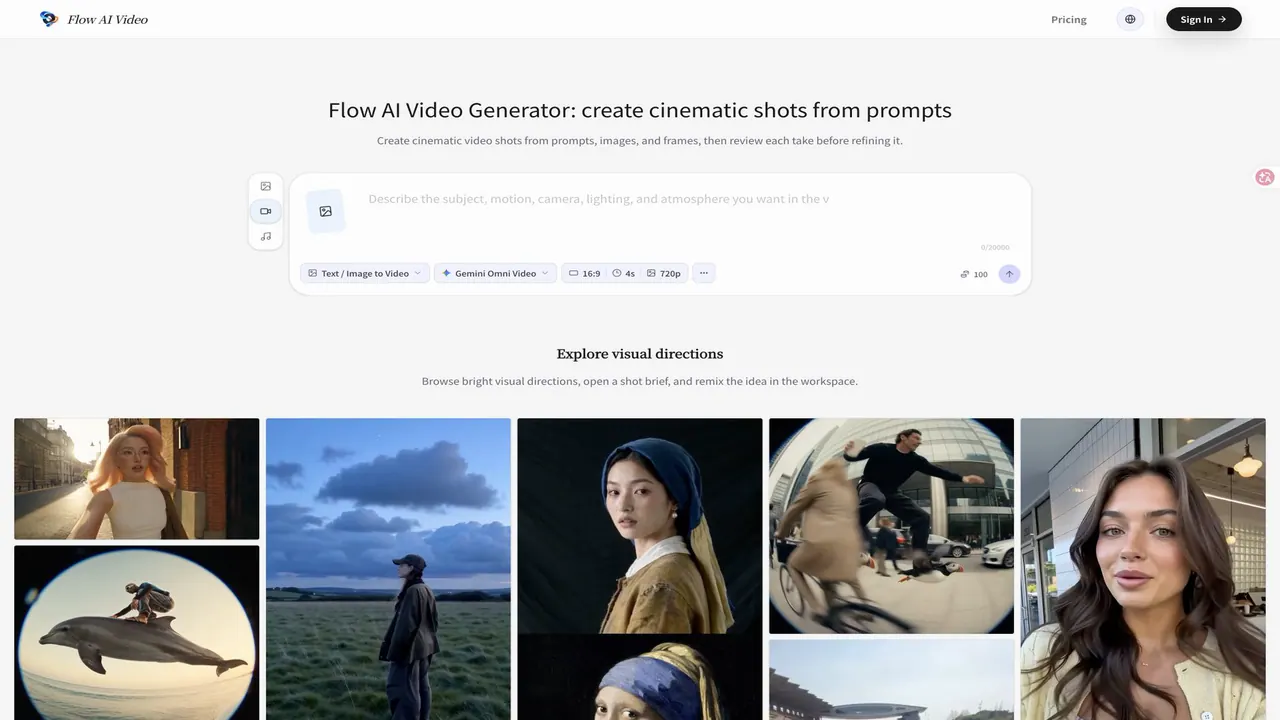
What does Flow AI Video do?
Flow AI Video is a browser-based AI video generator for creating cinematic short video drafts from text prompts, still images, and frame references. It’s built for creators, marketing teams, visual planners, and creative teams who want to explore visual directions quickly—then review each generated take before deciding what to improve.
Start by setting the shot: choose an available video model, aspect ratio, and output settings for your destination. Then describe the scene with a clear shot brief covering the subject, setting, action, camera movement, framing, and mood. If composition matters, add a still image, first frame, last frame, or other supported reference to anchor the opening and guide the look.
Flow AI Video helps you iterate efficiently. Generate a take, inspect camera movement, composition, identity details, text/logos, and continuity, and refine deliberately. Instead of rewriting everything, change one important variable at a time—like the prompt phrasing, the model choice, or the reference input—so you can compare versions without losing the original idea.
Clips generated in your workflow stay available in your account history for review, download, and handoff when the shot is ready. Costs are managed through credits that depend on the selected model and settings, with an estimate shown before you submit. Use it for short clips, product videos, storyboards, and campaign concepts.
What inputs can I use in Flow AI Video?
You can create from text prompts and reference media such as still images and frame references (including first or last frames, where supported).
How does Flow AI Video help me refine results between takes?
After generating a take, review camera movement, composition, continuity, and any identity details. Then change one key variable—like the prompt or selected settings—and generate the next take to compare improvements.
Will the generated video match my prompt exactly?
Not always. AI video can alter identity details, text/logos, timing, camera motion, object shapes, or scene continuity, so it’s important to review each output as a take.
Can I turn an image into a video shot?
Yes. Add a still image or frame reference, then describe the camera move, timing, or transformation you want. The output may reinterpret the source rather than preserve every pixel.
How are credits and pricing handled?
Flow AI Video uses credits based on the selected model and settings. You can check the estimate before submitting, and the pricing page can be used to compare plans or add capacity.
Is it safe to use AI-generated videos commercially?
Review the rights for your source media, the selected model, your account plan, and the platform you plan to publish on. Don’t assume copyrighted or private source material is cleared for commercial use.
This listing is claimed
Own Flow AI Video? Sign in with the email used to claim it to manage this listing, or upgrade to Pro for featured-first placement and a newsletter feature.