
Pictomove
AI Video Maker Generators & Tools
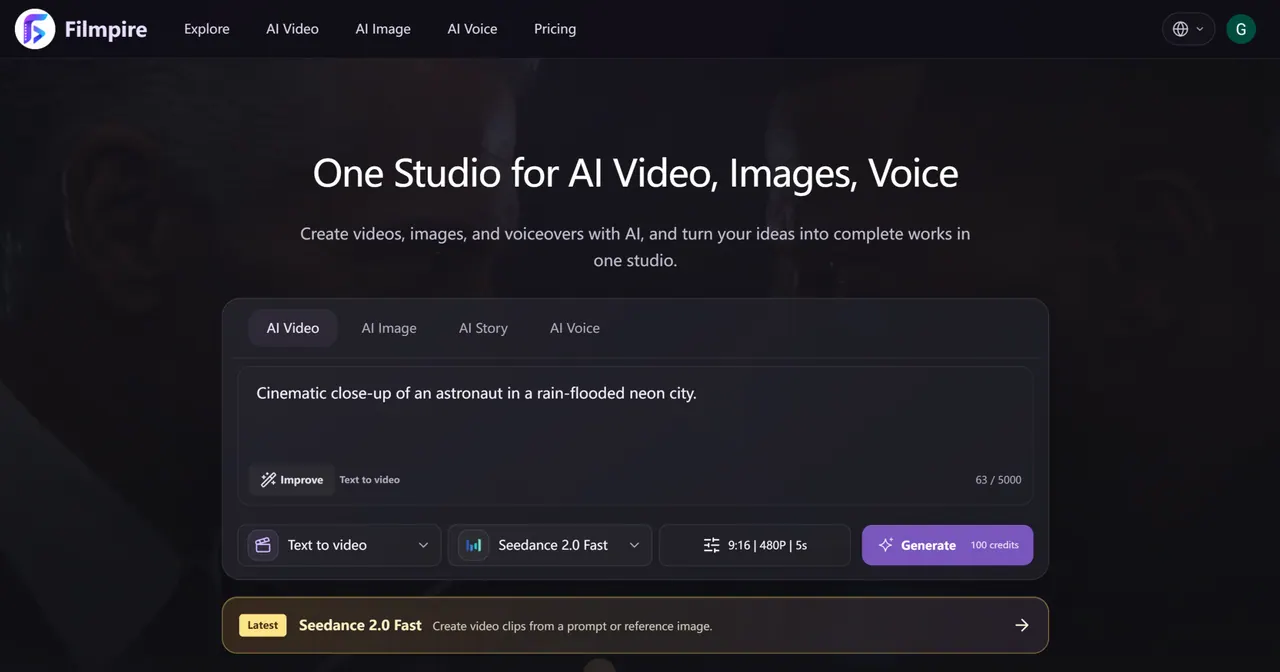
Pictomove is a curated AI creative studio that turns prompts and reference images into story-led AI videos, images, and voiceovers.
- Category
- Video
- Listed
- Oct 8, 2026
- Updated
- Nov 11, 2026
Promoted
 RewindType any X/Twitter handle. Get their year back as a narrated video story. Then ask it anything.
 KurodyneSell the tools from your AI side projects. Listing is free.
 Pixmax.aiPixmax.ai is an all-in-one AI workspace for videos, visual stories, and marketing content.
 AI Checker PlusAI detector that highlights which passages AI wrote. Free check, no sign-up. Plagiarism too.
 SEOify - Improve your SEO & rankingsBuild links to rank in Google. Improve your DR with links you can start building now.Advertise here330,000+ people visit Dang.ai every month.
What does Pictomove do?
Pictomove is a single workspace to create AI video clips, AI images, and AI voiceovers—so you can take an idea from direction to usable visual and audio assets without hopping between tools. Start from a text prompt and/or reference image, pick a workflow and model, and then generate results with adjustable settings.
For story-led projects, Pictomove’s AI Story workflow helps you plan before you produce. It converts your idea into a director’s plan with scenes and shots, plus a storyboard-style route to review creative direction before you generate the final video. This is designed to support consistent storytelling and a smoother production flow.
If you want a more focused creation path, Pictomove also supports common workflows like text-to-video, image-to-video, text-to-image, and image-to-image. You can animate a still image with motion and camera direction, and refine outcomes using a reference image.
Pictomove includes model comparison and practical output controls such as aspect ratio, duration, and resolution. You can also review estimated credit costs during the production stages—video credits are spent after you approve the director plan for storyboard and video. Pictomove also emphasizes continuity support through persistent world memory to help keep characters, wardrobe, and locations consistent across shots.
Pricing: Pictomove offers annual plans with “save up to 30% on annual plans,” and provides credit-based generation where video credits are charged after storyboard plan approval.
What can I create with Pictomove?
You can generate AI video clips, AI images, and AI voiceovers in one studio. You build each asset using a prompt and/or reference visuals, then choose a workflow to match your goal.
How does the AI Story workflow help with story-led videos?
AI Story turns your idea into a director’s plan with scenes and shots, along with a storyboard route to review direction before generating. Video credits are spent after you approve the director plan through the storyboard and video stages.
Which generation workflows are available in Pictomove?
Pictomove supports text-to-video, image-to-video, text-to-image, and image-to-image. You can also animate a still image with motion and camera direction and refine results using a reference image.
Can I compare models and adjust video output settings?
Yes. Pictomove lets you compare models and set controls such as aspect ratio, duration, and resolution before you generate.
When are video credits charged?
Video credits are spent after you approve the director plan for the storyboard and video stages. You can review estimated credit costs before submitting generation.
Does Pictomove help keep characters consistent across shots?
Yes. Its story workflow is designed to maintain consistency for characters, wardrobe, and locations using persistent world memory.
This listing is claimed
Own Pictomove? Sign in with the email used to claim it to manage this listing, or upgrade to Pro for featured-first placement and a newsletter feature.