EzMaker AI
Verified
AI Art Generator & Creator Tools
EzMaker AI is a free all-in-one AI photo editor that removes backgrounds and objects, enhances and upscales images, and transforms photos with prompts.
Promoted
 MuzieCreate professional AI music videos starring you. Bring a song or make one, done in minutes.
 AI Checker PlusAI detector that highlights which passages AI wrote. Free check, no sign-up. Plagiarism too.
 Pixmax.aiPixmax.ai is an all-in-one AI workspace for videos, visual stories, and marketing content.
 SEOify - Improve your SEO & rankingsBuild links to rank in Google. Improve your DR with links you can start building now.Advertise here330,000+ people visit Dang.ai every month.
What does EzMaker AI do?
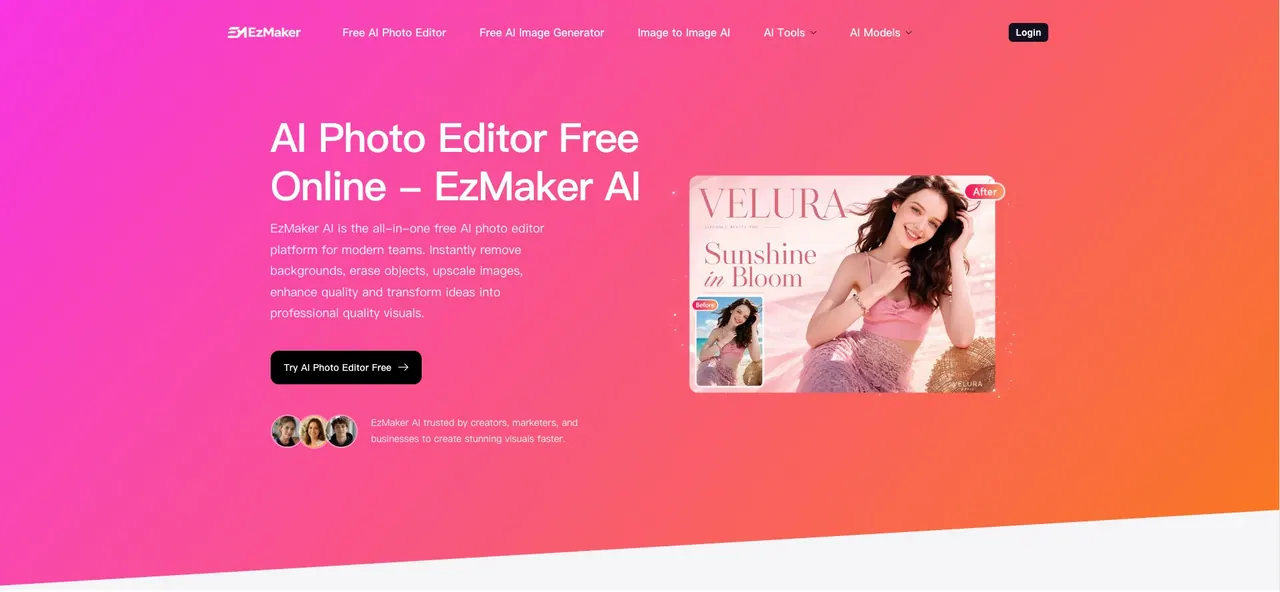
EzMaker AI is an all-in-one free AI photo editor and image generator designed to help you transform everyday photos into polished visuals quickly. Upload an image to remove backgrounds, erase objects, enhance quality, upscale for more detail, and apply creative transformations using AI prompts.
Core editing features focus on fast, practical results: use magic-eraser-style object removal to paint over unwanted areas, then let the editor seamlessly fill the background based on surrounding context. Replace backgrounds with a solid canvas or a custom scene, and expand images using AI to change dimensions without stretching or cropping. For portraits and product-style imagery, it also includes tools for image enhancement, upscaling, and restoration.
You can also guide edits with prompts (up to 2000 characters) for actions like replacing backgrounds, changing hair color, or style transfer. Ready-to-use examples help you get started immediately, and aspect ratio options make it easier to prepare images for different formats.
EzMaker AI supports JPEG, JPG, PNG, or WEBP files up to 20M. It’s positioned as free to use online with unlimited premium features and no sign-up, and it includes additional generation options such as free text-to-image and free image-to-image.
Is EzMaker AI completely free to use?
Yes—EzMaker AI is offered as a free online photo editor with unlimited premium features and no sign-up required.
What image formats and file sizes does EzMaker AI support?
You can upload JPEG, JPG, PNG, or WEBP files up to 20M.
How do I remove objects using EzMaker AI?
Use the magic eraser-style object removal tool to paint over the area you want to remove. The editor then removes the selected content and fills the background using surrounding context.
Can I replace my photo’s background or expand the image size?
Yes. You can replace the background (e.g., with a solid canvas or custom scene) and use AI image expansion to change dimensions without stretching or cropping.
What can I do with prompts in EzMaker AI?
Enter editing instructions up to 2000 characters to guide changes such as replacing backgrounds, changing hair color, or style transfer. You can also start from built-in examples.
Does EzMaker AI provide upscaling and image enhancement?
Yes. The editor includes one-click enhancement and an AI upscaler that enlarges images by 2x, 4x, or 8x.
This listing is claimed
Own EzMaker AI? Sign in with the email used to claim it to manage this listing, or upgrade to Pro for featured-first placement and a newsletter feature.