
Dimly Art
AI Video Maker Generators & Tools
Dimly Art turns your text or photos into ready-to-post vertical videos using trending templates for TikTok, Reels, and Shorts.
Promoted
 Sidrune AI85% off. Stable Claude API for agent developers. Pay as you go. Invoices & refunds available.
 Pixmax.aiPixmax.ai is an all-in-one AI workspace for videos, visual stories, and marketing content.
 AI Checker PlusAI detector that highlights which passages AI wrote. Free check, no sign-up. Plagiarism too.
 RewindType any X/Twitter handle. Get their year back as a narrated video story. Then ask it anything.
 KurodyneSell the tools from your AI side projects. Listing is free.
 SEOify - Improve your SEO & rankingsBuild links to rank in Google. Improve your DR with links you can start building now.Advertise here270,000+ people visit Dang.ai every month.
What does Dimly Art do?
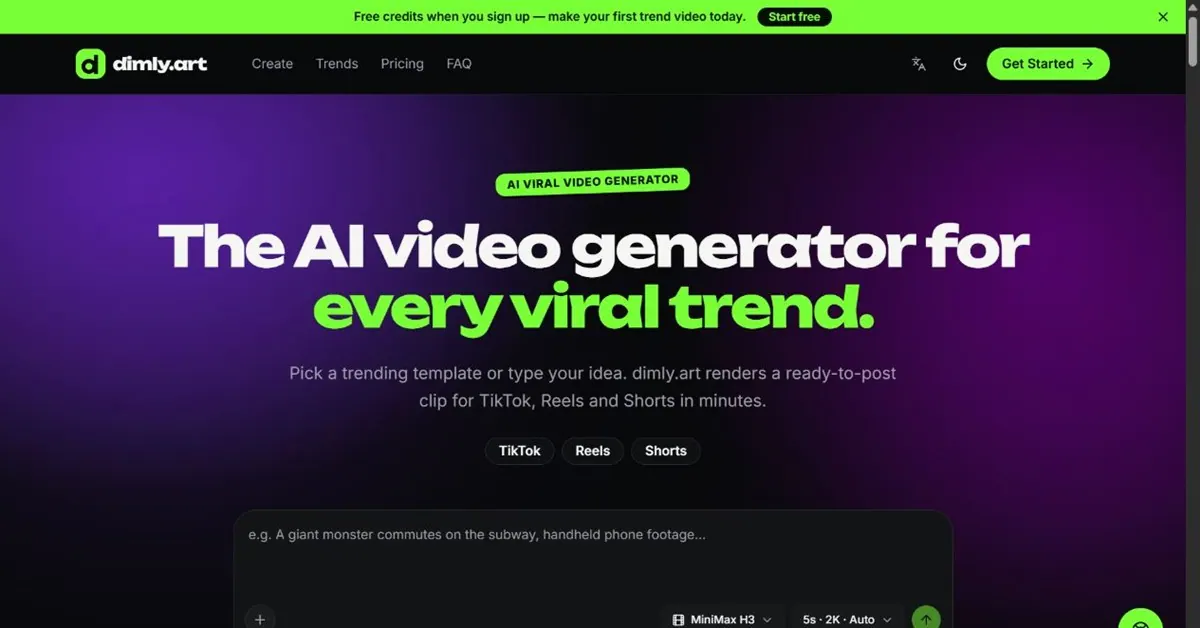
Dimly Art is an AI viral video generator that helps you create short, social-ready clips fast. Choose a trending template or type your own idea, and render a ready-to-post video for TikTok, Reels, and Shorts in minutes. You can also drop in a photo to animate—your upload becomes the opening frame of the clip.
The workflow is simple: pick a trend (or template), render your clip, then download in common social aspect ratios like 9:16, 1:1, or 16:9. If a render doesn’t come out right, failed renders are refunded automatically. Dimly Art supports multiple video models, including MiniMax H3 (up to 4K) and Seedance 2.5 (up to 30 seconds with generated audio). You can pick per shot or let the agent choose.
For speed and inspiration, each trend includes a guide with what it is and prompt ideas you can copy—plus common mistakes to avoid. Dimly Art is designed for creators who want to ship trend-aligned videos quickly, whether you’re making solo posts, product-style clips, or story-driven mini moments.
Pricing is credit-based. New users get free credits when signing up, and you can subscribe for monthly/yearly plans or buy one-time credit packs. Paid plans include a full commercial license for your downloads.
Can I create TikTok, Reels, and Shorts videos with Dimly Art?
Yes. Render vertical 9:16 (or 1:1 / 16:9) and download the clip ready to post. Both supported video models can produce 9:16.
How do trending templates work?
A template is a ready-made prompt (sometimes with a sample opening). Pick one, adjust the idea in your own words, and render—dimly.art helps you describe your own scene rather than copying someone else’s video.
Can I turn my own photo into a video?
Yes. Upload a still, describe what should move, and the image becomes the opening frame while the model animates from there.
How long do renders take?
Usually a few minutes. Video renders queue and take longer than image work; a 5-second clip is typically about 1–3 minutes, and longer clips take more time.
What video models does Dimly Art use?
You can use MiniMax H3 and Seedance 2.5 in the same chat. MiniMax supports up to 4K, while Seedance supports up to 30 seconds and includes generated audio.
Do I need a subscription, or can I buy credits instead?
You can buy credits without a subscription. Subscriptions provide a better rate per credit and refill monthly, while one-time credit packs stay valid for 12 months.
This listing is claimed
Own Dimly Art? Sign in with the email used to claim it to manage this listing, or upgrade to Pro for featured-first placement and a newsletter feature.