
chat.cx
AI Chatting Tools
All your AI chatbots in one panel while you browse. ChatGPT, Claude & more.
- Pricing
- Free
- Category
- Chat
- Listed
- Aug 15, 2026
- Updated
- Nov 4, 2026
Promoted
 Pixmax.aiPixmax.ai is an all-in-one AI workspace for videos, visual stories, and marketing content.
 AI Checker PlusAI detector that highlights which passages AI wrote. Free check, no sign-up. Plagiarism too.
 RewindType any X/Twitter handle. Get their year back as a narrated video story. Then ask it anything.
 KurodyneSell the tools from your AI side projects. Listing is free.
 Sidrune AI85% off. Stable Claude API for agent developers. Pay as you go. Invoices & refunds available.
 SEOify - Improve your SEO & rankingsBuild links to rank in Google. Improve your DR with links you can start building now.Advertise here270,000+ people visit Dang.ai every month.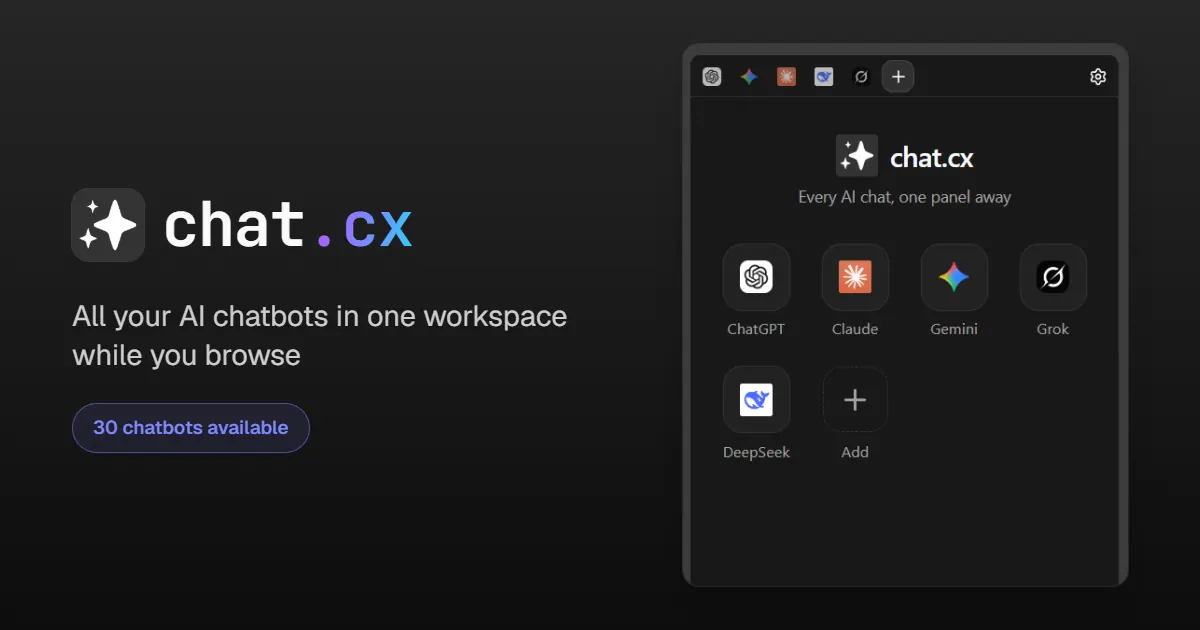
What does chat.cx do?
All your AI chatbots in one workspace while you browse. Ask anything, page context and screenshots, or chat with your own APIs.
✨ chat.cx is an AI Chat Workspace: every AI chat you use, one panel away.
ChatGPT, Claude, Gemini, Grok, DeepSeek, and your own API keys, side by side in your browser. The real sites, your accounts, your subscriptions. Nothing new to sign up for.
AI work rarely happens in one chatbot. You compare answers, run research through another service, then ask a model you host yourself. Normally that means a browser full of tabs, repeated sign-ins, and conversations lost behind whatever you opened next. chat.cx gives those conversations one home, right beside the page you are working on.
💎 NOT A WRAPPER, NOT A RESELLER chat.cx embeds the real sites themselves, nearly 30 in all. Sign in to a site once in a normal tab, and the workspace opens it already signed in. ✅ Your accounts and plans: history, models, and paid subscriptions all carry over, because it is the same site ✅ The real interfaces: when a provider ships a feature, you have it the same day ✅ Nothing in between: no chat.cx account, no proxy servers, no usage data
🤖 THE CATALOG: 30 SERVICES AND GROWING The big global names, regional leaders, and community favorites, with new services added regularly. Browse the full catalog at chat.cx
🧩 PART OF THE BROWSER One workspace, wherever you want it, with tabs that behave the way browser tabs should. • Five surfaces: side panel, toolbar popup, full-page tab, new window, or a standalone app window. The toolbar icon opens whichever you prefer, and the Alt+S shortcut follows that choice. • Tabs that hold their place: chatbots stay loaded while you switch, and Restore Last Page reopens the exact conversation you left, not the site's home. • Compare prompts: open a service twice, or keep a long answer visible while you work elsewhere. • Split screen: open any chat beside the page you are on, chat left or chat right. • The launcher: a small pull-tab docked to the edge of web pages. Hover it to see your open chats and jump straight into one. Drag it to any edge, hide it per site, or turn it off entirely. • Every tab under control: reload, back and forward, zoom, copy link, open in a normal tab or window. Hard Reload re-syncs a login when a site looks signed out in the panel. • Voice-ready: grant the microphone once and voice input works inside embedded chatbots too. • Make it yours: pin your go-to services to the Home page, search the whole catalog, dock the tab strip to any edge, and pick light, dark, or system theme.
📄 ASK AI ABOUT THE PAGE YOU ARE ON Turn the page you are reading into chat context, in embedded and native chats alike. • Insert the page's readable text, or just your selection, into the open chat's composer. • Capture the visible page, or drag out an area, and attach the screenshot. • Right-click a selection and choose Ask AI to open a fresh chat with the text ready to use. Right-click the page background to ask about the whole page instead. • If a chat cannot accept an automatic insert, chat.cx keeps the captured context so you can paste it yourself.
🔑 BRING YOUR OWN MODELS The embedded sites cover the big names. For everything else, point chat.cx at any endpoint that speaks the OpenAI Chat Completions API and talk to it straight from the browser, no proxy in between: OpenAI, OpenRouter, Groq, Azure, xAI, or a local Ollama or LM Studio. • Full per-API setup: base URL, key, default model, system prompt, sampling, custom headers, streaming on or off, and a built-in connection test. • Any model: browse and search the endpoint's model list, or type any model id. Each chat can switch models independently and override its API's system prompt and settings. • A real chat client: persistent threads with search, rename, and date grouping, plus a temporary mode that saves nothing. • Rich answers: markdown with highlighted code, math, right-to-left text, a live reasoning view, and inline image output. • Message tools: edit and resend, regenerate, quote, and step between response versions. • Voice, files, and stats: voice in and out, image and text-file attachments, and per-message timing and token counts. • Keys stay local: API keys are stored in your browser and sent only to the endpoint you configured.
🧰 TOOLS FOR YOUR API CHATS Built-in tools your models can call, each with its own switch. • Web search and web fetch: work out of the box, no key needed, processed locally in your browser or through a provider you add. • Image generation: connect your own OpenAI-compatible image endpoint. • Datetime: the model knows your current date, time, and time zone.
🔒 PRIVATE BY DESIGN No chat.cx account. No proxy servers. Nothing collected. Your conversations happen directly between your browser and the services you choose, so there is nothing of yours for us to hold or leak.
🚀 GET STARTED
- Pin chat.cx to your toolbar and open the panel, or press Alt+S.
- Pick the AI sites you use, or add an OpenAI-compatible API.
- Keep working on the web, then send a selection, page, or screenshot to the chat that can help.
chat.cx is an independent browser workspace and is not affiliated with, endorsed by, or sponsored by OpenAI, Anthropic, Google, xAI, Microsoft, or any other provider named in this listing or available in the extension.
This listing is claimed
Own chat.cx? Sign in with the email used to claim it to manage this listing, or upgrade to Pro for featured-first placement and a newsletter feature.